California Overtime Rules
As a supplier, to comply with the legislation regarding overtime, you will need to have the overtime rules enabled.
| Please contact your Customer Operations Specialist. |
The current California state overtime rules are:
-
Overtime (time & a half) is paid after 8 hours worked in a day AND after 40 hours worked in a week.
-
Double Time is paid after 12 hours worked in a day. There is no weekly Double Time.
-
If shifts are worked on 7 consecutive days, on the 7th consecutive day Overtime is paid up to 8 hours and Double Time is paid after 8 hours.
| For the rule to work with order templates, both the supplier and MSP must have the rule enabled. |
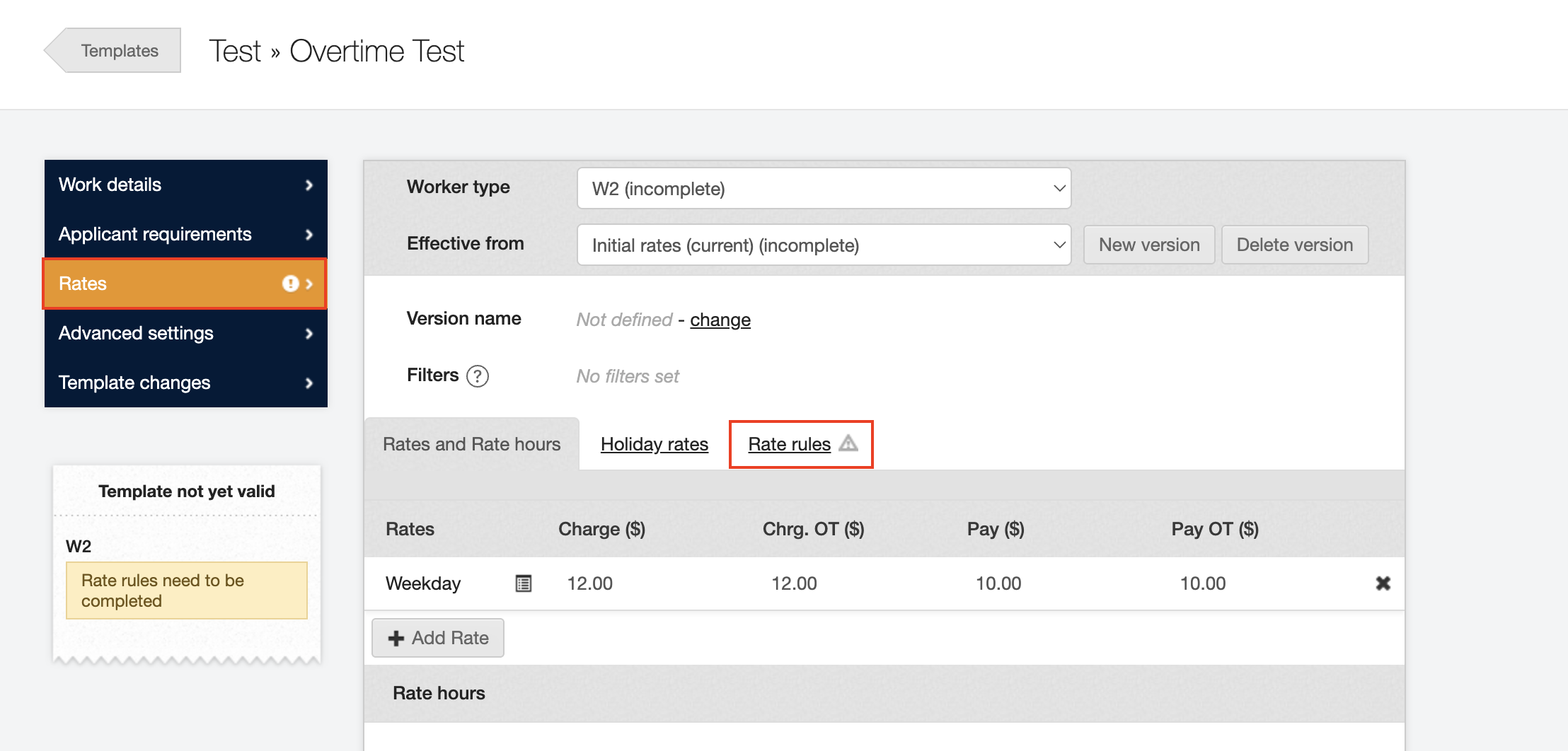
When setting up a new shift template, navigate to Rates and then Rate rules.
Here you can view your overtime rules, after setting Enable weekly overtime? to Yes, more options will appear.
Now you can set the overtime rate selection to the California custom logic.
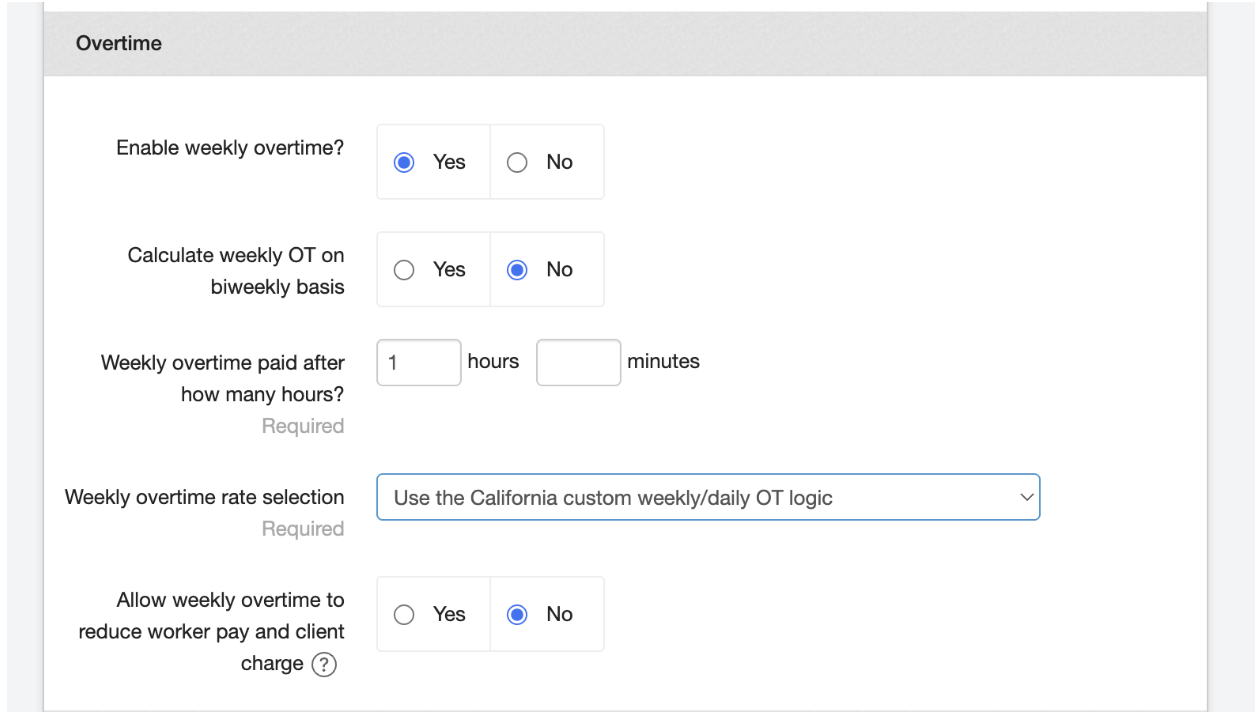
| You must set the Weekly overtime paid after how many hours? Section to 1. |
Make sure to save the changes.
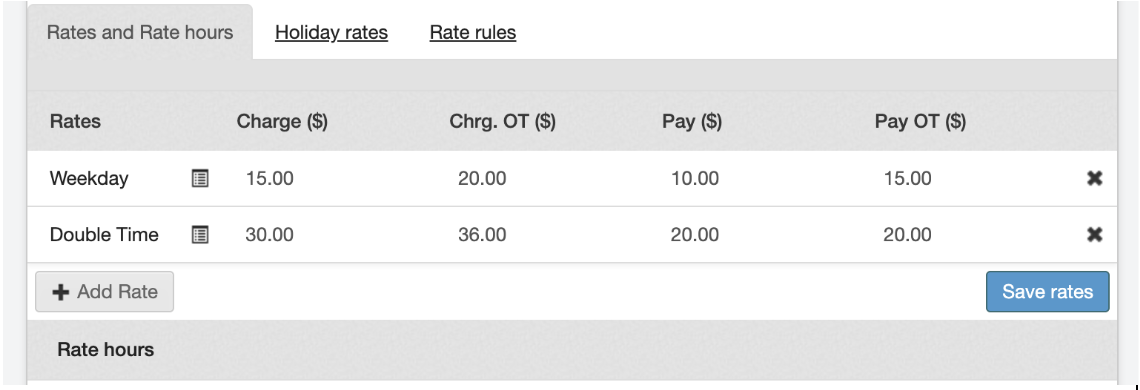
Once this has been implemented, you can now edit your rates and rate hours.
For the base pay rates, enter these in the Charge and Pay columns.
For the Overtime rates, enter these in the Chrg. OT and Pay OT columns
For the Double Time rates, select + Add Rate and choose the Double Time option. Enter the rates in the Charge and Pay columns for this Double Time line.
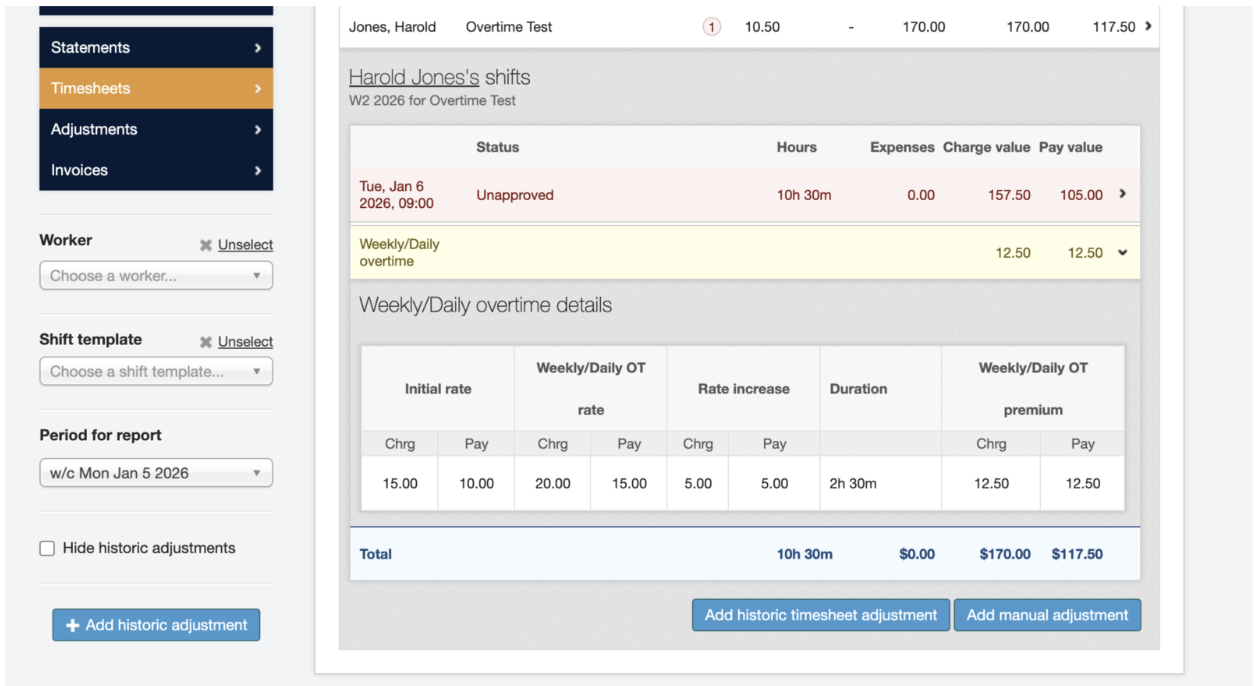
Once your shifts have been submitted, you will be able to see the breakdown of your overtime.