Order templates overview
Order templates are used to delegate open shifts to supplier agency network.
Order templates are designed specifically for the use case of working with a supply chain. Unlike shift templates, order templates are not owned by one specific organisation, and therefore it’s possible for you to set them up to manage which suppliers (agencies) to work with and how to share shifts across their supplier chain.
Creating an order template is a way to efficiently share shifts to suppliers that are linked to the order template. Once an agency is linked to the order template, they are able to edit all the details like rates, typical shift length, applicant requirements, and more.
For example, you can create an order template and link different suppliers:
-
Supplier A is linked Shift template A
-
Supplier B is linked Shift template B
-
Supplier C is linked Shift template C
All suppliers must be linked to the same order template in order to share shifts between them. Each supplier is linked to a shift template.
|
A shift template is created for the supplier when linking them to an order template. These are referred to as Linked shift templates; however, they include the same details as a regular shift template and the same process is used to create them. |
Details in the supplier’s linked shift template can vary (for example rates and rate rules). By creating a supplier network of order templates and linked shift templates—in advance and having them readily available, you can more efficiently and effectively manage shifts when they are posted.
Optionally, you can create a shift template and book workers to shifts.
It is also possible to create ‘regular’ shift templates to supply workers directly to a client without going through a staffing agency.
Order templates Vs. Shift templates
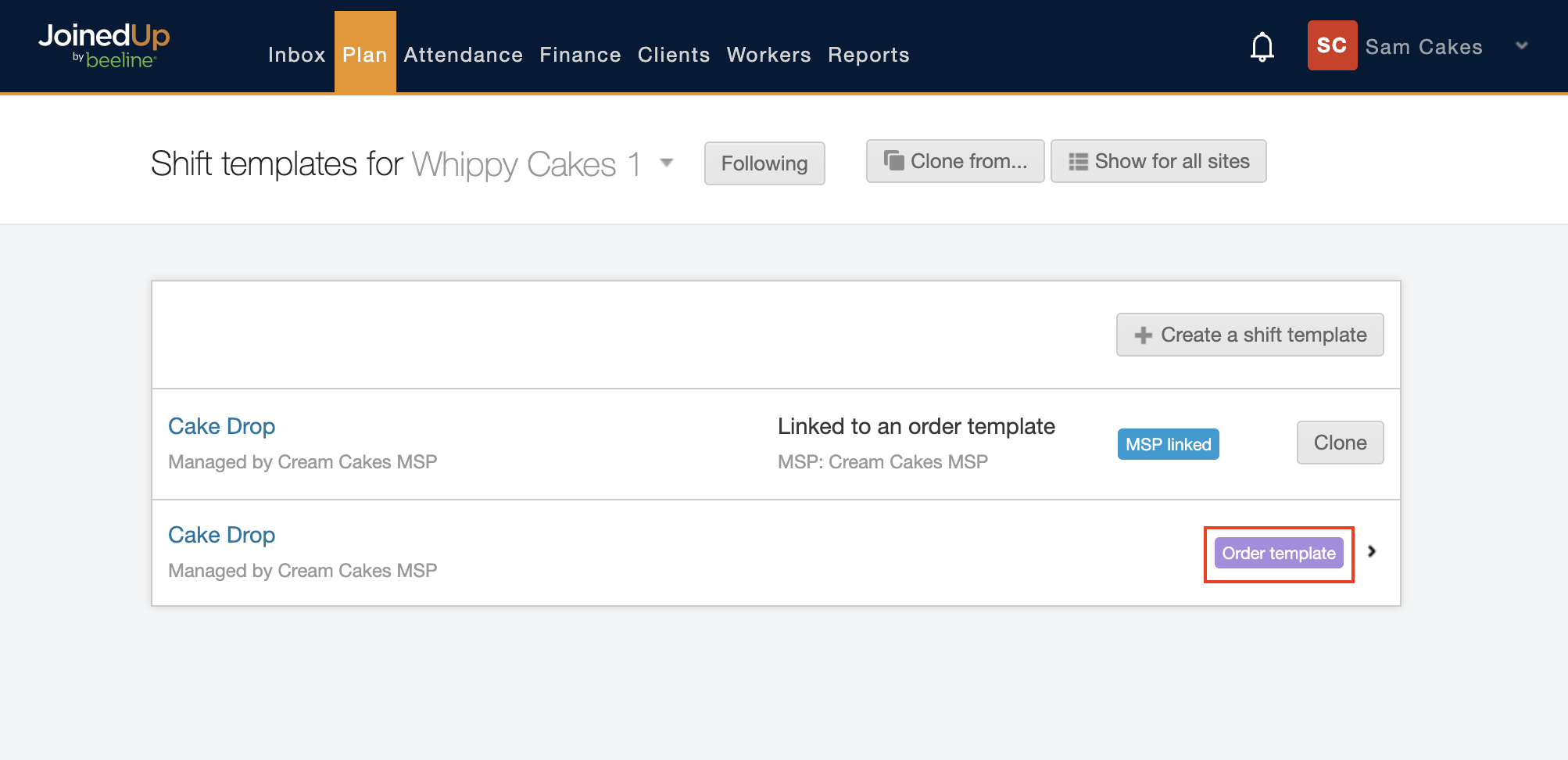
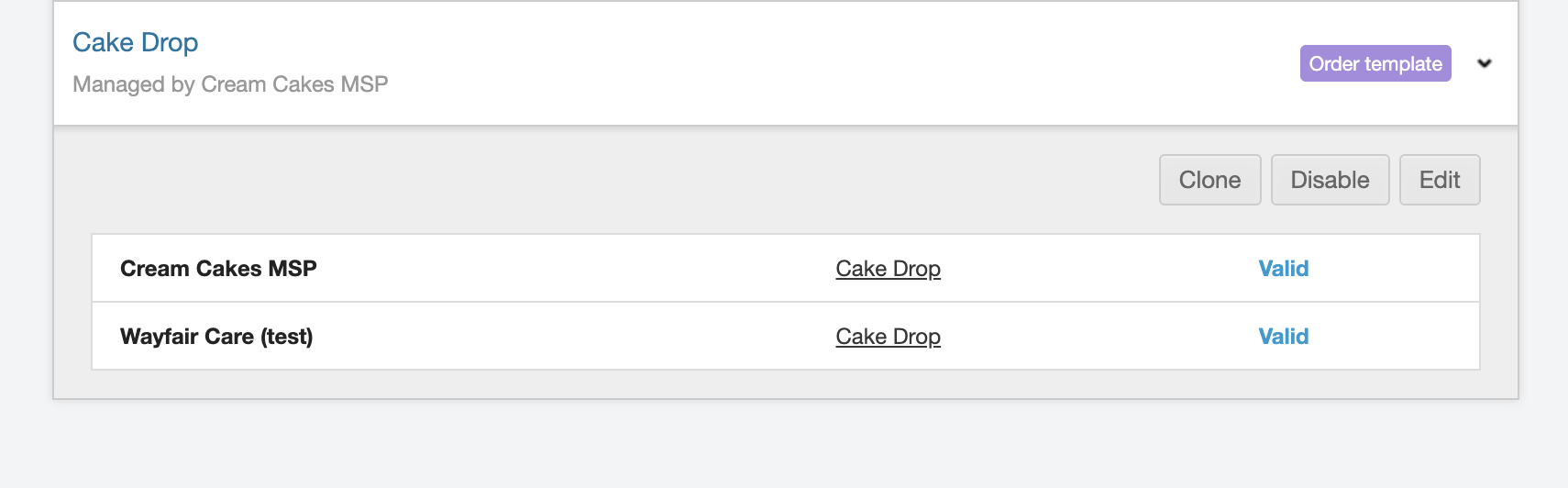
Order templates are identified by their purple button on a Shift templates screen to indicate they are an order template. When you click the Order template button, the section expands, and you will be able to see the supplier’s name, template name, and whether the template is valid.
Differences
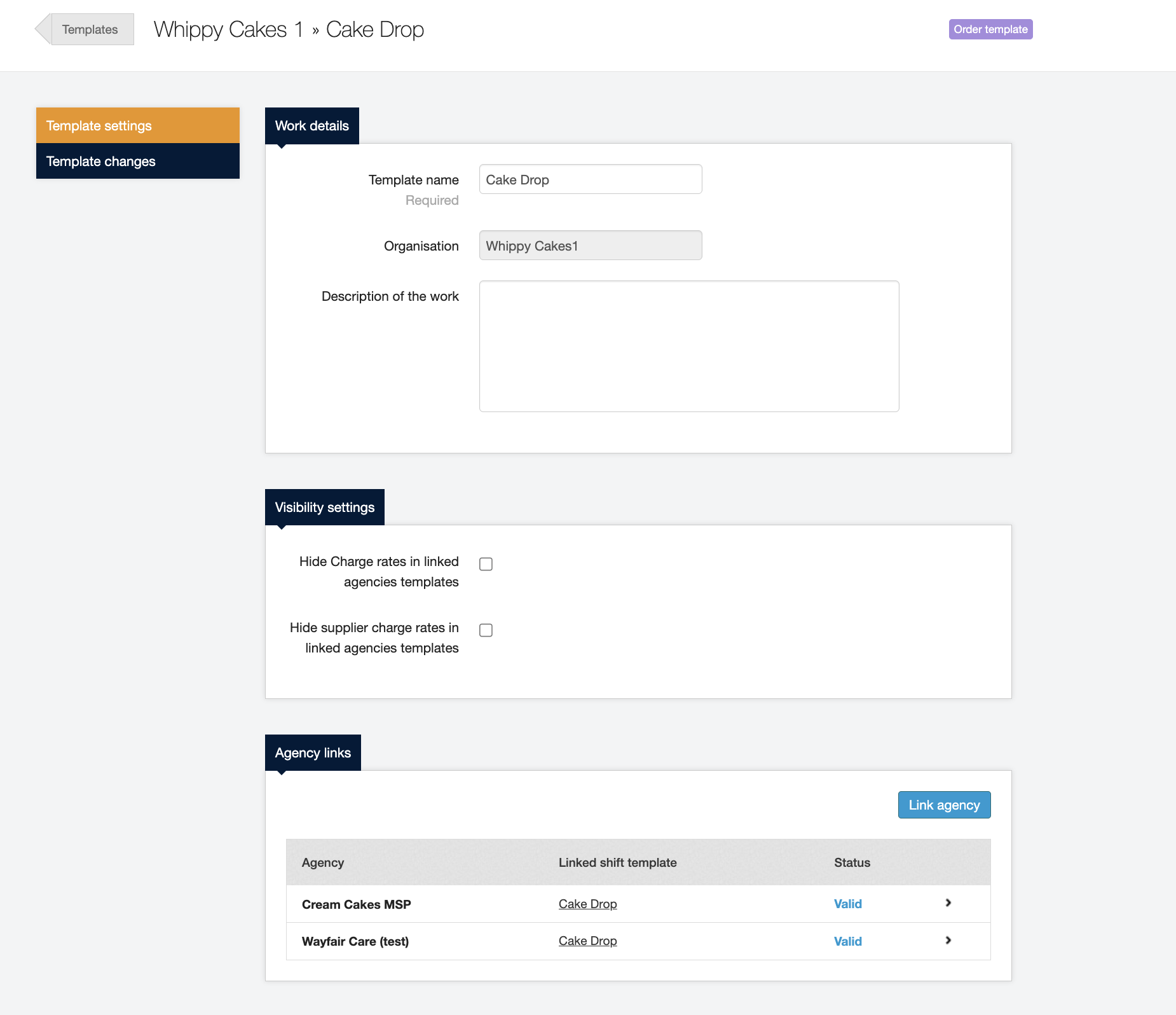
An Order template only stores basic information:
-
Template Settings: Work details, Visibility settings (Supplier Charge Rates), Agency links, and Distribution rules (e.g., Supplier Tiers)
-
Template Changes (filtered by value)
| Adding the Supplier Charge rate to your Order templates requires a Config Request ticket and JoinedUp platform configuration. Contact your Client Services Representative to learn more. |
All other details are stored in the Shift template linked to the agency (supplier).