California Break Rules
This guide explains how to log meal breaks, rest breaks, and penalties work in JoinedUp for California rules.
| Please contact your Customer Operations Specialist to enable this feature. |
Recording Breaks on a Timesheet
Via T&A App:
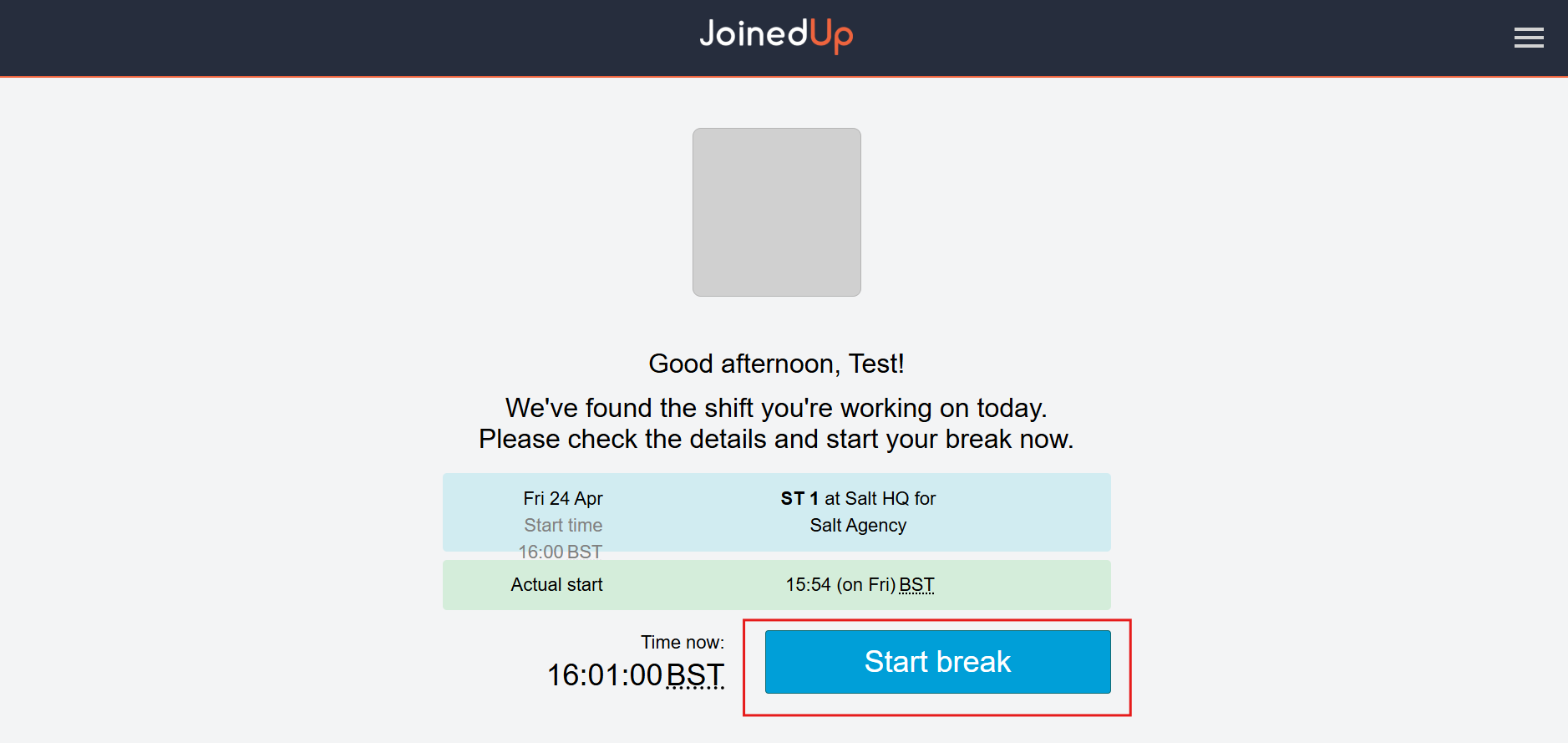
The worker must clock out on the tablet to trigger the break. Click the button shown below to start the break.
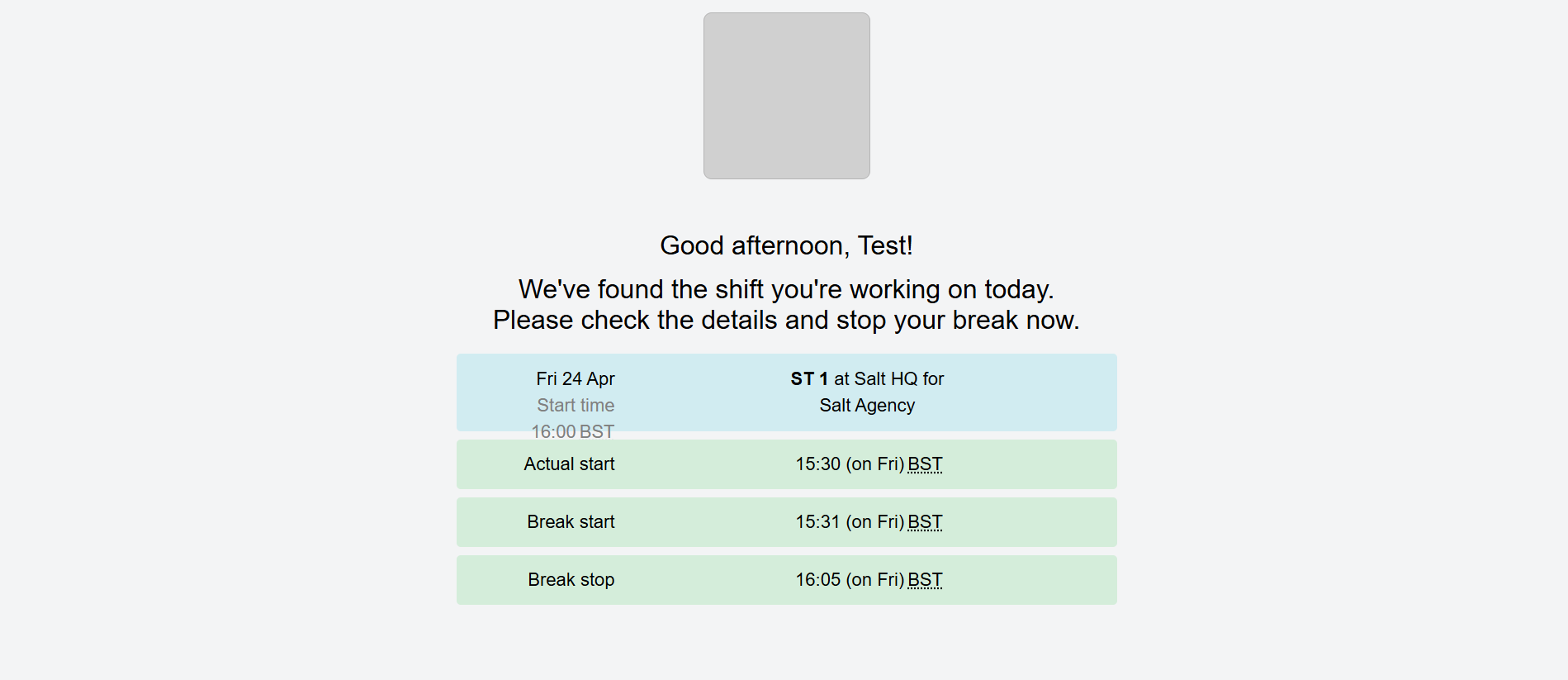
After the 30-minute break, the worker must clock in again using the T&A app. A successful break stop will include the following details in the T&A app.
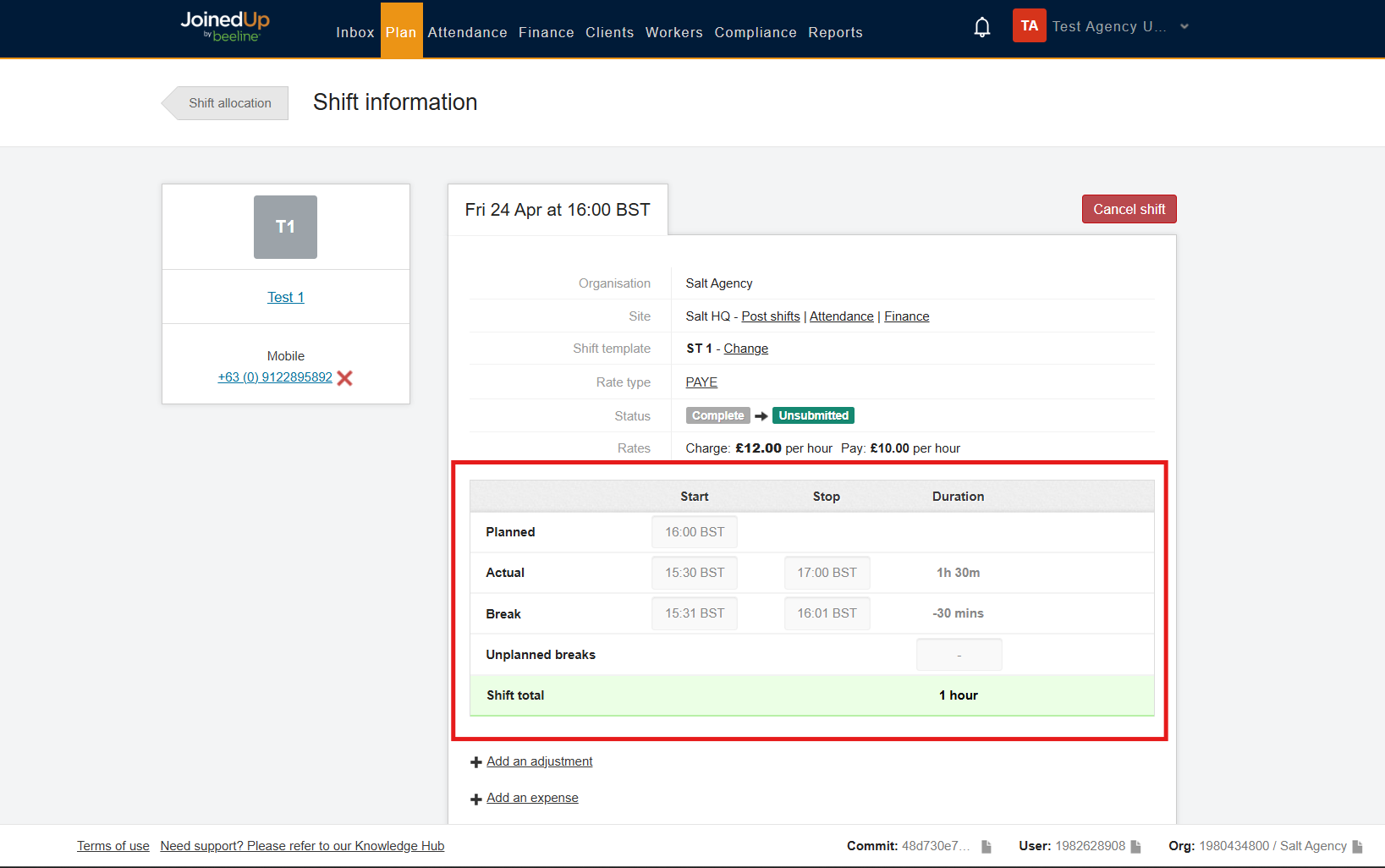
A complete break will appear in the timesheet with the actual start and end times of both the shift and the break, including the break duration.
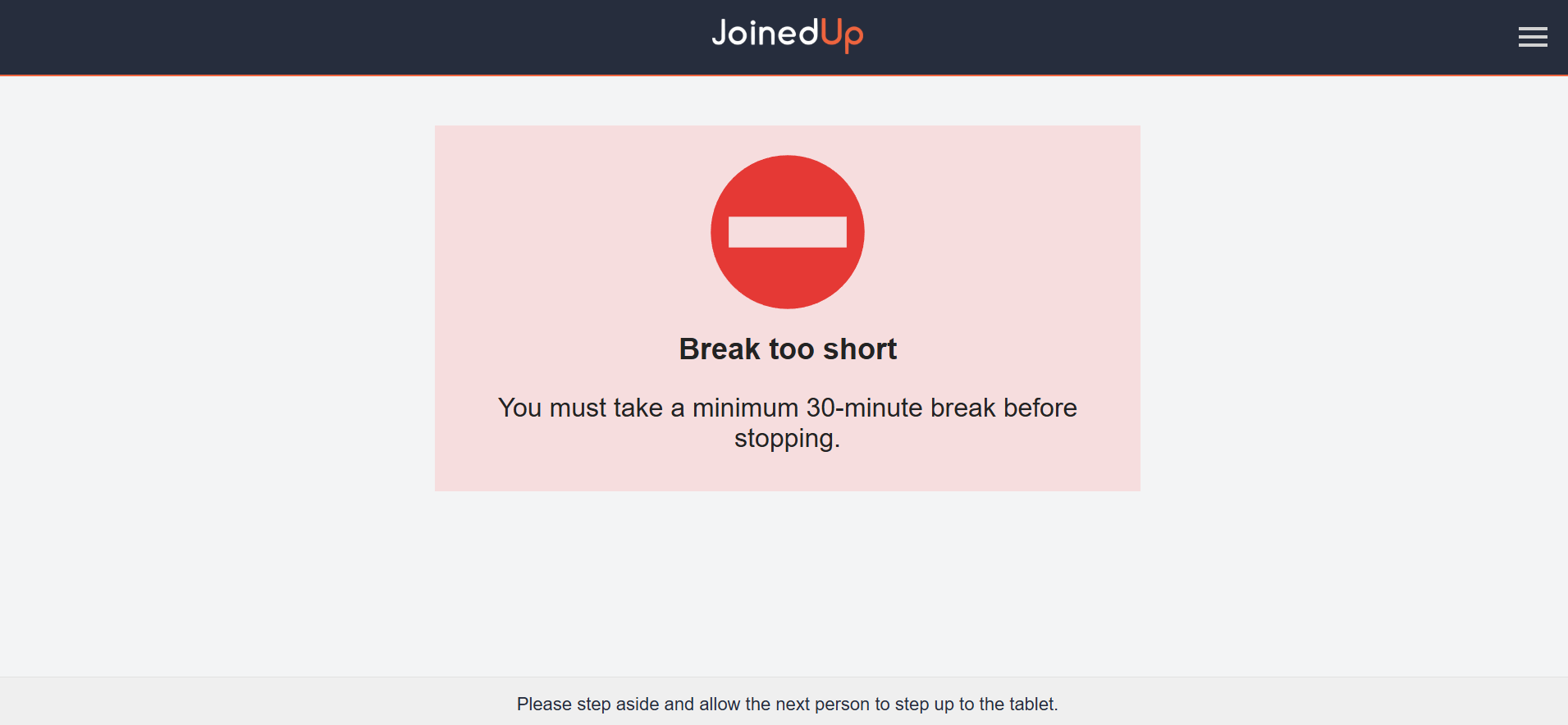
If a worker attempts to clock out before 30 minutes have elapsed, an error message will be displayed. The worker should wait until their break is 30 minutes or over to clock back in.
| Enable the setting below to prevent workers from clocking back in if their break is less than 30 minutes. |

Manually:
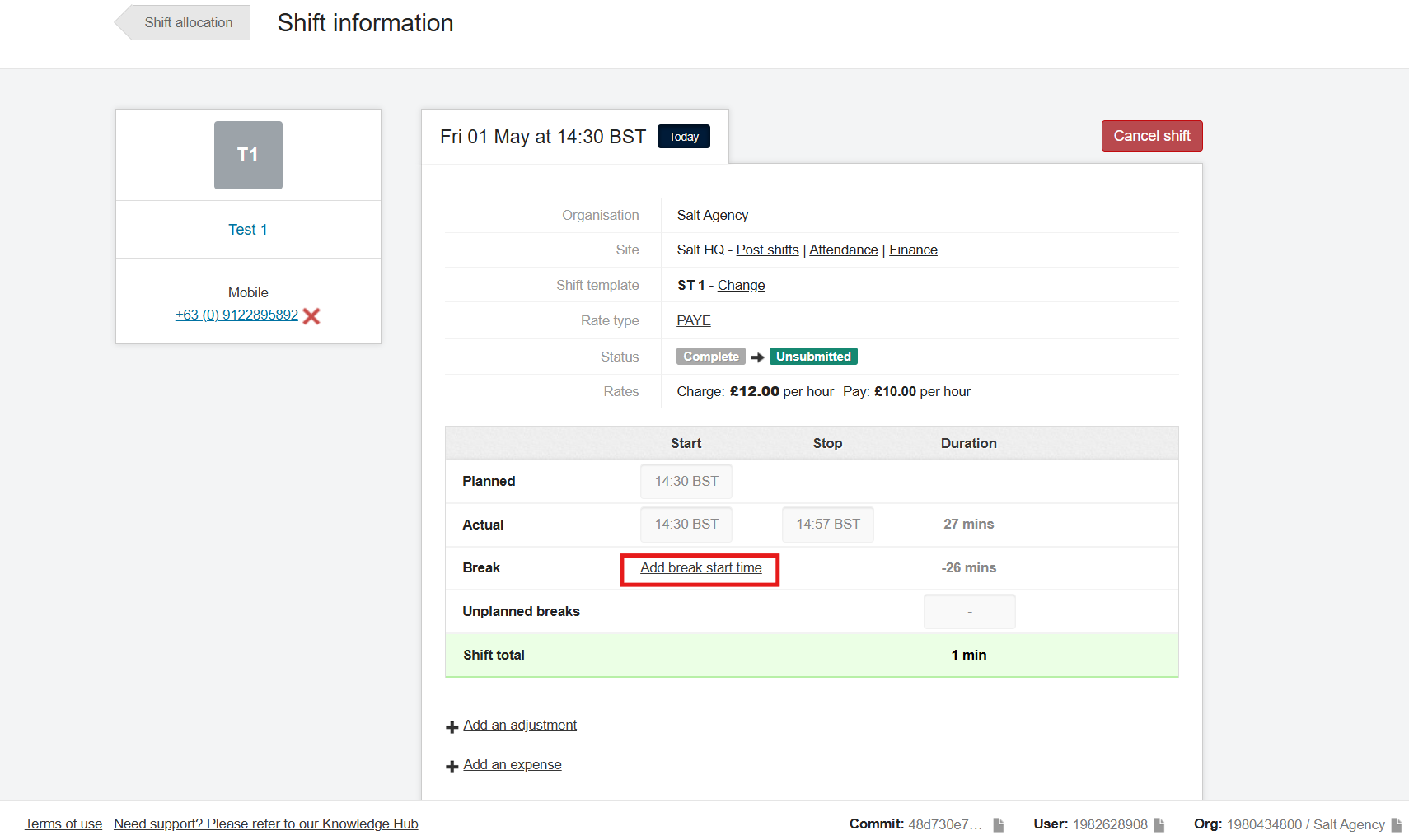
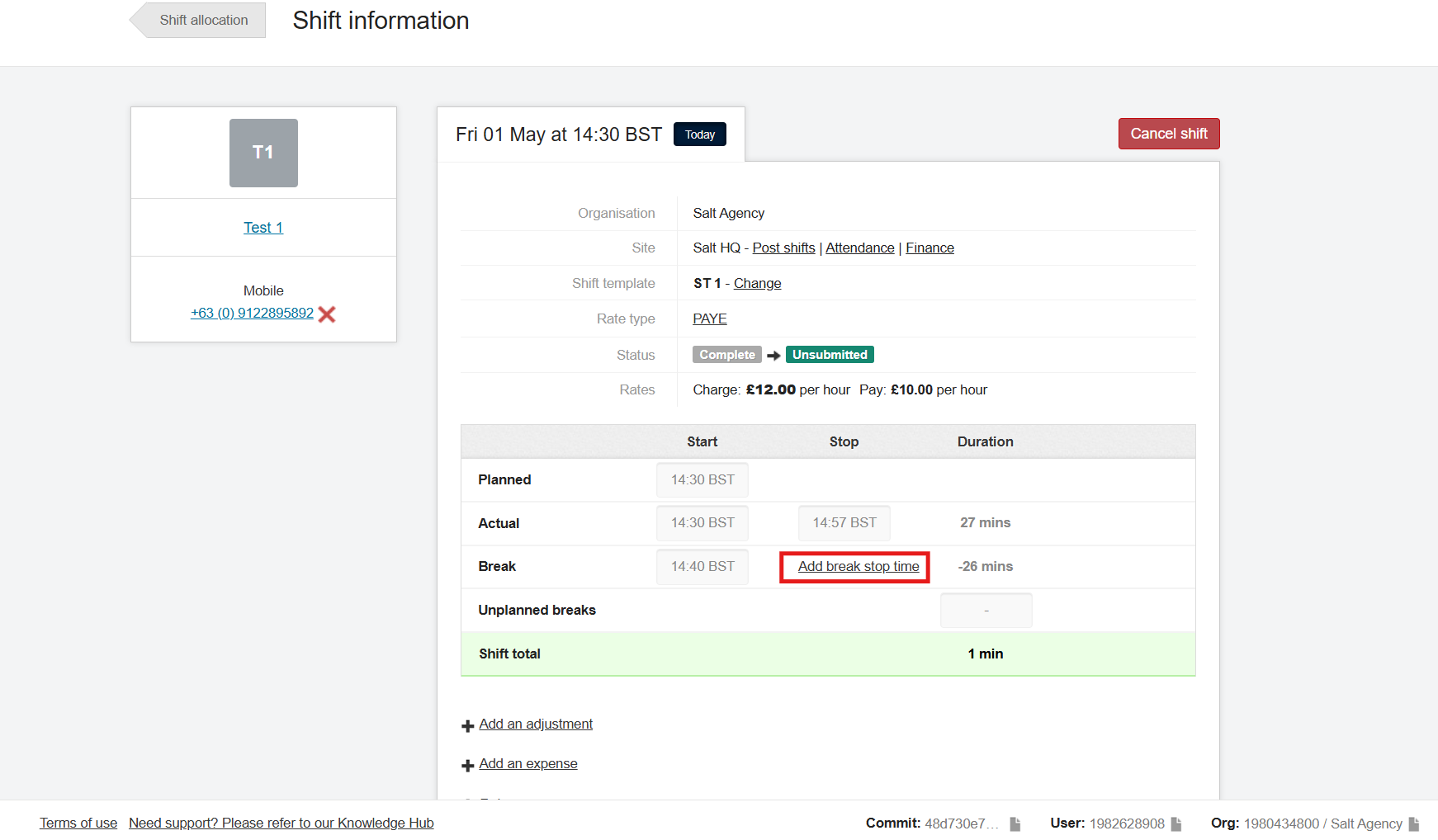
If you need to add breaks manually, click the add break start time and add break stop time.
Penalties
If the worker’s timesheet does not include a break, a penalty must be applied via manual or historic adjustment.
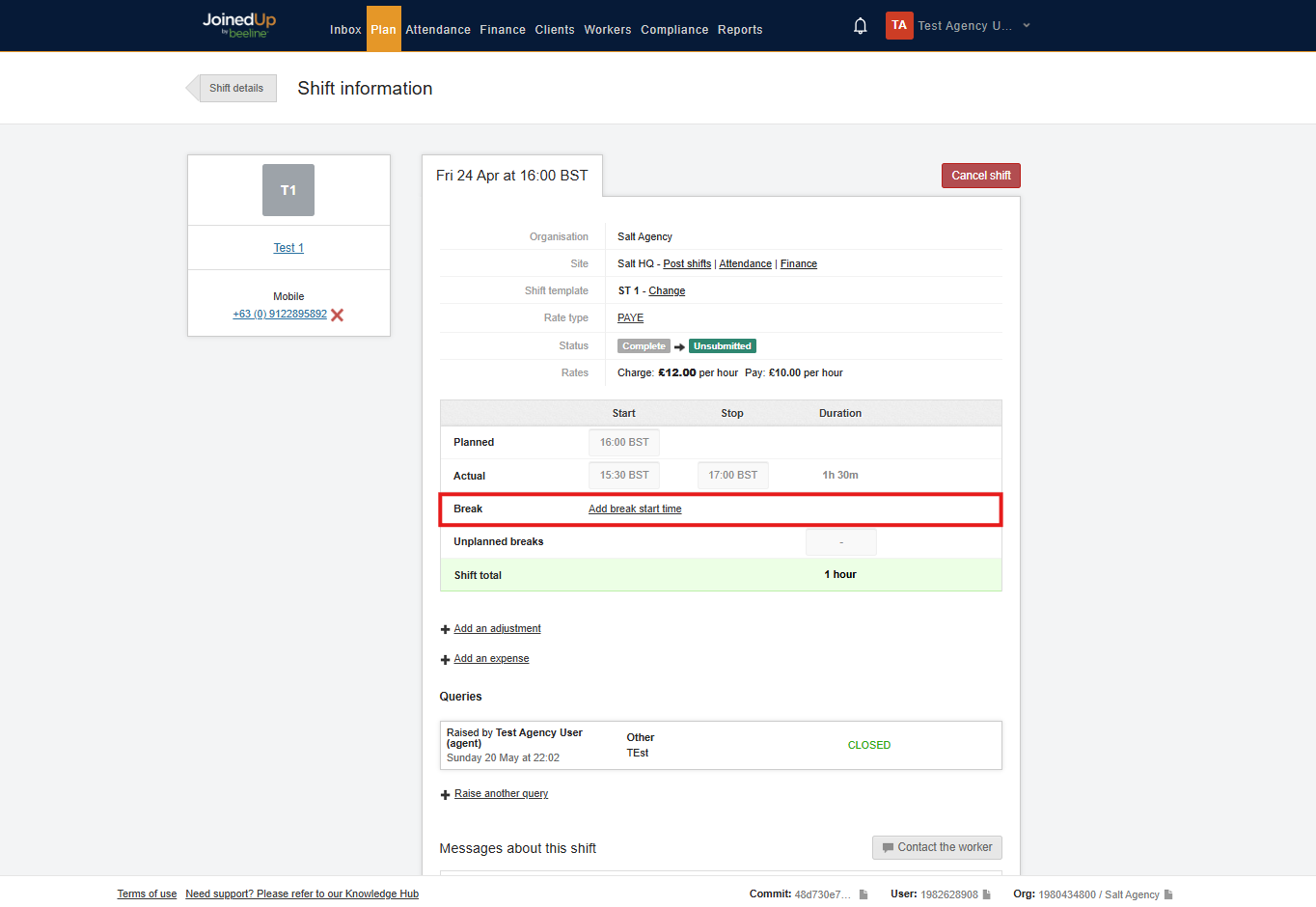
The break line on the timesheet will not have a break start and stop time, if no break has been applied. The timesheet will have an actual start and stop time but add break start time will be visible.
For each missed rest or meal break, the worker is entitled to one additional hour of pay at their normal rate. These penalties are capped at a maximum of two hours of extra pay per shift.
To manage this, agency users can access the Agency – Breaks Detail custom report. This report provides a comprehensive view of all shift details within a selected timeframe, including essential information regarding meal breaks.
| To enable this custom report, please contact your Customer Operations Specialist. |
In the AC column of the CSV file, you will see the responses recorded by workers when asked to confirm that they took their allocated breaks.
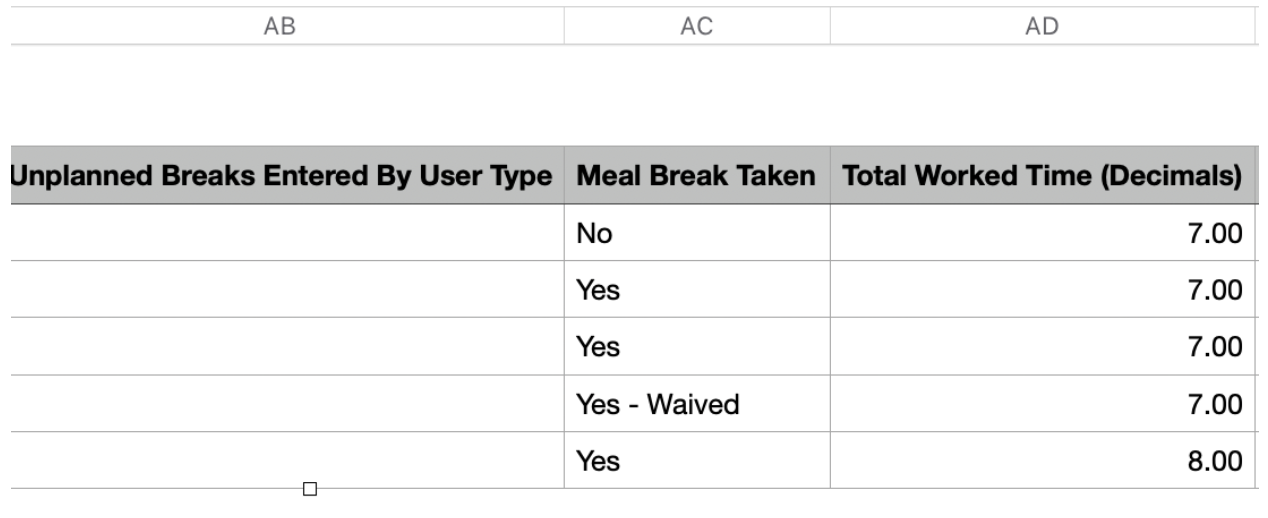
You can filter for all workers who reported No.
If a worker reported No, you will need to go and add a manual or historic adjustment for this worker for this shift.
To apply an adjustment, navigate to the Shift Details page. Click Add an Adjustment and select either Meal Break Premium or Rest Break Premium.
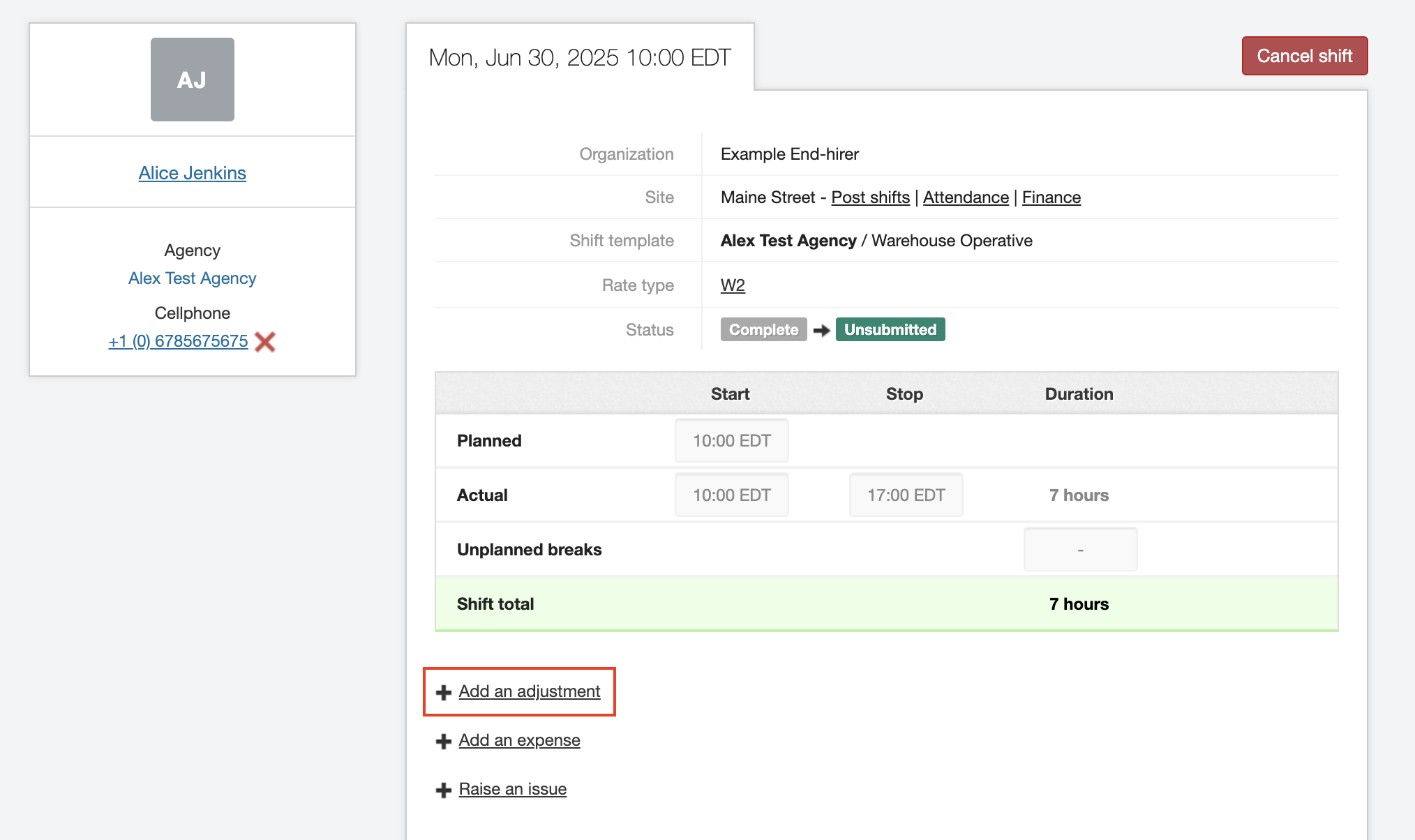
| You can also add adjustments in the Finance tab, Timesheets screen. |
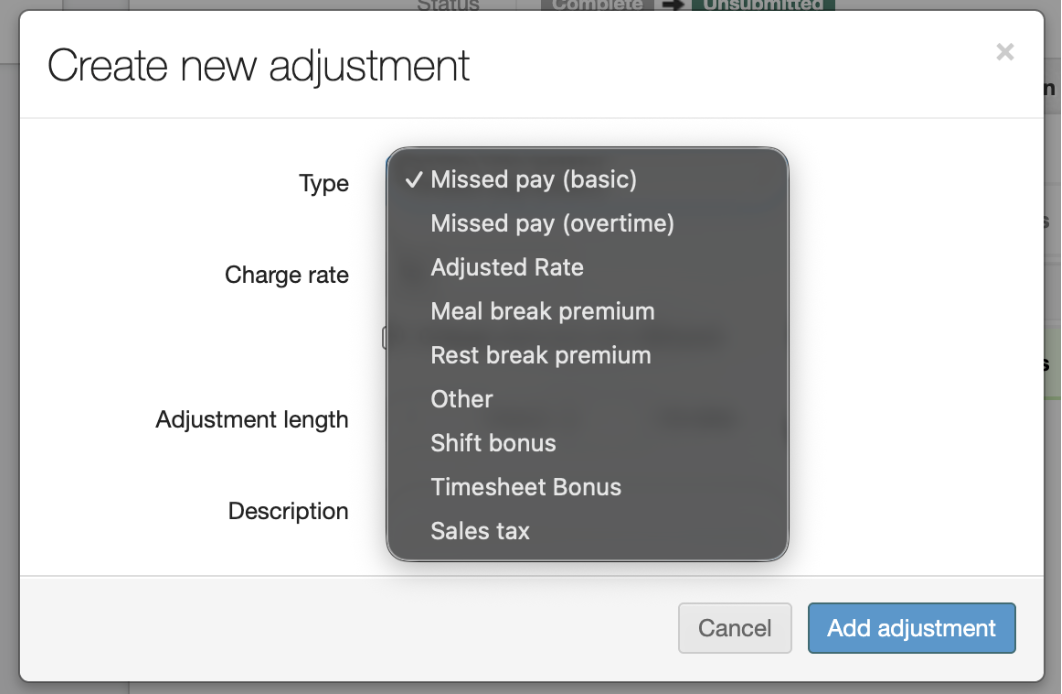
You can adjust the value by changing the adjustment length instead of a lump sum.
| Always ensure shifts and meal breaks are recorded accurately. If something looks incorrect, review the times entered before submitting. |