Adding sites
How to create a new site on JoinedUp
| You must have Admin access to add sites. |
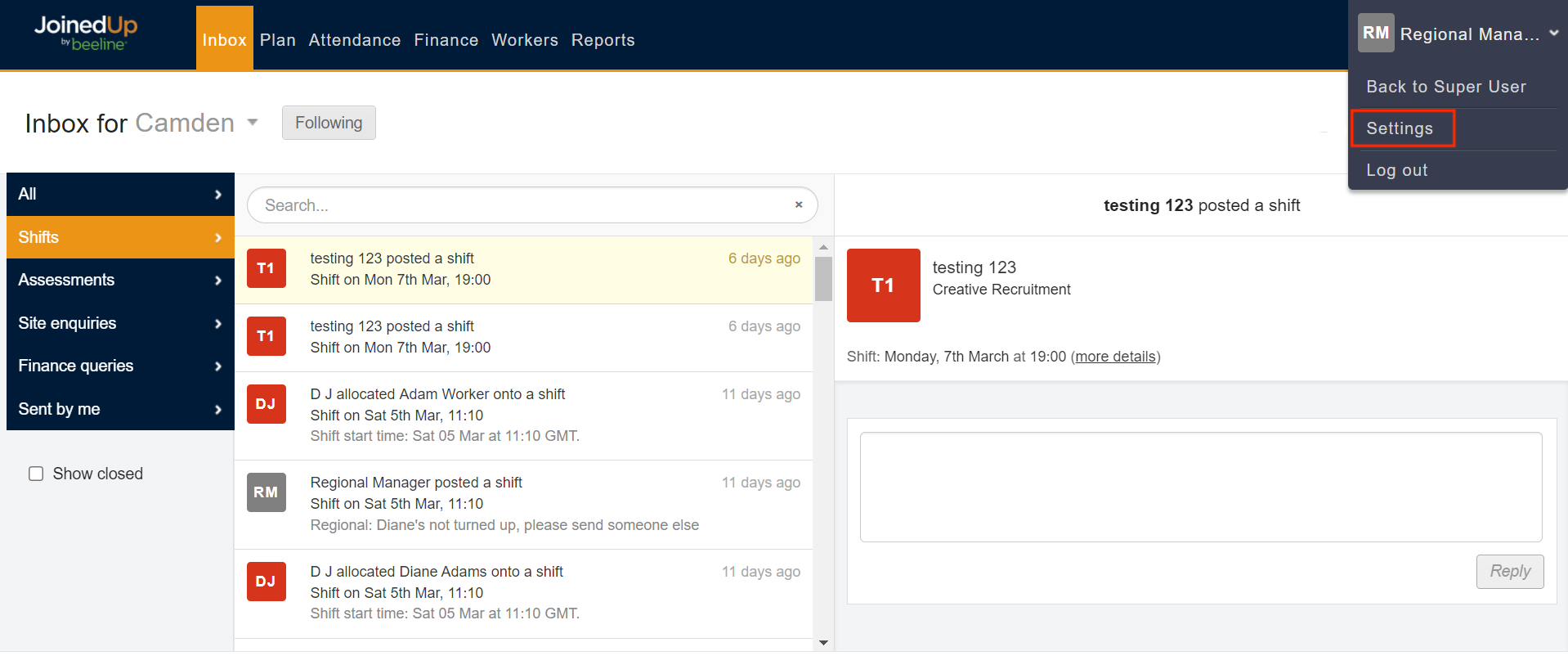
To create a new site, hover over your name in the top right corner and select Settings.
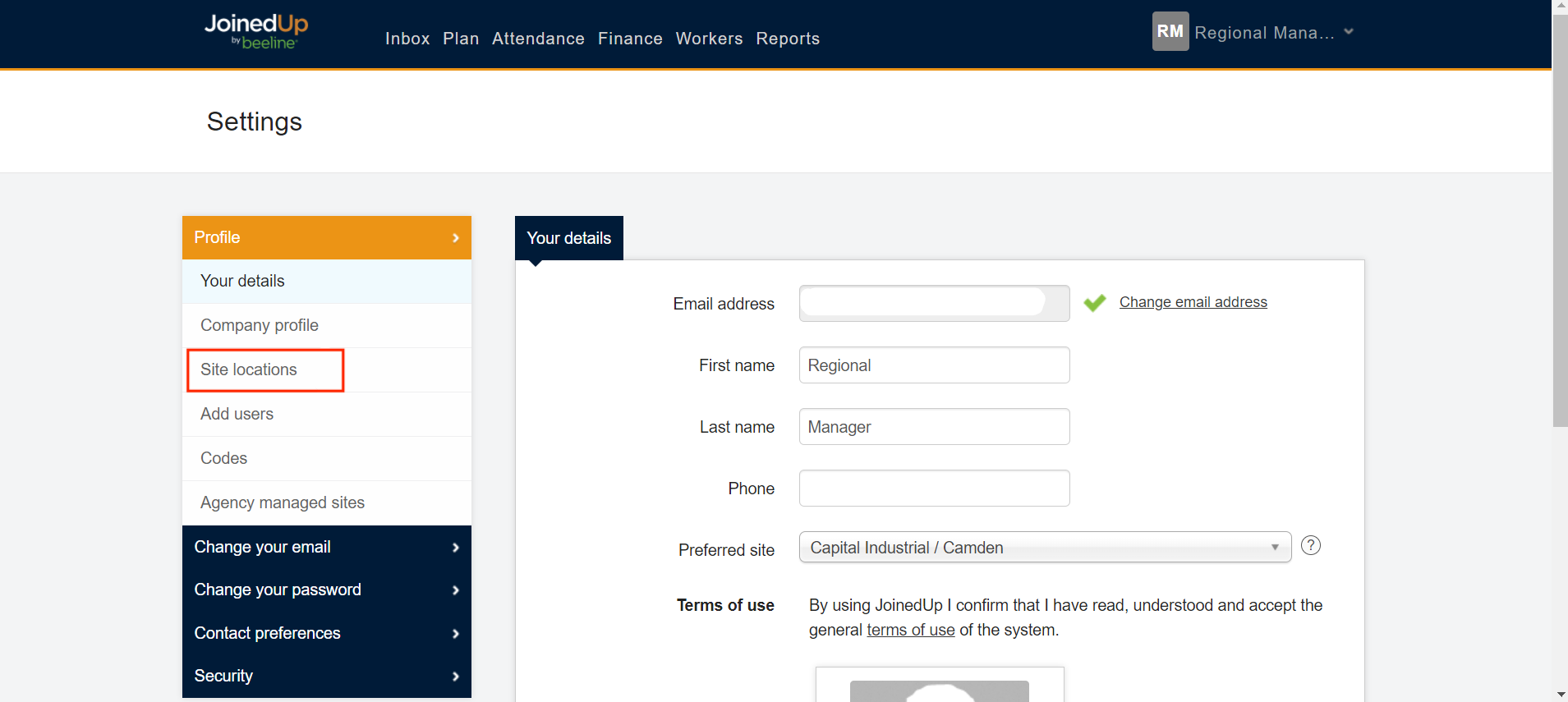
From your Settings screen, select Site locations from the menu on the left hand side.
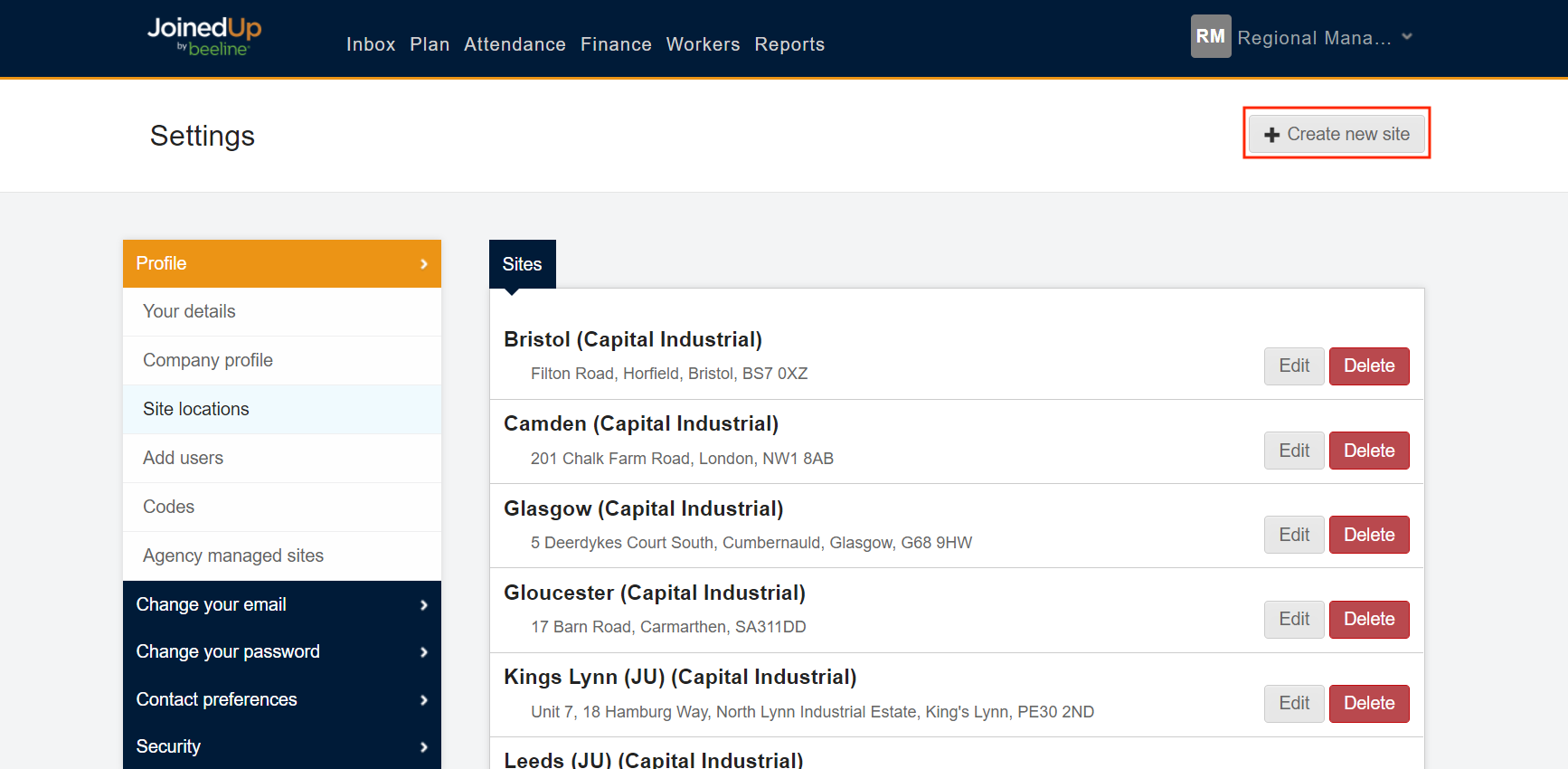
From here you will see a list of all your organisation’s sites on JoinedUp. Click + Create new site.
Clicking '+ Create new site' brings up a window where you can enter the details of your site.
| When entering the details of your site, enter the postcode first and click Find. This will display a dropdown menu of all the addresses connected with that postcode. Select the matching address to update the map display and auto-populate new site data fields. |
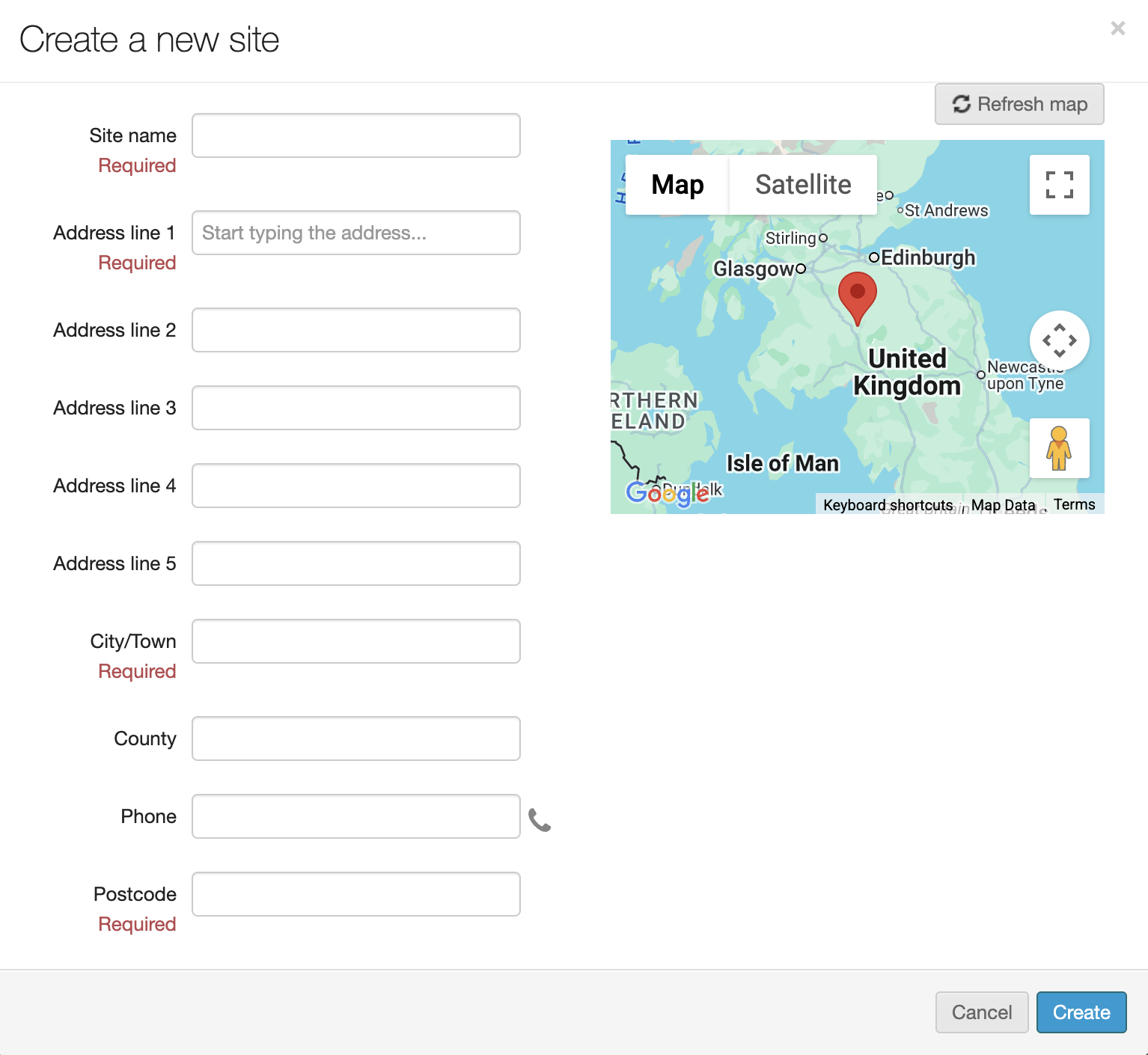
Review the fields to make sure all required data is entered and accurate.
Click Create in the bottom right to save and exit.