Manual Adjustments
There can be several reasons why you might need to manually adjust a current timesheet before the site is locked. A manual adjustment can be useful when there’s missed Pay (basic or overtime), or when the rate has changed but not yet been applied to the Shift template. You can also use manual adjustments to deduct Pay (e.g., for penalty charges) or to add a bonus to a worker’s timesheet.
| Manual adjustments only apply to the current week. |
If you need to add an adjustment for a week in the past, instructions can be found in our article on Historic Adjustments.
Adding a manual adjustment is simple. All you need to do is navigate to the Finance tab and then to the specific timesheet you want to adjust.
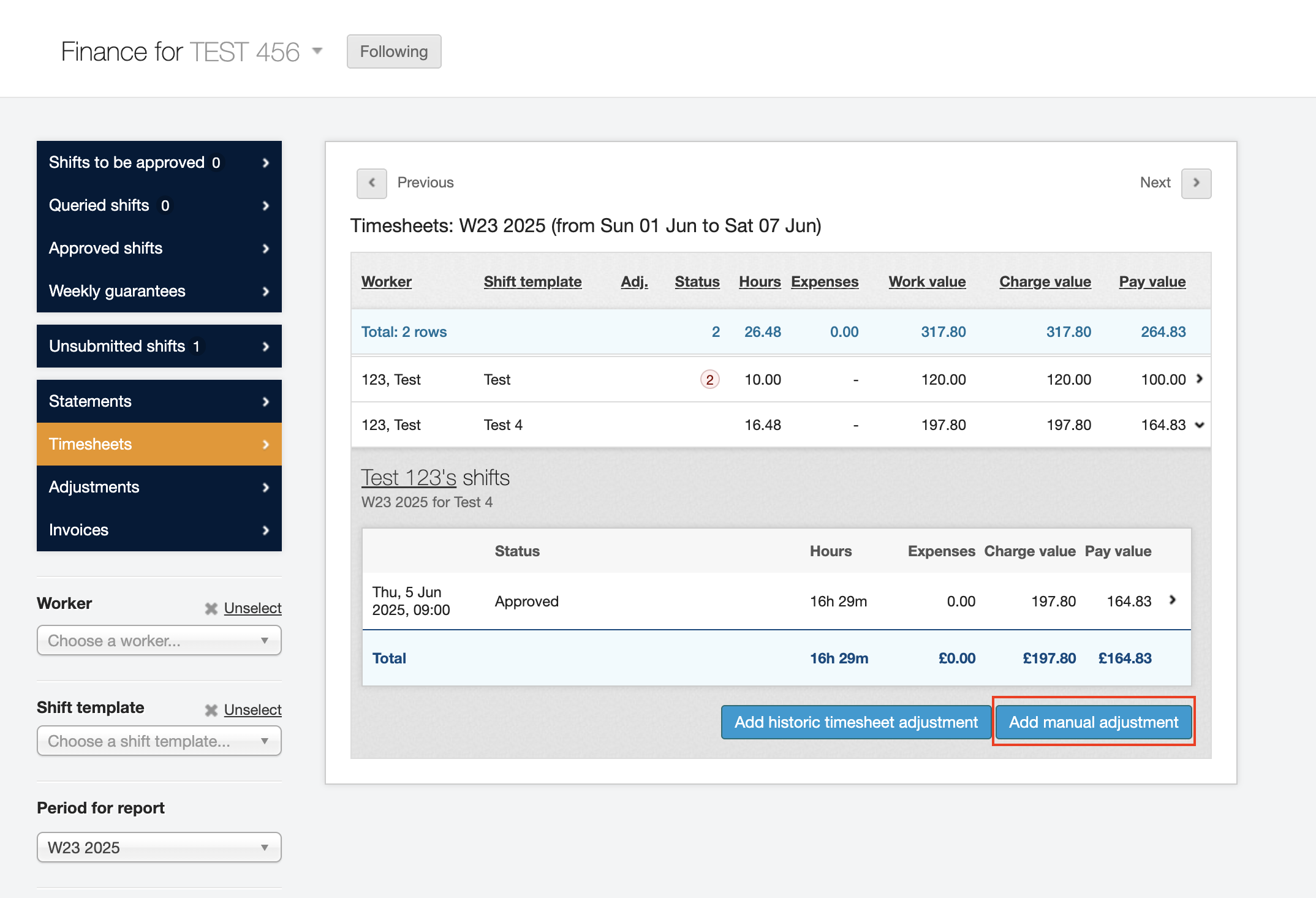
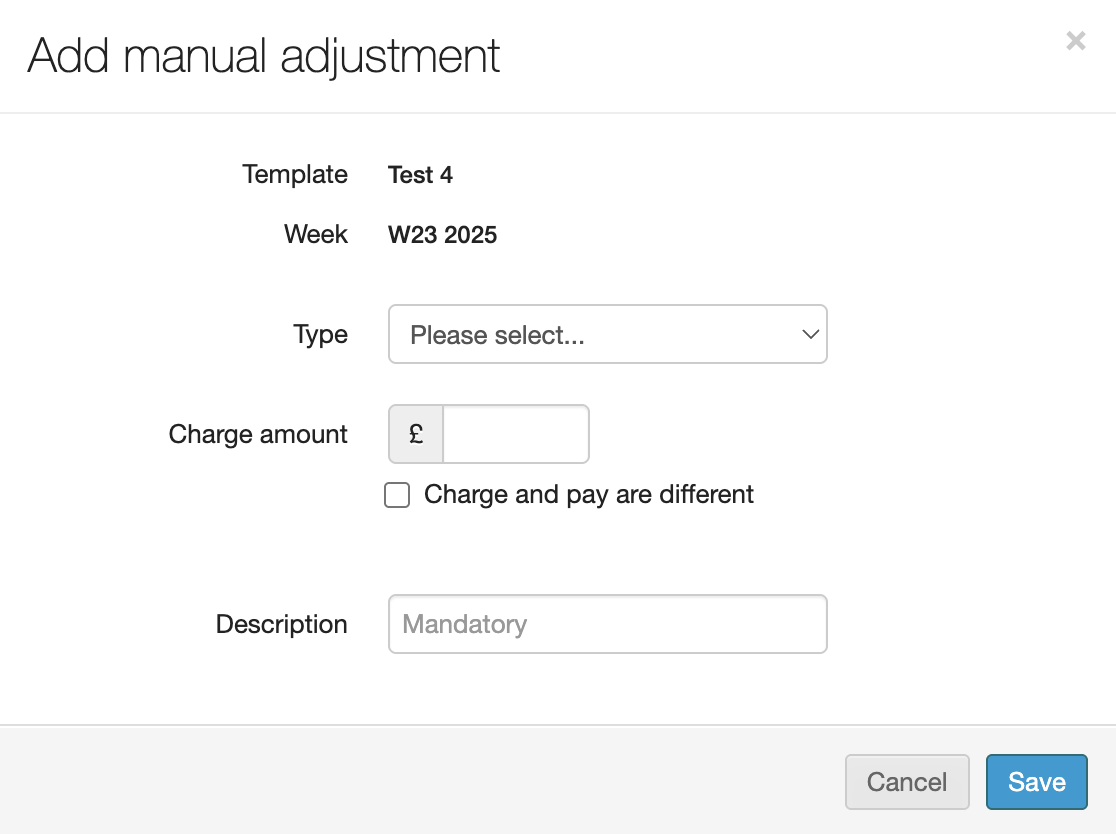
Click Add manual adjustment. You’ll need to fill in information like what type of adjustment it is (e.g., missed pay, shift bonus, or other), as well as the Charge and/or Pay.
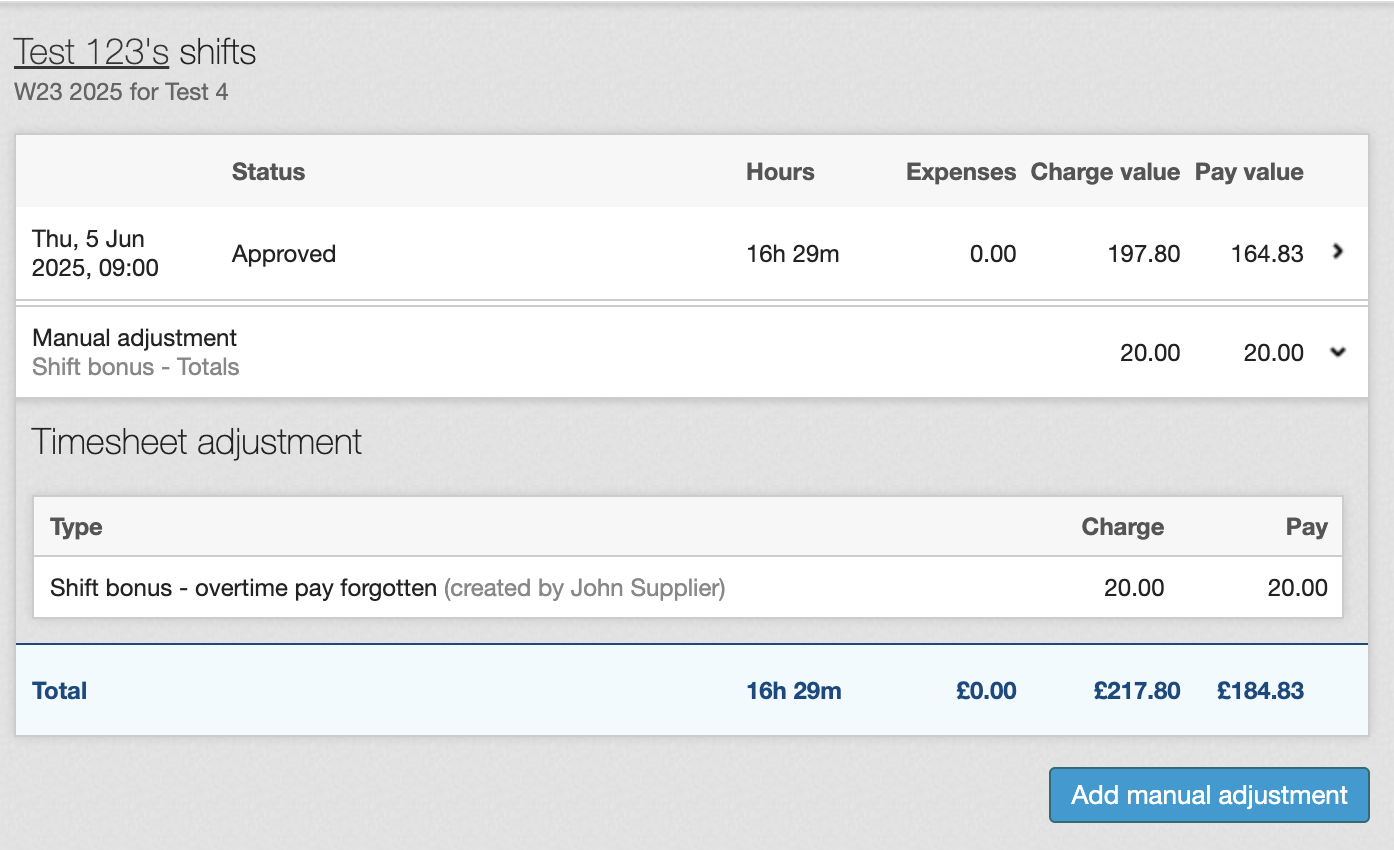
When you’ve completed the adjustment it will display like the sample worker’s timesheet shown below:
| If you want to make an adjustment to a week in the past you’ll need to make a Historic adjustment. |
See also: Historic Adjustments