Hidden Elements
The Hidden Elements feature enables Agency Administrator users to configure the visibility and edit permissions of worker profile fields for each user type, including Agents, Workers, and End-Hirers.
| Please reach out to your Customer Operations Specialist (COS) to enable this feature for your organisation. |
Accessing Hidden Elements
An Administrator role is required to access this feature. Once you have the Admin role, log in to your account and go to Settings, found in the drop-down menu under your name in the upper-right corner.
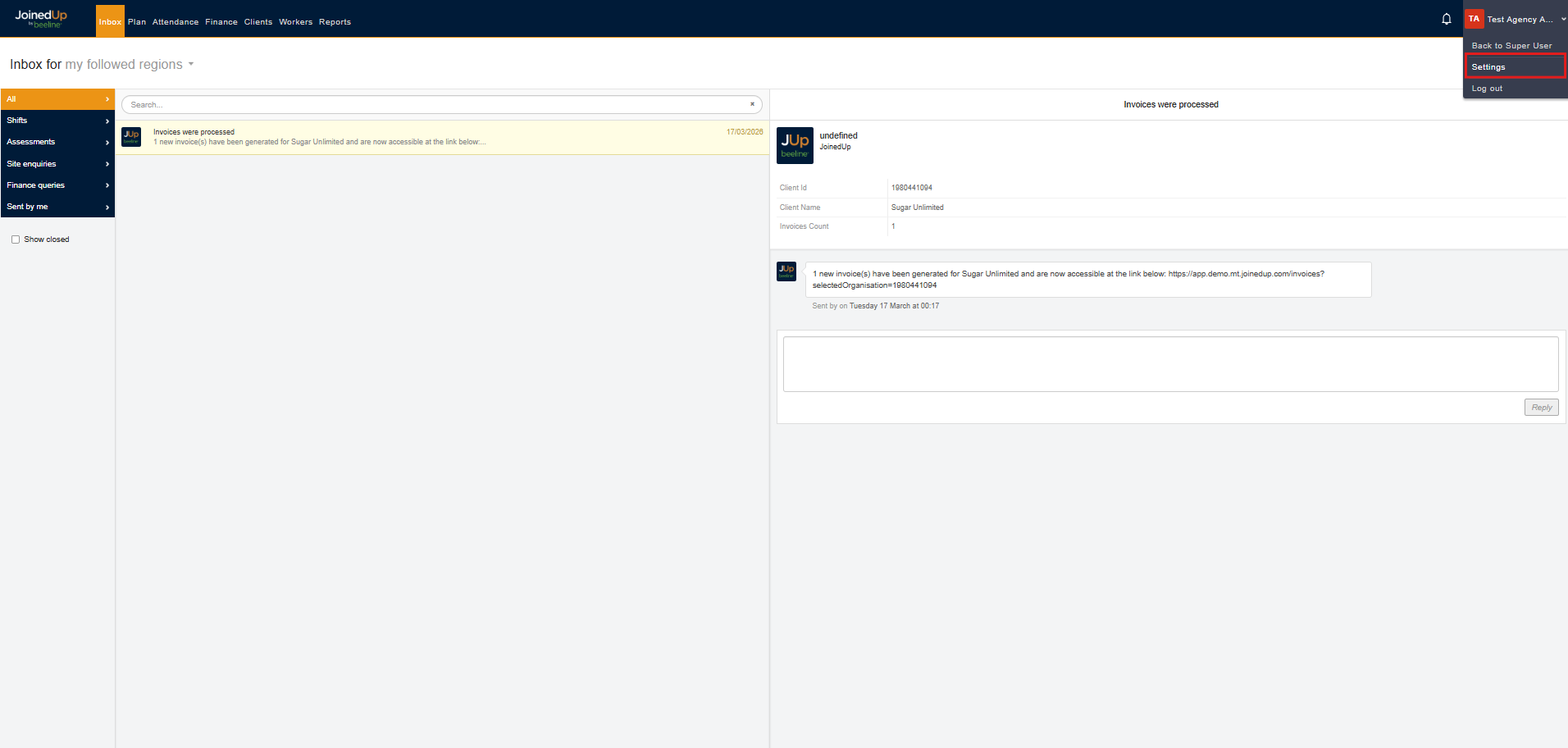
Then, select Configure worker profile.
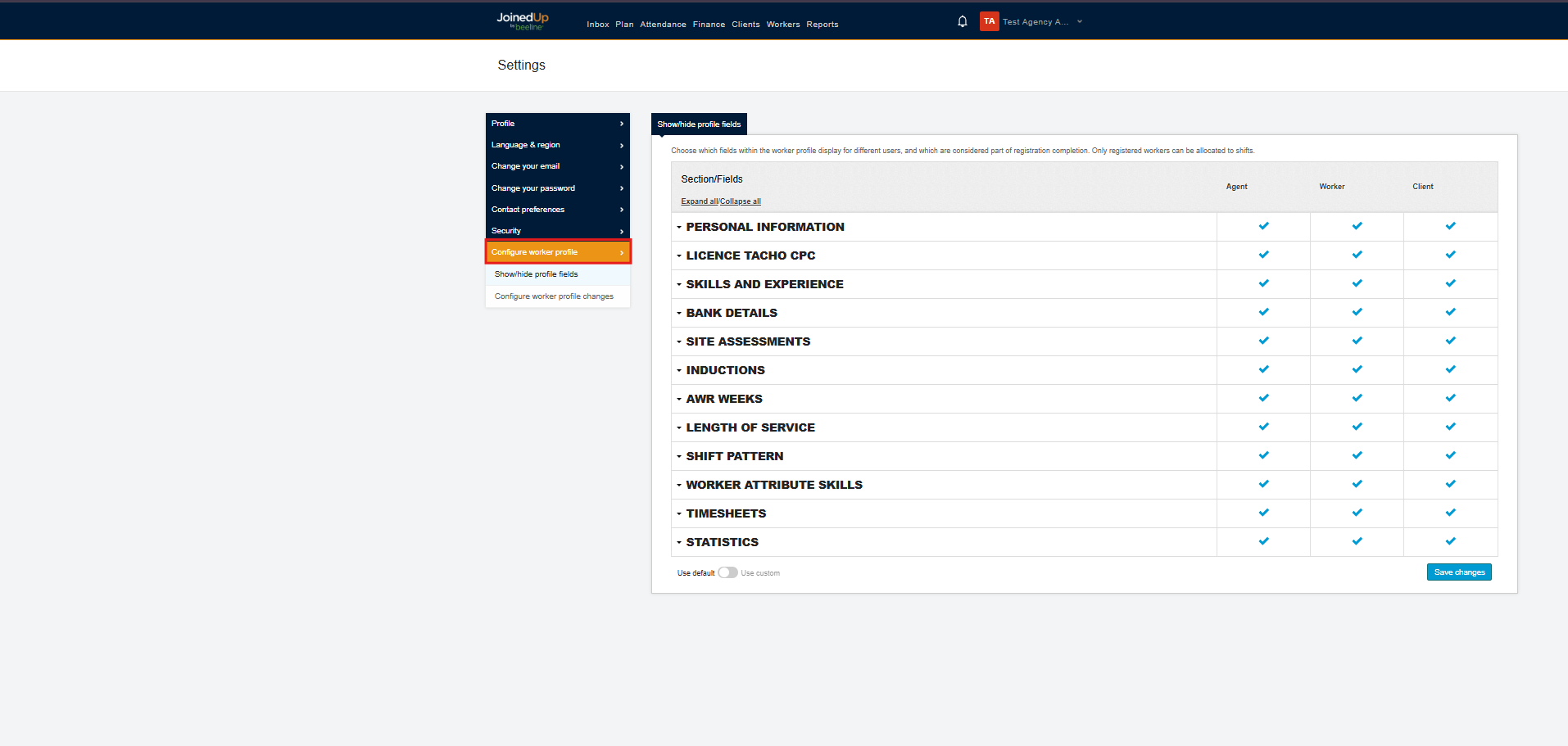
Hidden Elements Screen
Fields are categorised for easier access, with separate columns displayed for each user type: Agents, Workers, and Clients (End-Hirers).
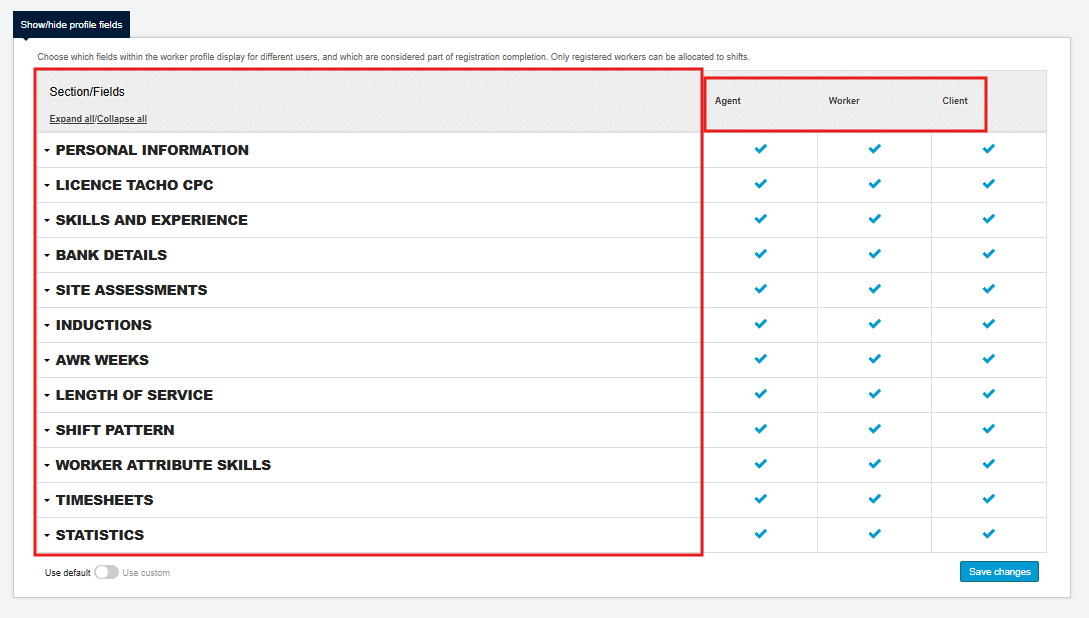
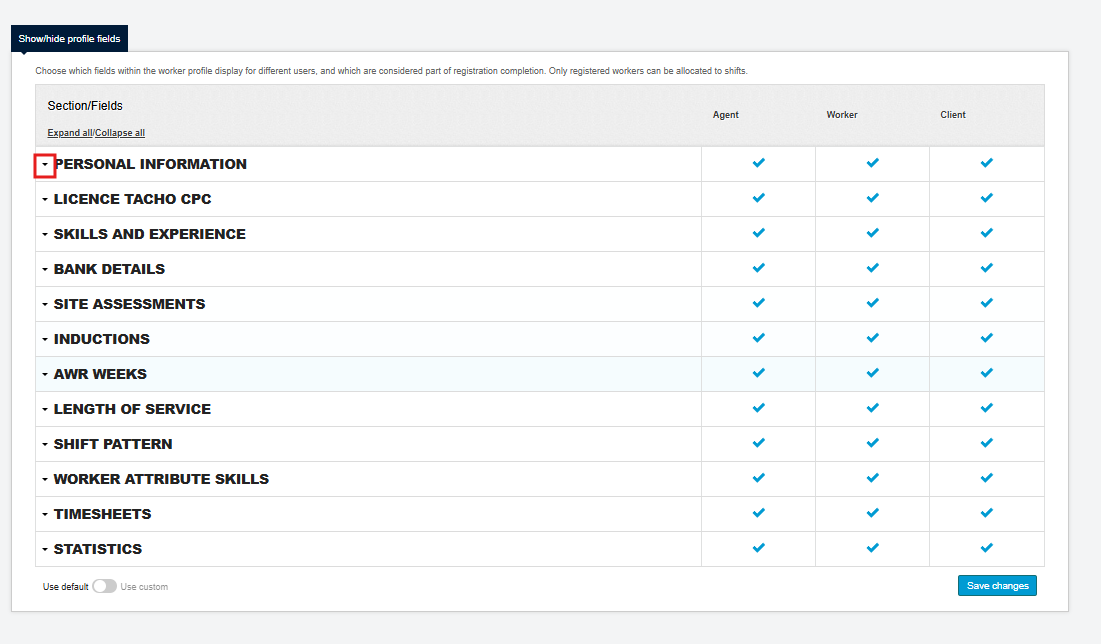
To view the fields under a section, select the arrow button beside the section you want to expand.
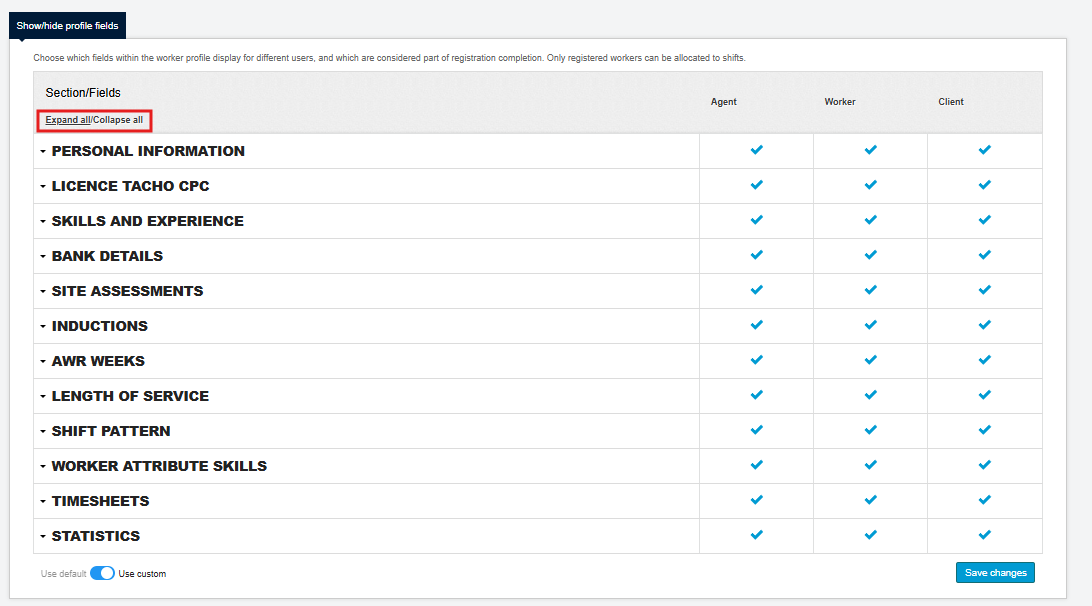
Alternatively, select the Expand All button to show all fields for every section at once.
Managing Individual Field Settings
Each field can be set to one of the following:
-
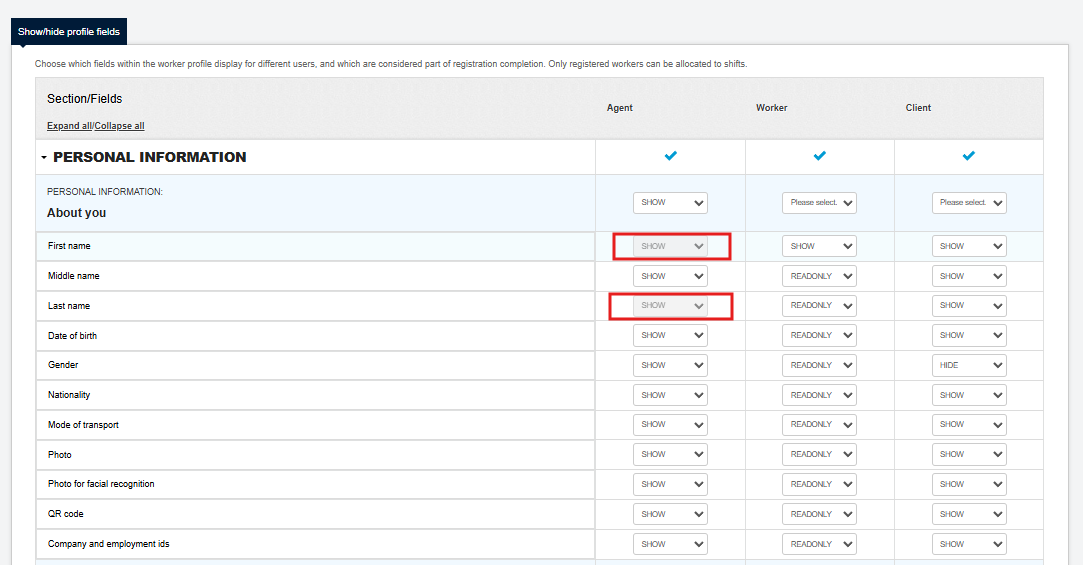
Show — Visible and editable to the corresponding user type.
-
ReadOnly — Visible but not editable to the corresponding user type.
-
Hide — Not visible to the corresponding user type.
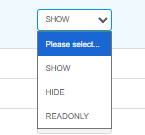
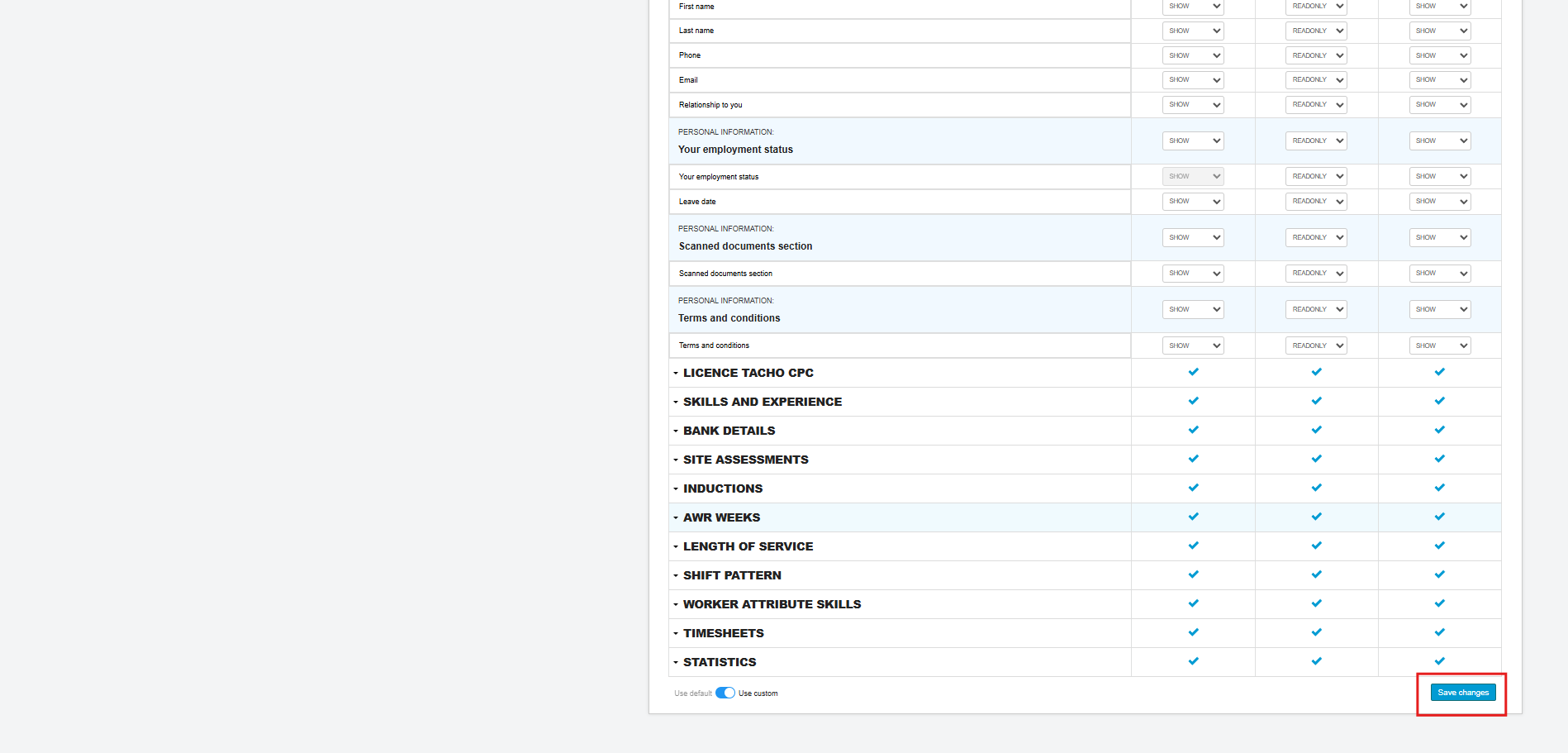
To modify the setting for a field, select the desired field under the corresponding user type column, then click the drop-down menu to choose the new value.
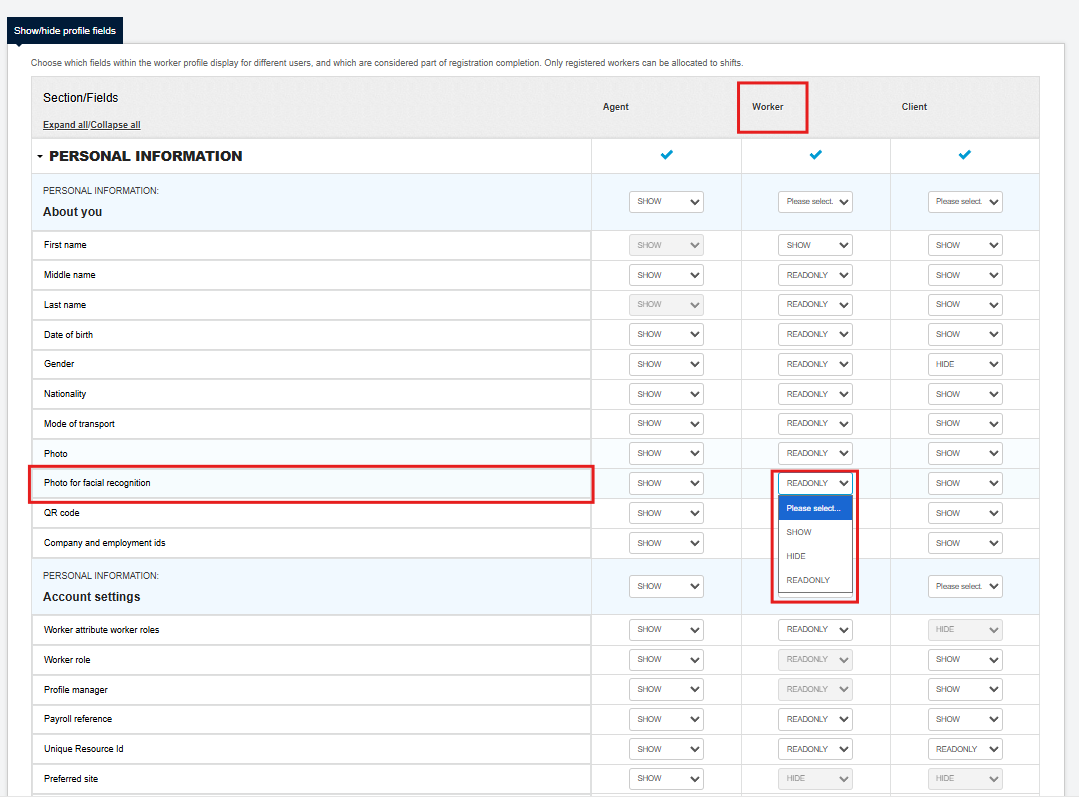
Once you have completed your changes, scroll to the bottom of the page and select Save Changes.
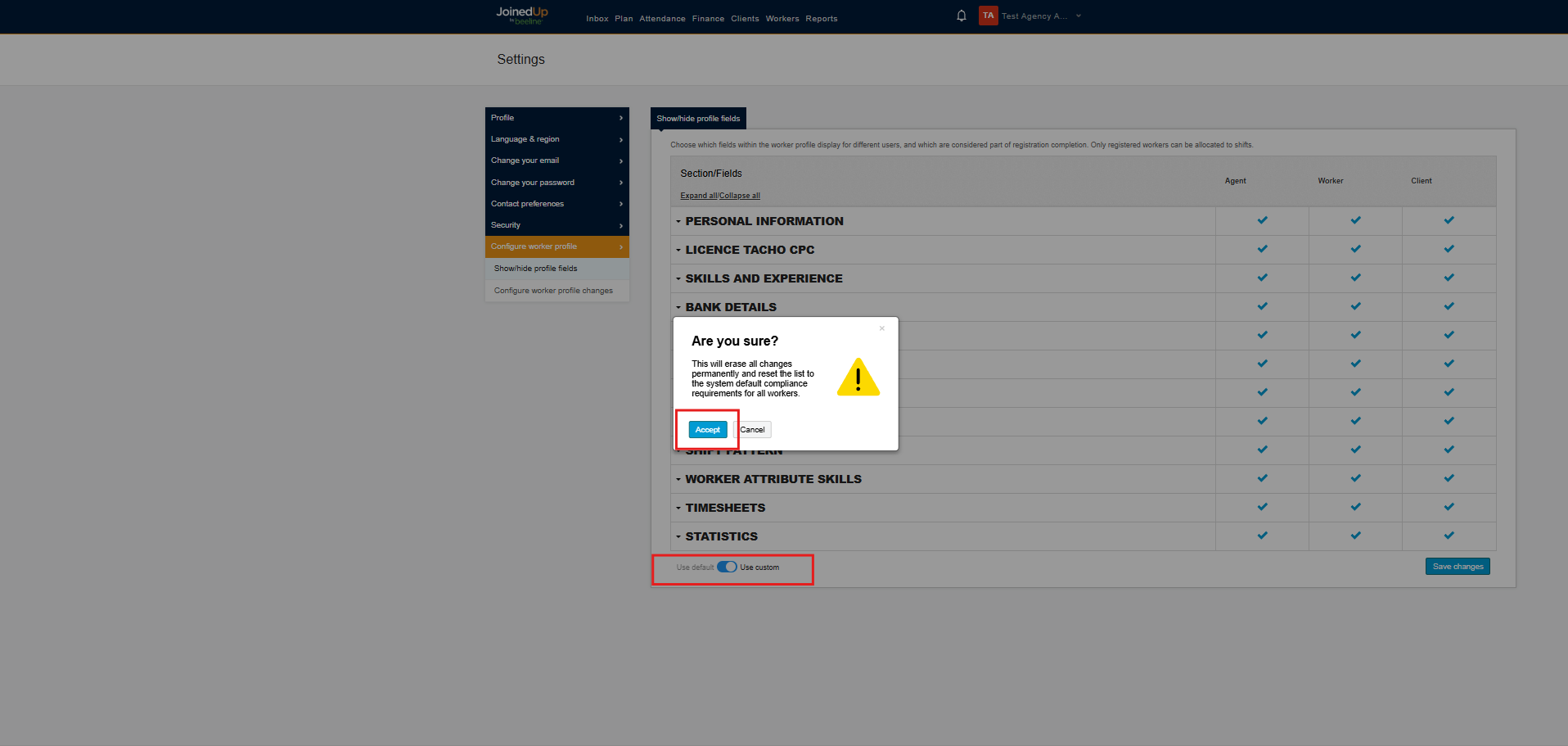
You can also revert any changes by selecting the Use Default button and confirming the action by clicking Accept.
| The fields First name and Last name are fixed at a specific Show/ReadOnly/Hide value, as they are controlled by the System Operator version of this screen. Please reach out to your Customer Operations Specialist (COS) for more information. |