Missing document validations
Missing Document Validations ensures workers cannot be booked to shifts until all mandatory compliance documents are uploaded and approved. Required documents now contribute to a worker’s registration percentage, which makes booking eligibility more accurate.
| Only documents marked as required for registration affect the worker’s completion percentage. If you need to mark a document as required for registration, contact your Customer Operations Specialist. |
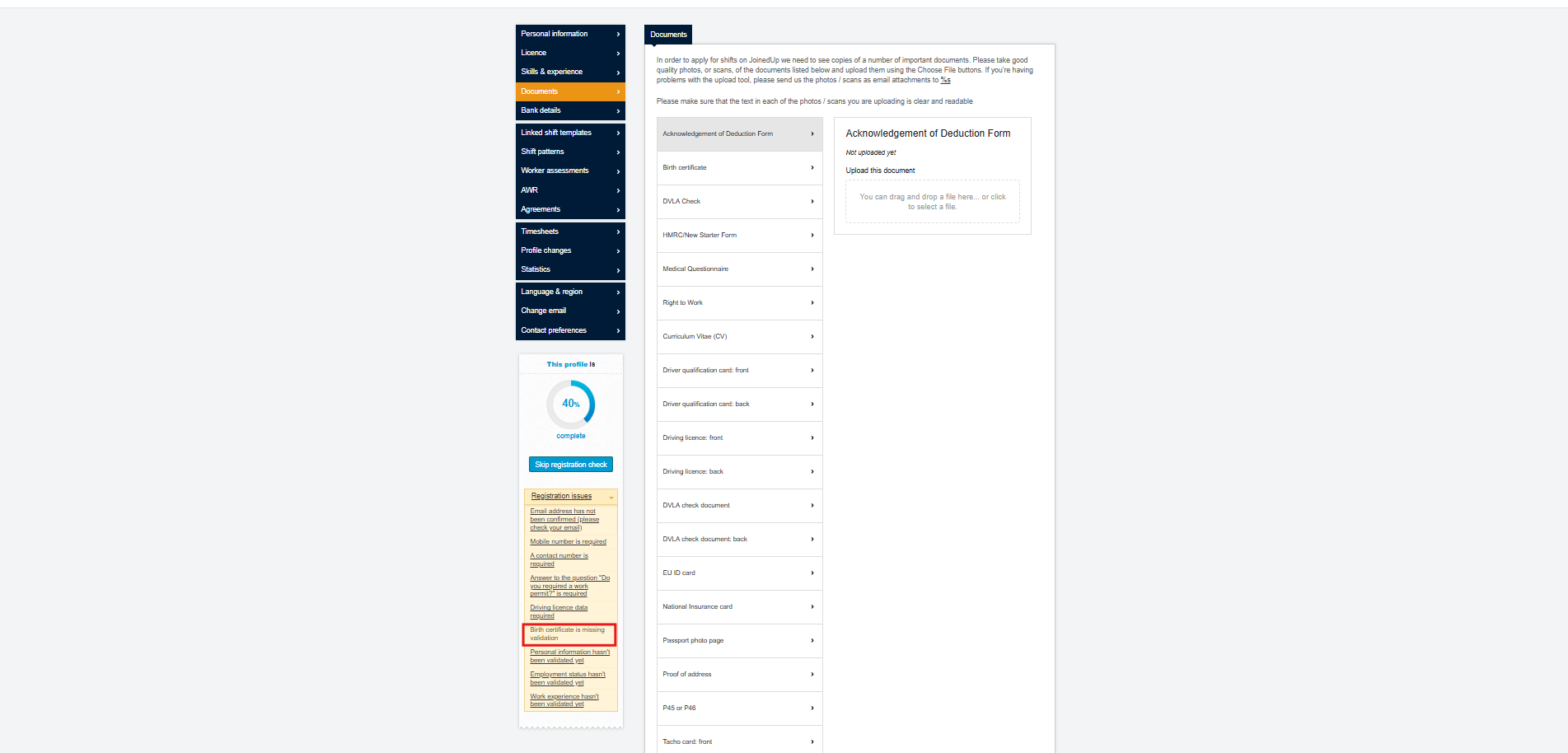
Uploading and validating documents
Workers, or suppliers acting on their behalf, can upload documents from the worker profile Documents tab. Each document row shows document type, issue and expiry dates, and validation status.
To upload a document:
-
Click Add document.
-
Select the document type and upload the file.
-
If the document is set to require validation, its status remains Requires validation until reviewed.
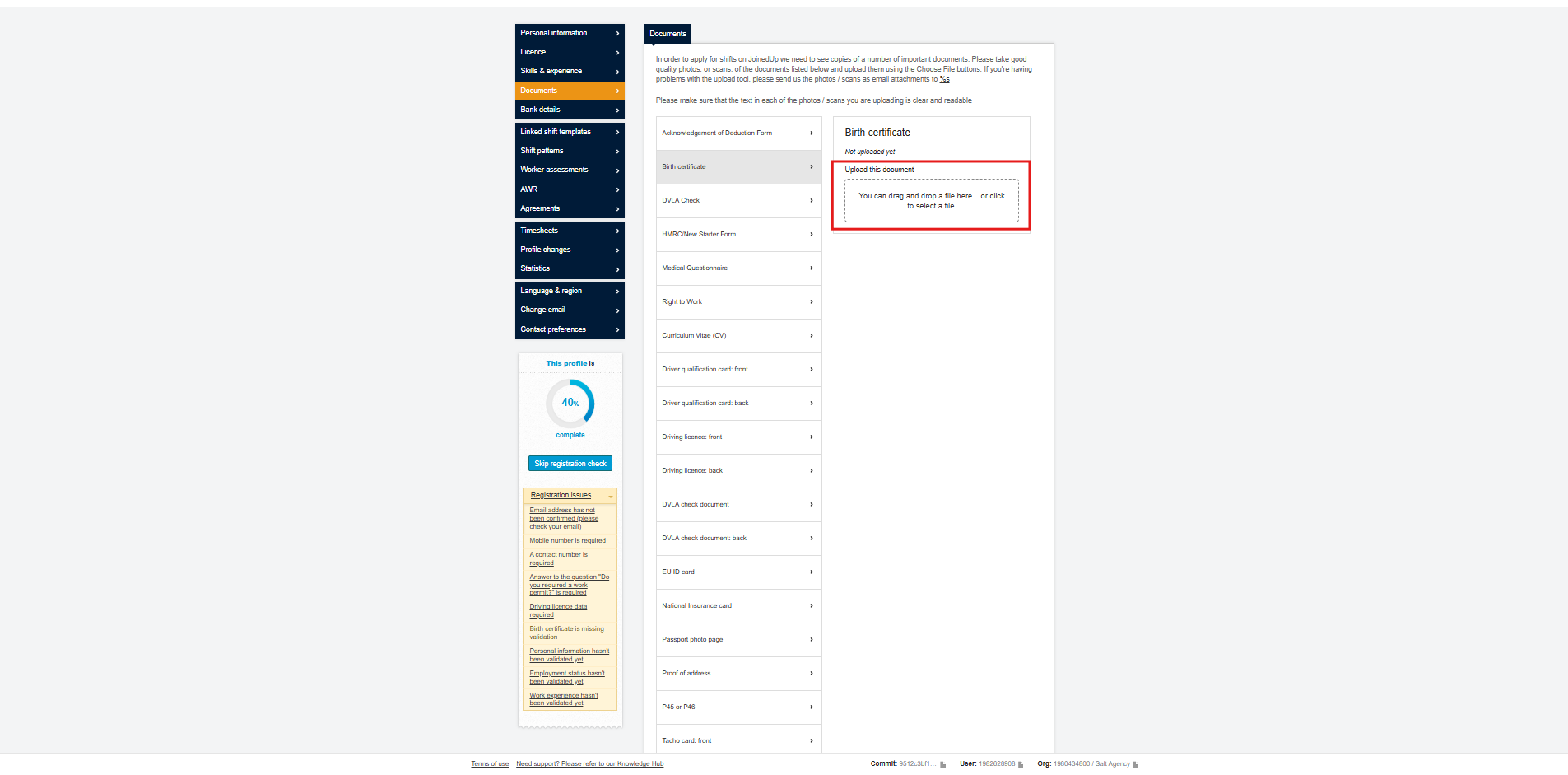
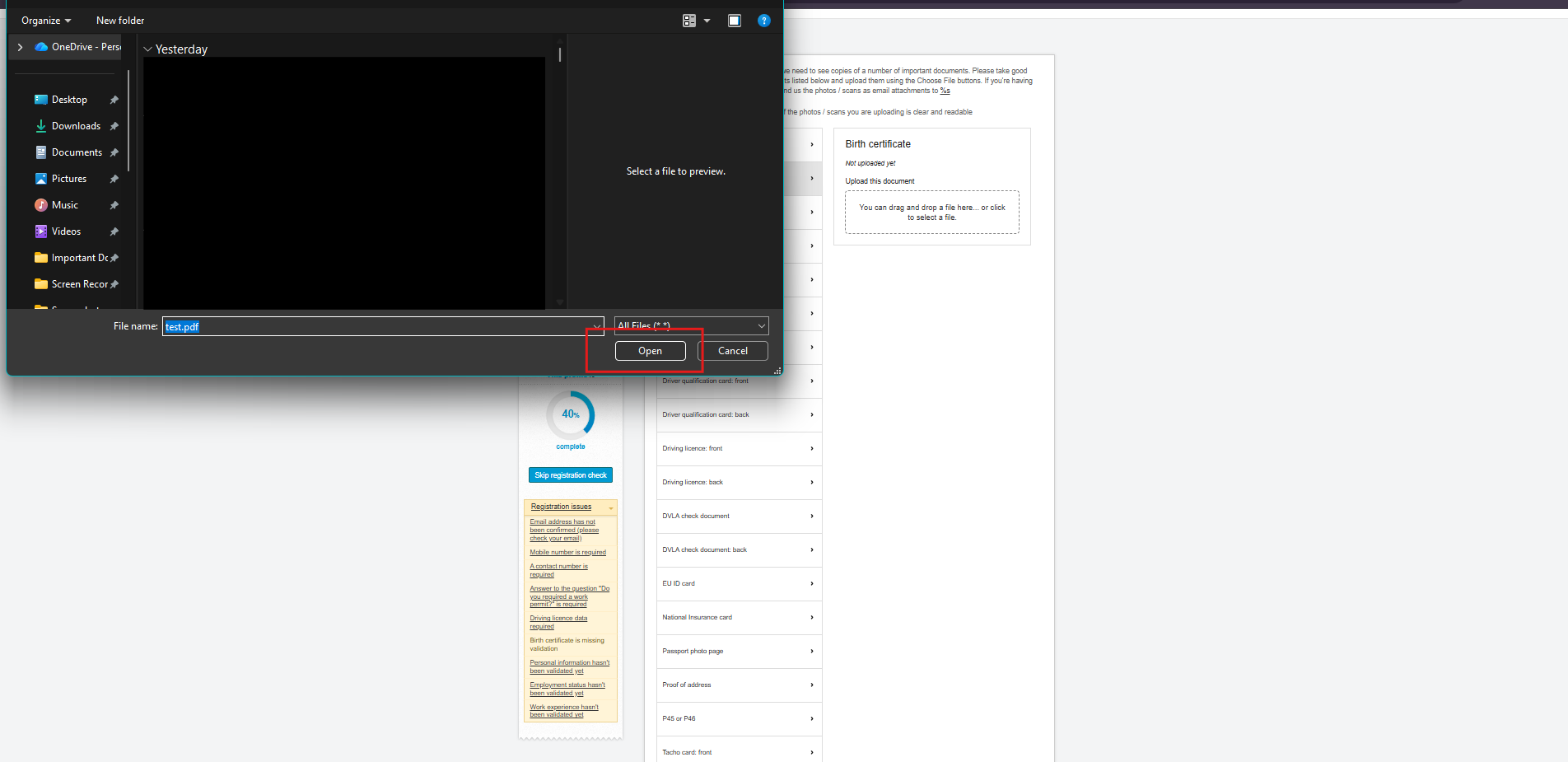
To validate a document, you need permission to approve documents (for example, administrator or compliance access):
-
Open the worker’s profile and go to Documents.
-
Scroll down to the validation section.
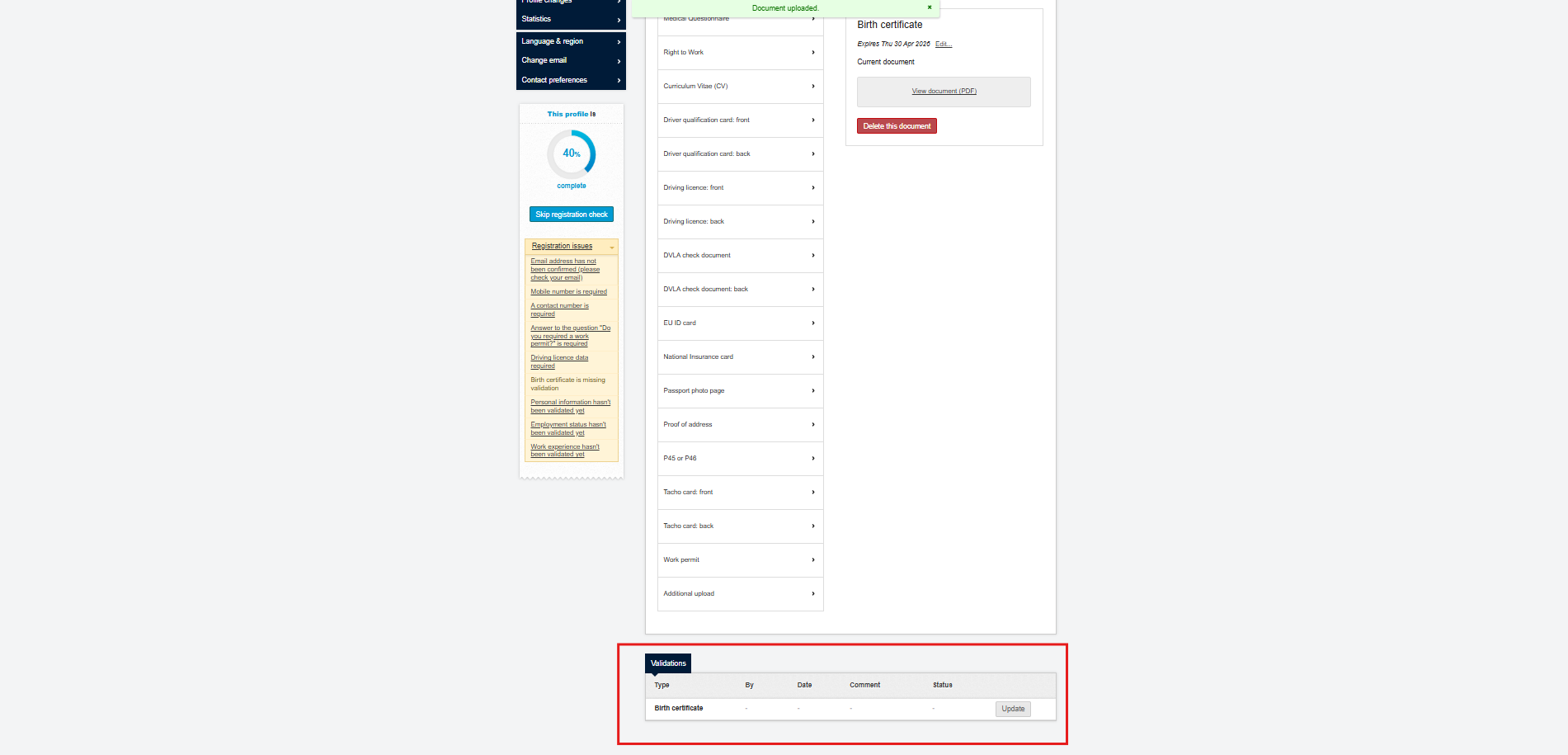
-
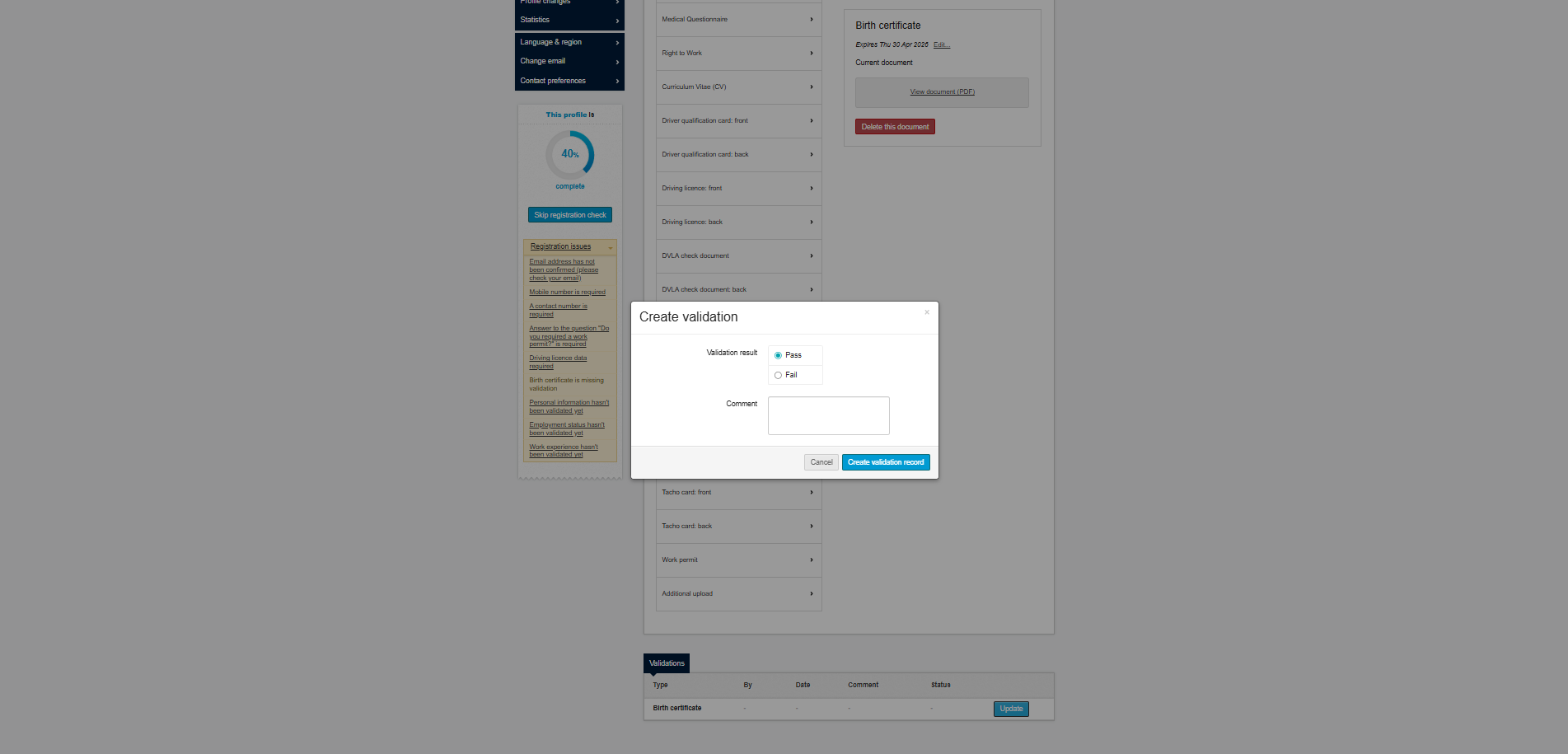
Review the uploaded file, click Update, then choose PASS, FAIL, or leave Requires validation.
-
Save the document.
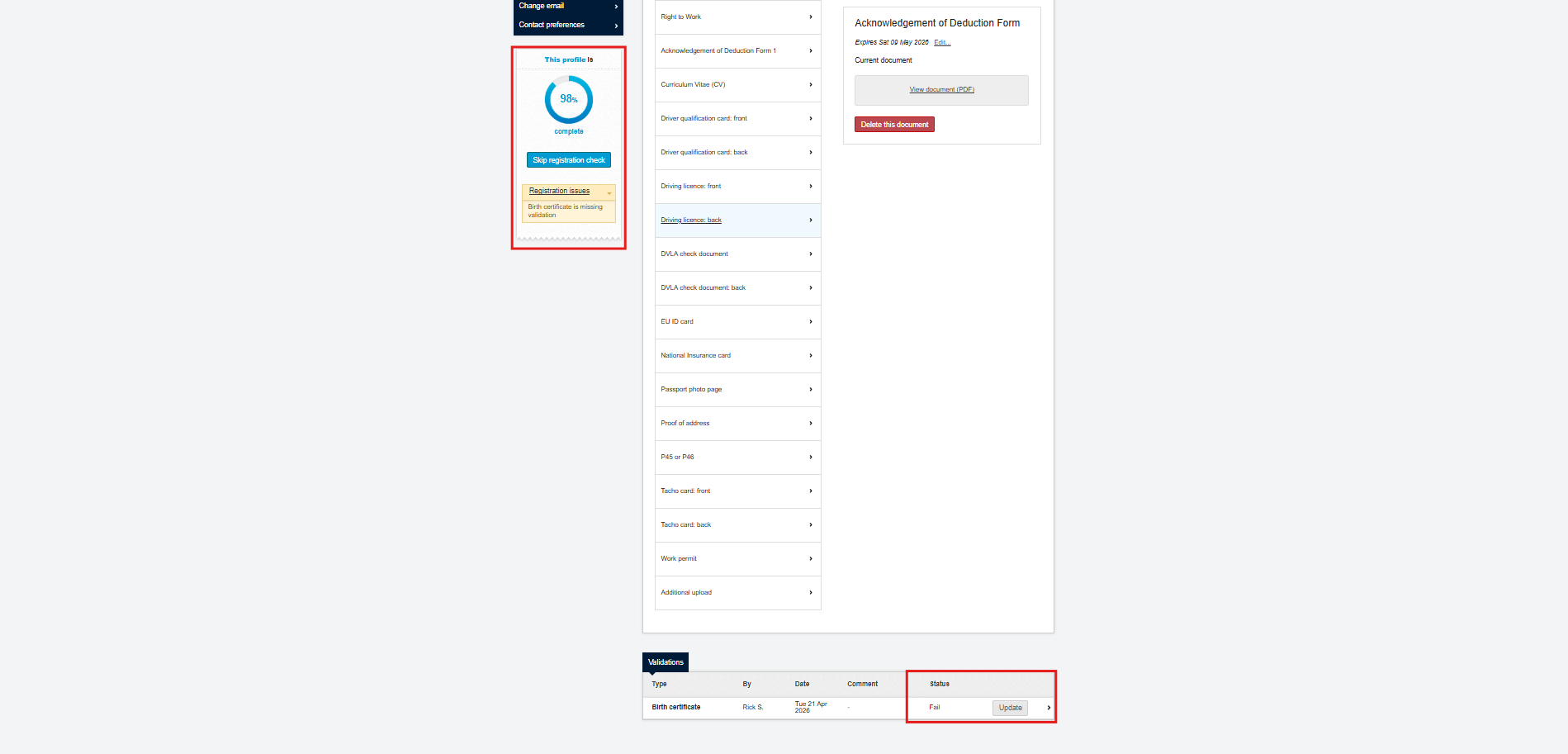
If the document is set to PASS, it contributes to registration percentage. If it is FAIL or missing, the profile percentage decreases.
How registration percentage affects booking
Registration percentage appears at the top of each worker profile and combines personal-information checks with required documents.
If a required document is missing, expired, or failed, the profile percentage stays below the booking threshold and the worker cannot be assigned to shifts. When booking is attempted below the threshold, JoinedUp shows which mandatory documents are still outstanding.
Users with sufficient permissions can still use Skip registration check to override this for a specific worker.
Automatic recalculation and batch notifications
JoinedUp recalculates worker profiles when:
-
A document’s required status changes.
-
A new document that requires validation is added.
The batch process runs after a short delay (default three minutes), then updates registration percentages for affected workers.
Administrators receive a completion notification that includes:
-
Status (success, partial success, or failure)
-
Workers processed
-
Workers updated
-
Workers failed
Skipped workers are tracked separately from failed workers, so skipped records are not counted as failures.
Expired documents and additional logic
If a document expires and the expired flag is enabled to fail registration, the worker profile is marked invalid until a new document is uploaded and validated. This applies whether or not the document is marked as requiring validation.
To support compliance:
-
Tell workers document requirements early.
-
Wait for recalculation to complete after adding new mandatory documents before booking.
-
Review documents promptly and set validation to PASS or FAIL.
-
Use batch notifications to monitor outcomes and investigate failures.
Frequently asked questions
- What happens if I set one document as required and then immediately set another?
-
The system groups changes made within a short period into one recalculation job.
- Do optional documents affect registration percentage?
-
No. Only required documents affect registration percentage and booking eligibility.
- Can I manually set validation status?
-
Yes. Users with permission can choose PASS, FAIL, or Requires validation.