Tax auto-calculation
Manage tax percentages per site from your settings.
You can now set a tax percentage for each site in Site settings so invoices automatically apply the correct rate.
| Reach out to your Customer Operations Specialist (COS) for more information. |
Setting up tax auto-calculation
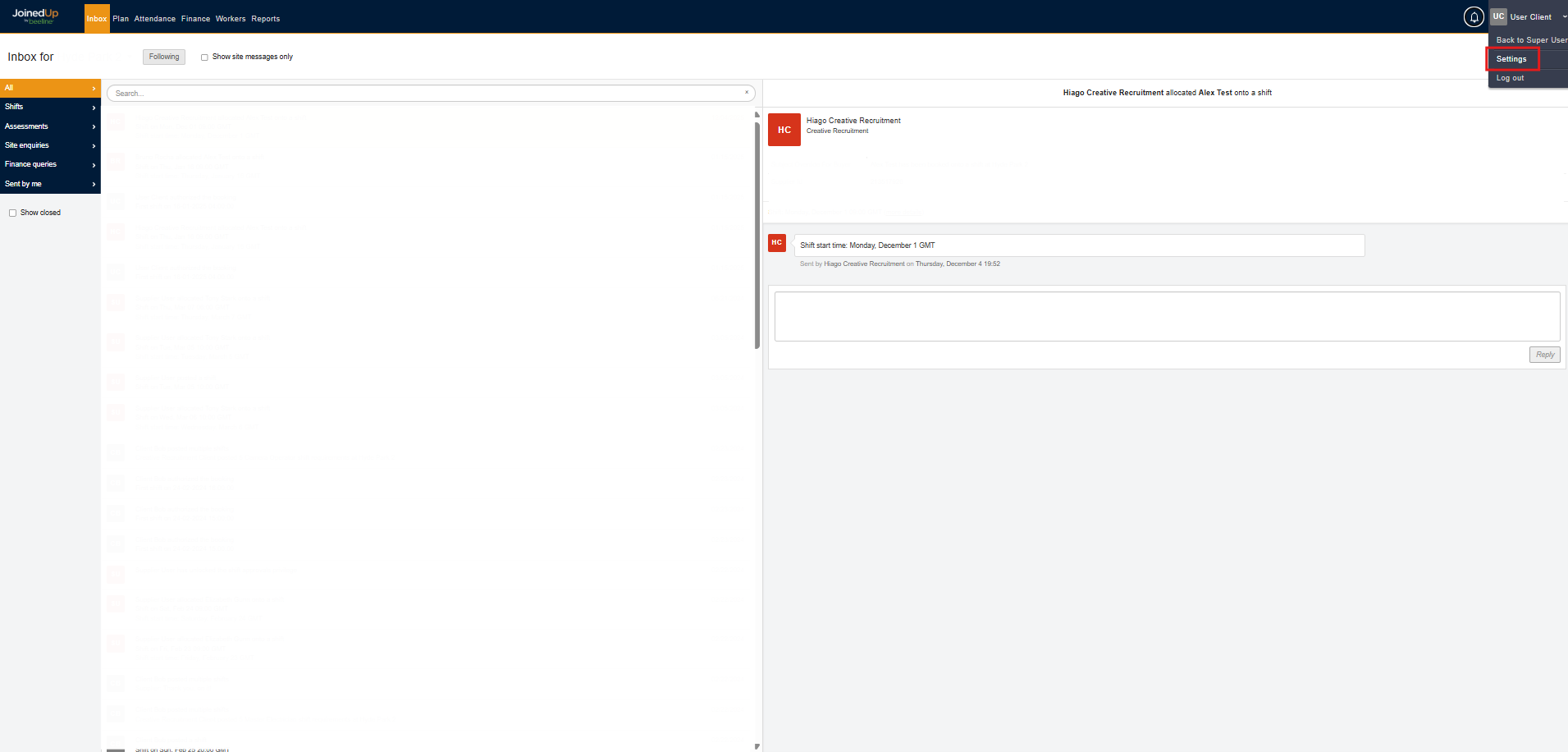
As an Admin user, click your name in the top-right corner, then select Settings.
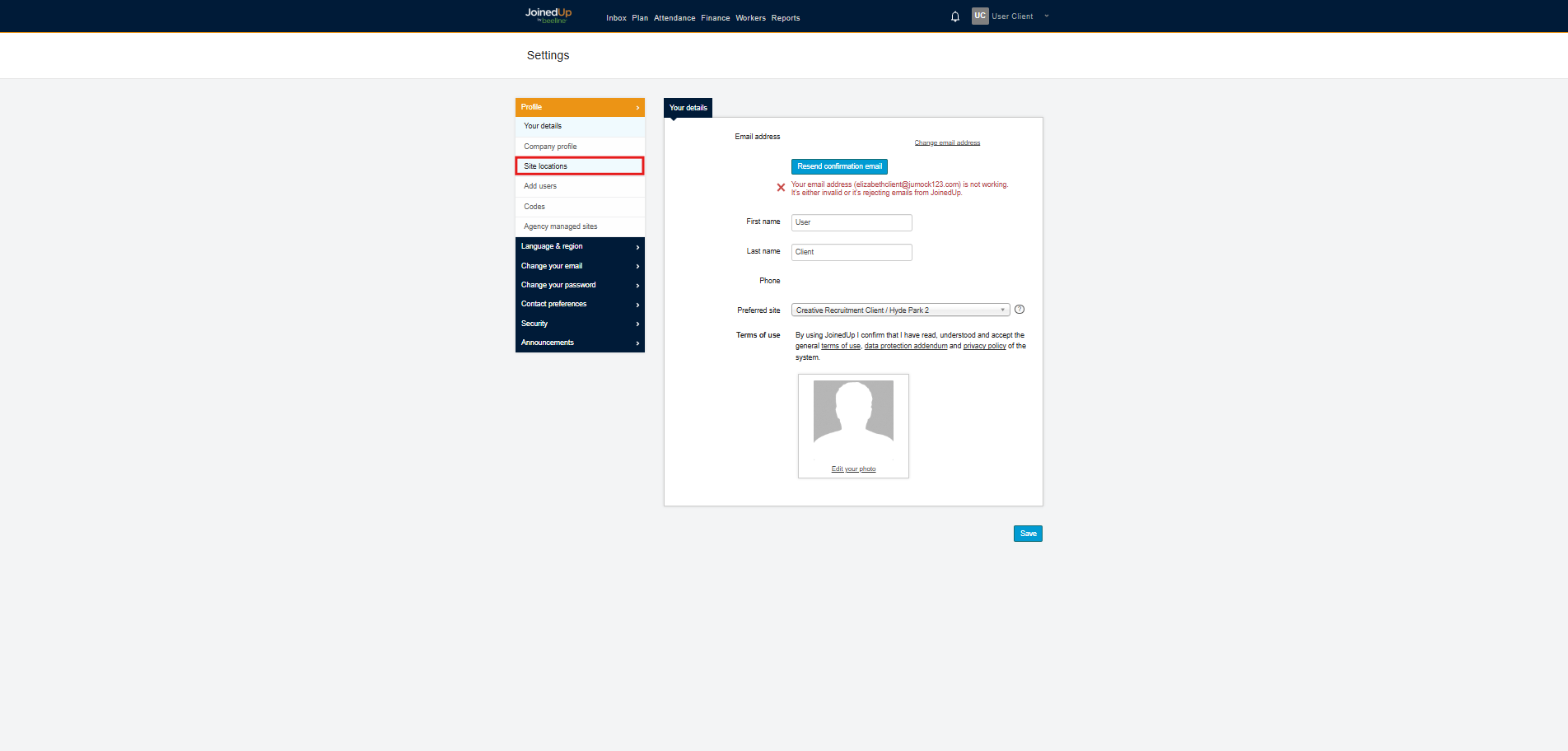
Select Site Locations.
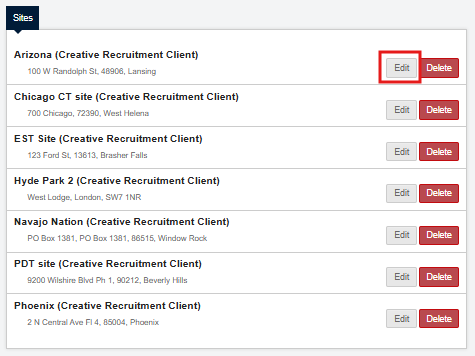
You will see the list of sites owned by your organisation. Choose the site you want to configure by selecting the edit button.
| You cannot configure sites that are shared to your organisation. Reach out to the organisation owner of the site. |
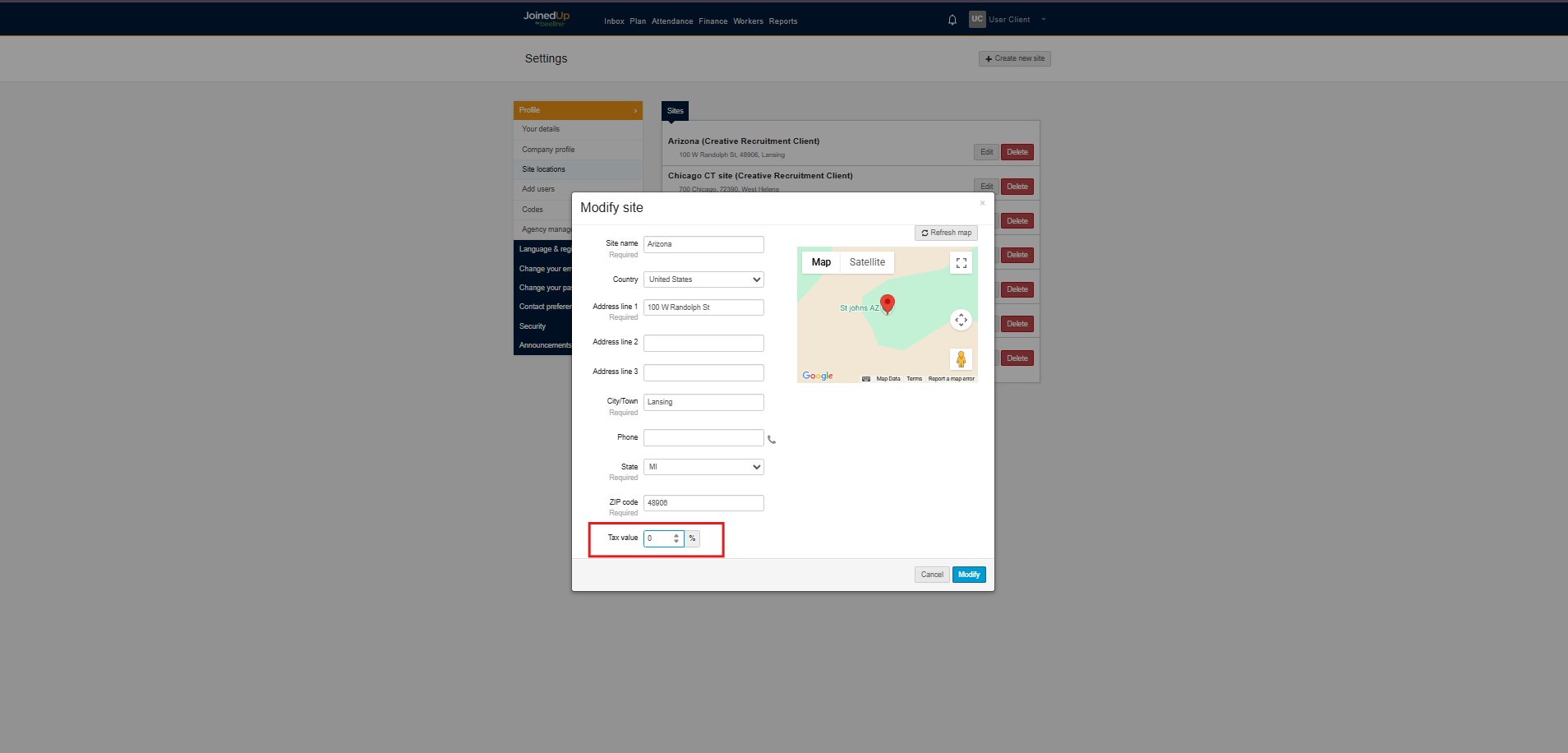
Configure the Tax value accordingly, then click Modify to save your changes.