End Hirer Invoice Expenses
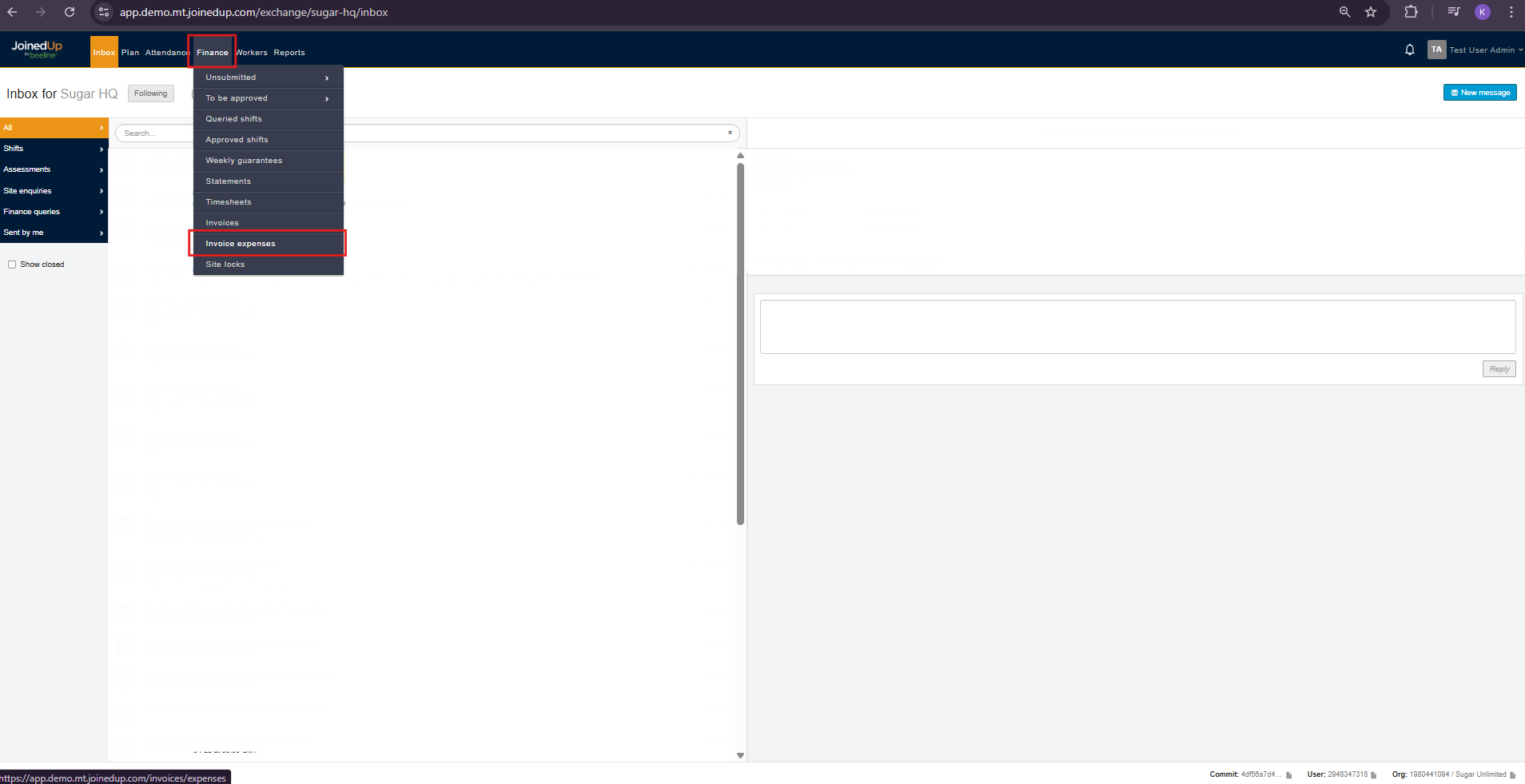
To access the Invoice Expenses Screen, navigate to the Finance Tab then select Invoice Expenses.
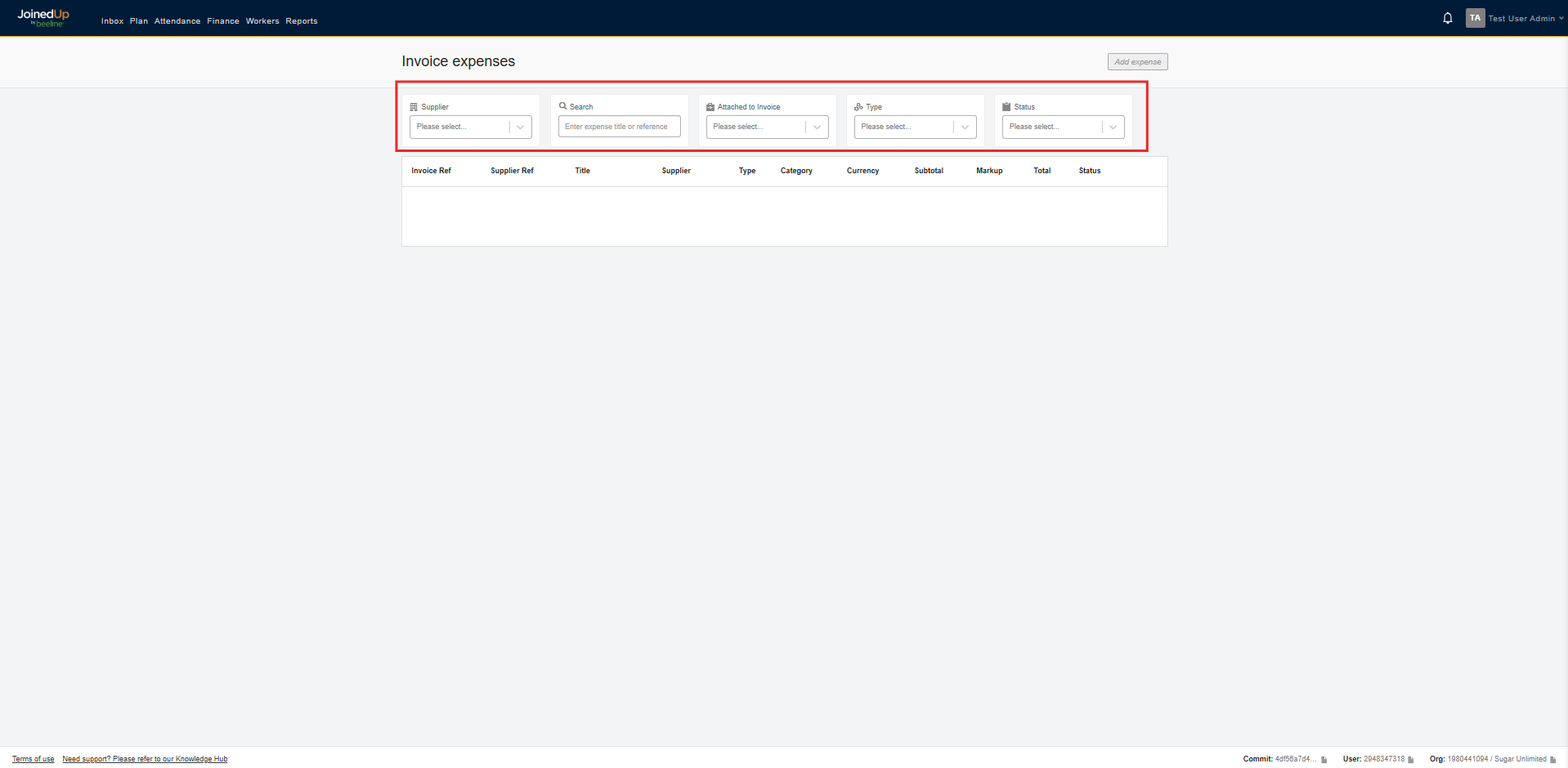
Here you can filter created invoice by the following categories:
-
Supplier Name
-
Search by Expense Title or Reference Number
-
If attached to an Invoice
-
Expense Type
-
Status
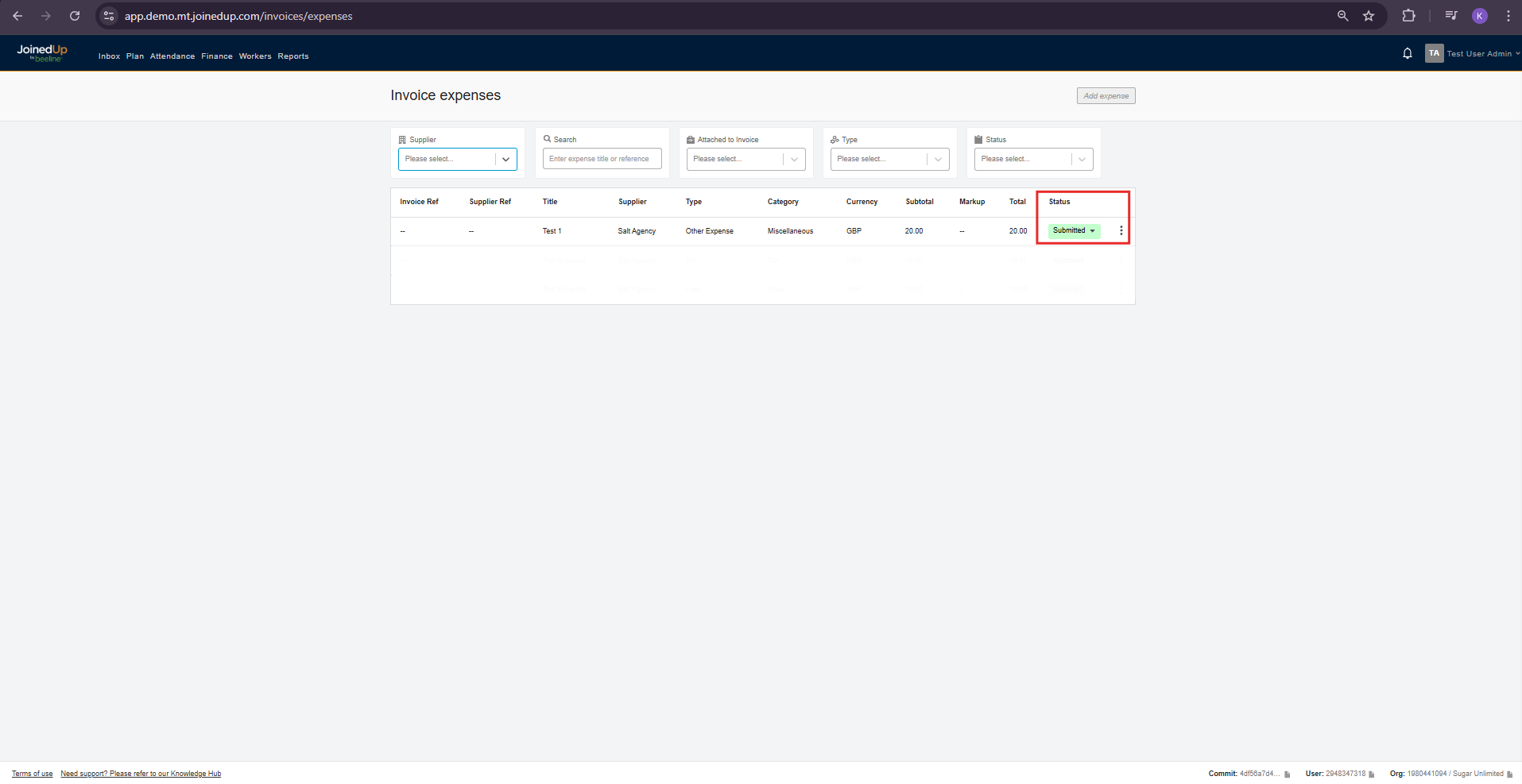
Approving or Rejecting Invoice Expense
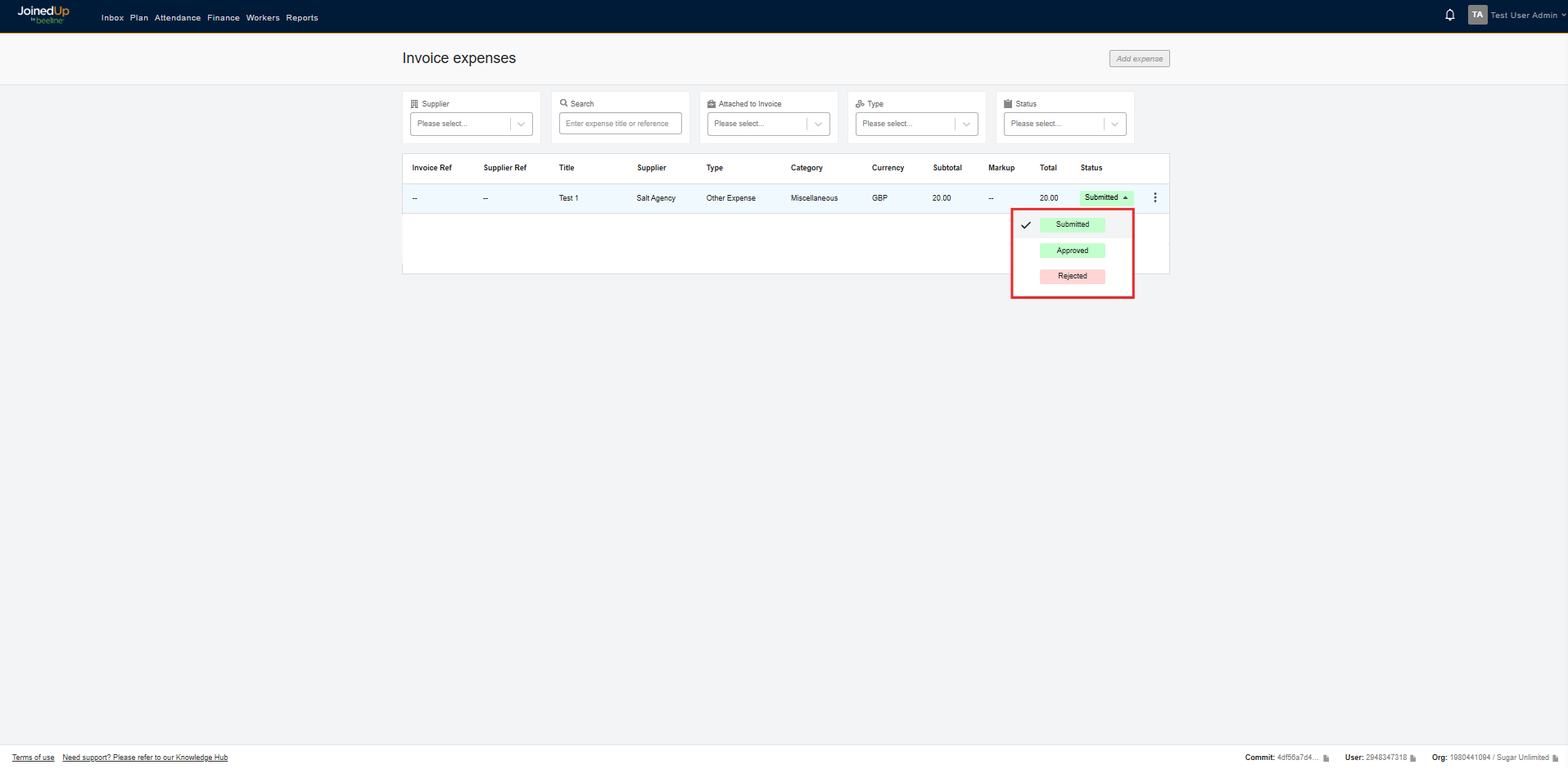
Once a supplier creates an invoice expense, they must submit it for it to appear on your end. It will then show a Submitted status.
Here is a sample notification you will receive in your Inbox for a submitted Invoice Expense
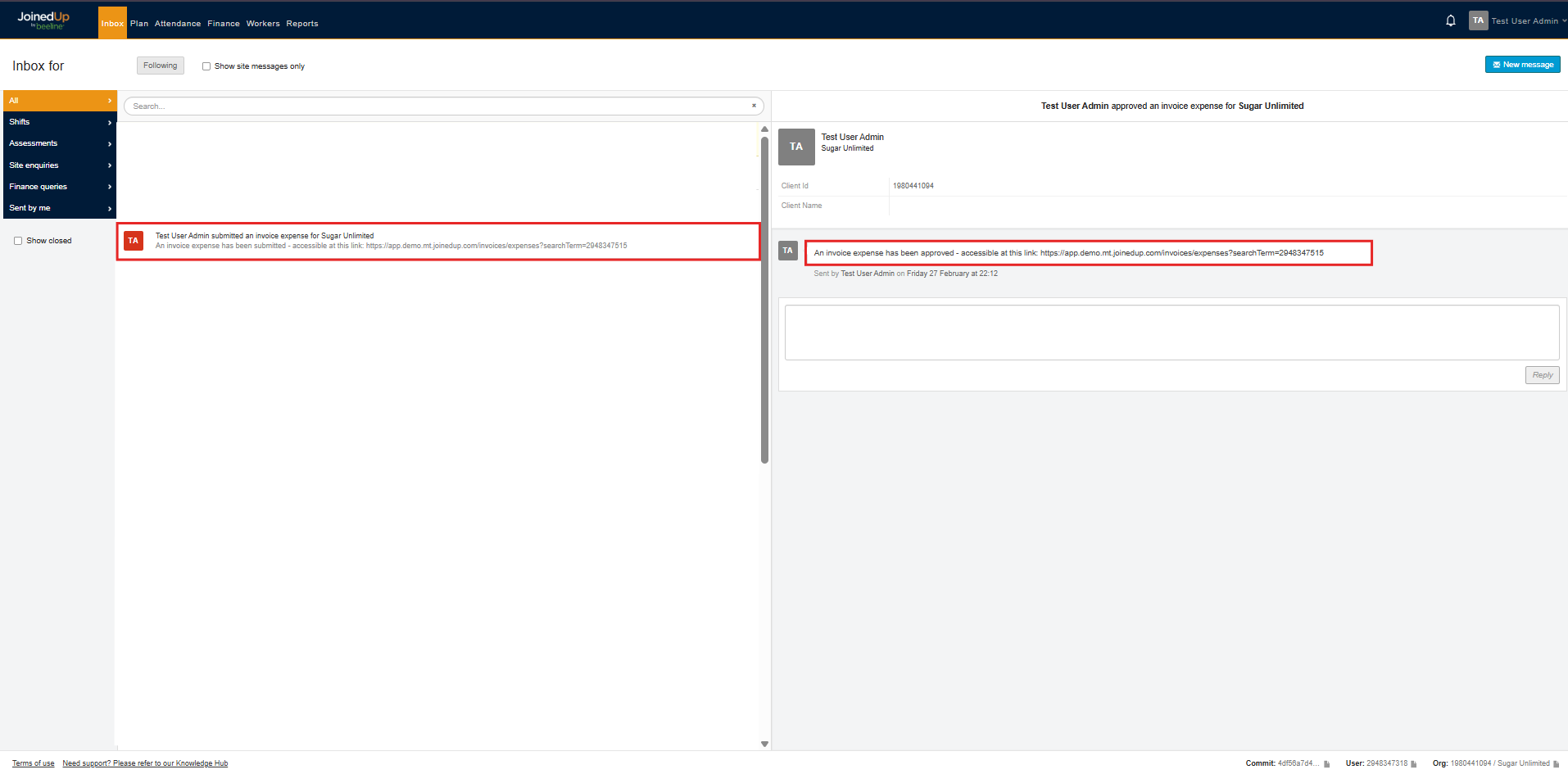
From here, you can either Approve or Reject the Expense.
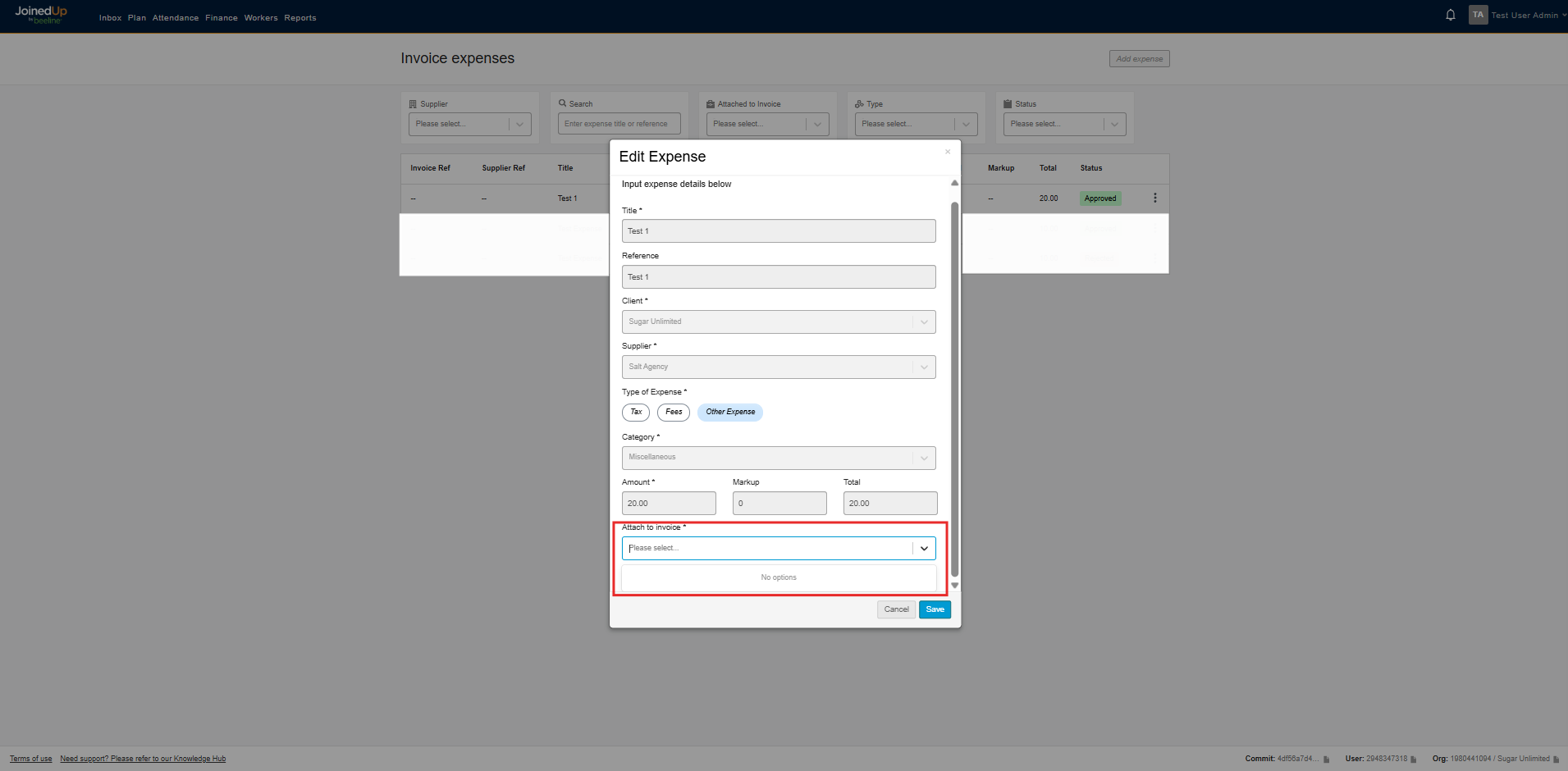
Approved Invoice Expenses can still be edited. However, this is limited to updating the invoice to which the expense is attached.
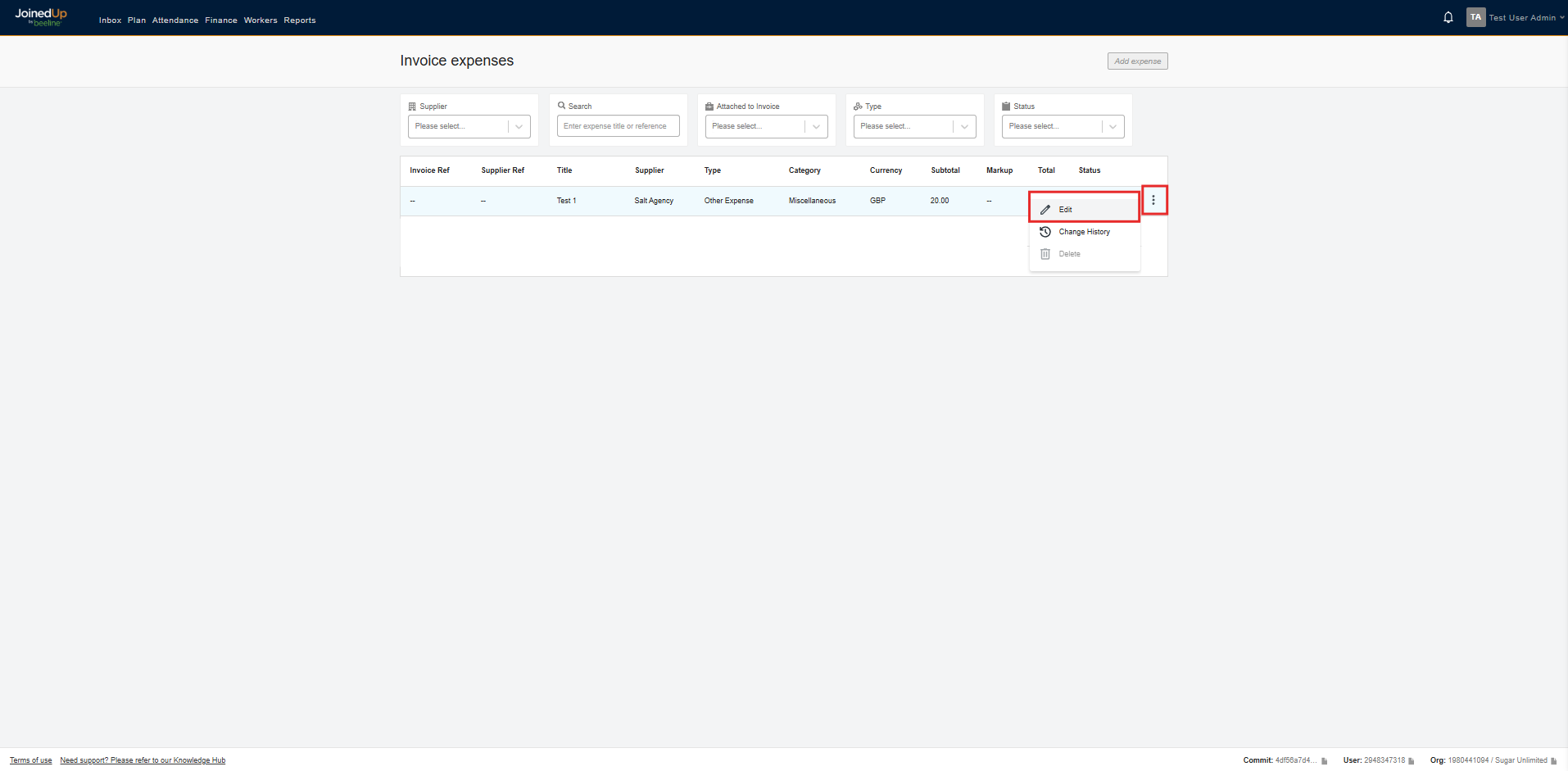
You can edit it by clicking the three dots beside the current status of the Invoice Expense. Then, Click Edit
It will show a modal to edit the expense, then select the drop-down for the Attach to Invoice
| Once an Invoice Expense has been rejected, it can no longer be edited. |
See more: