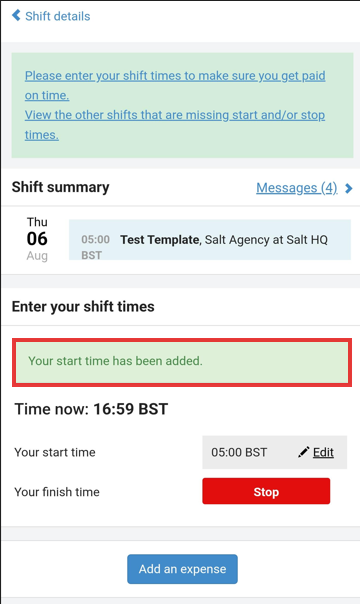
Geofencing
End-hirers and suppliers need confidence that onsite workers are clocking in and out from the correct location to prevent time fraud, reduce disputes, and ensure attendance data reflects reality.
Without location validation, clock-ins can be completed from anywhere — intentionally or accidentally — creating payroll and billing risk and increasing the effort required to investigate discrepancies.
How to Enable
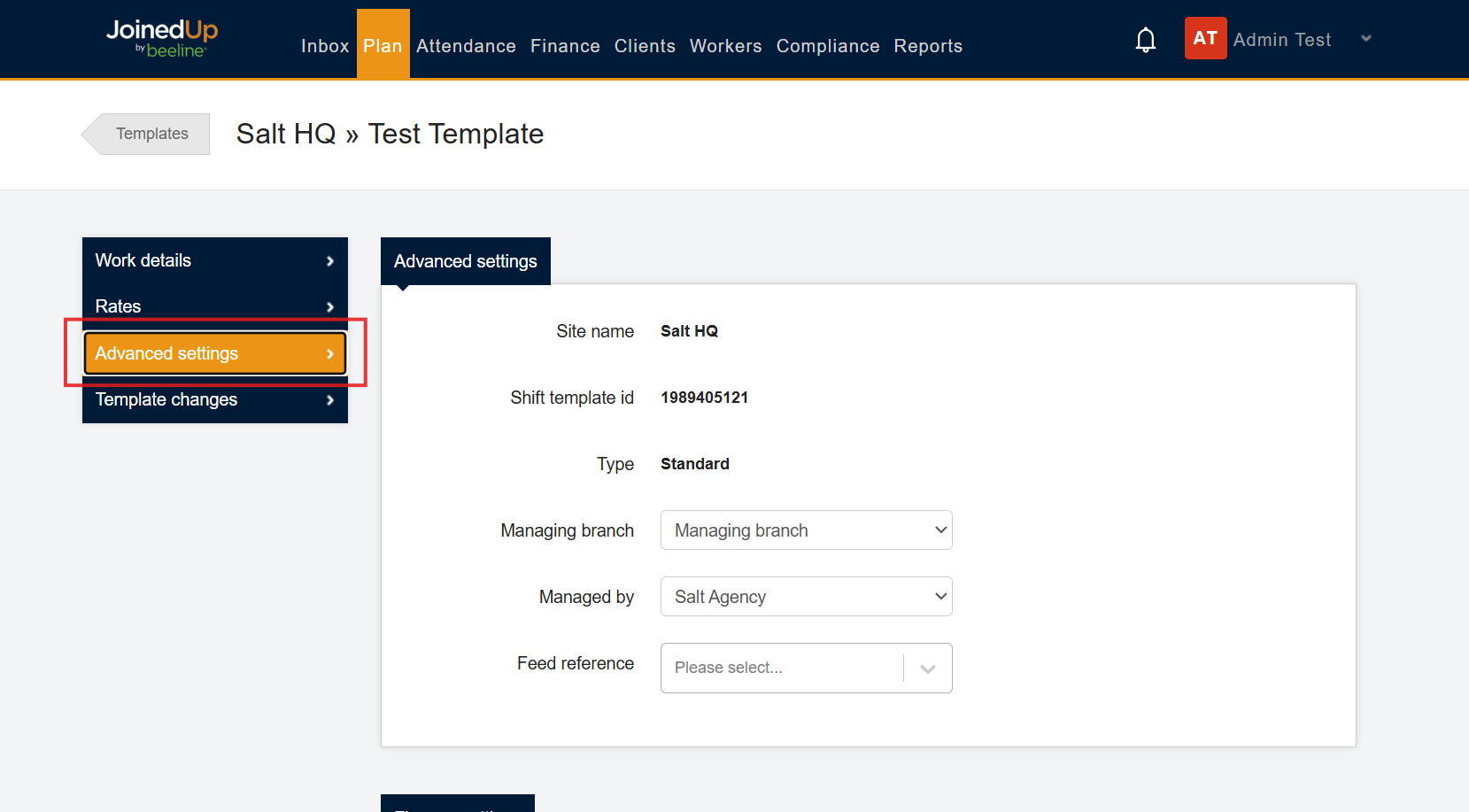
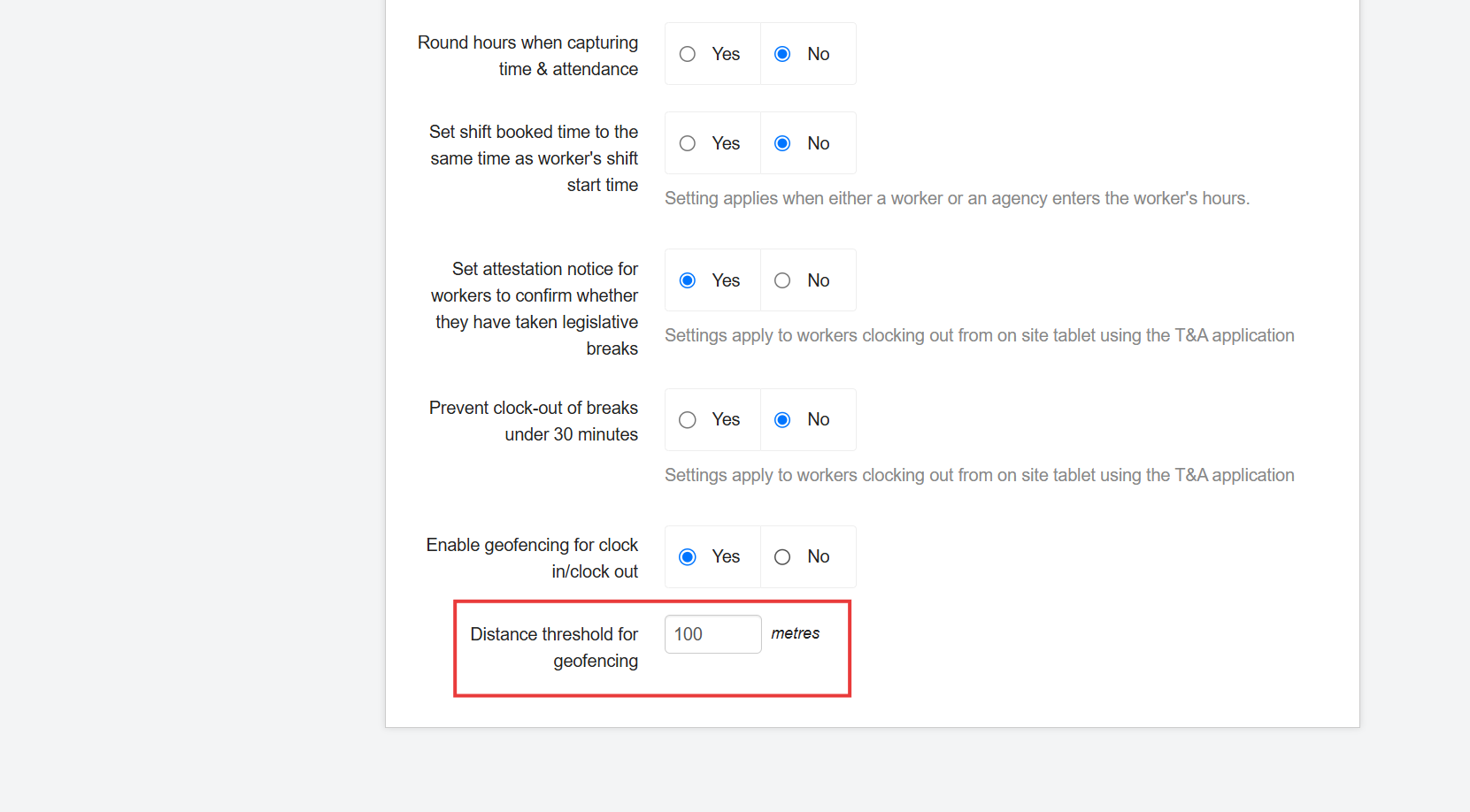
Go to the Shift Template’s Advance Setting.
Scroll down to Time and Attendance settings.
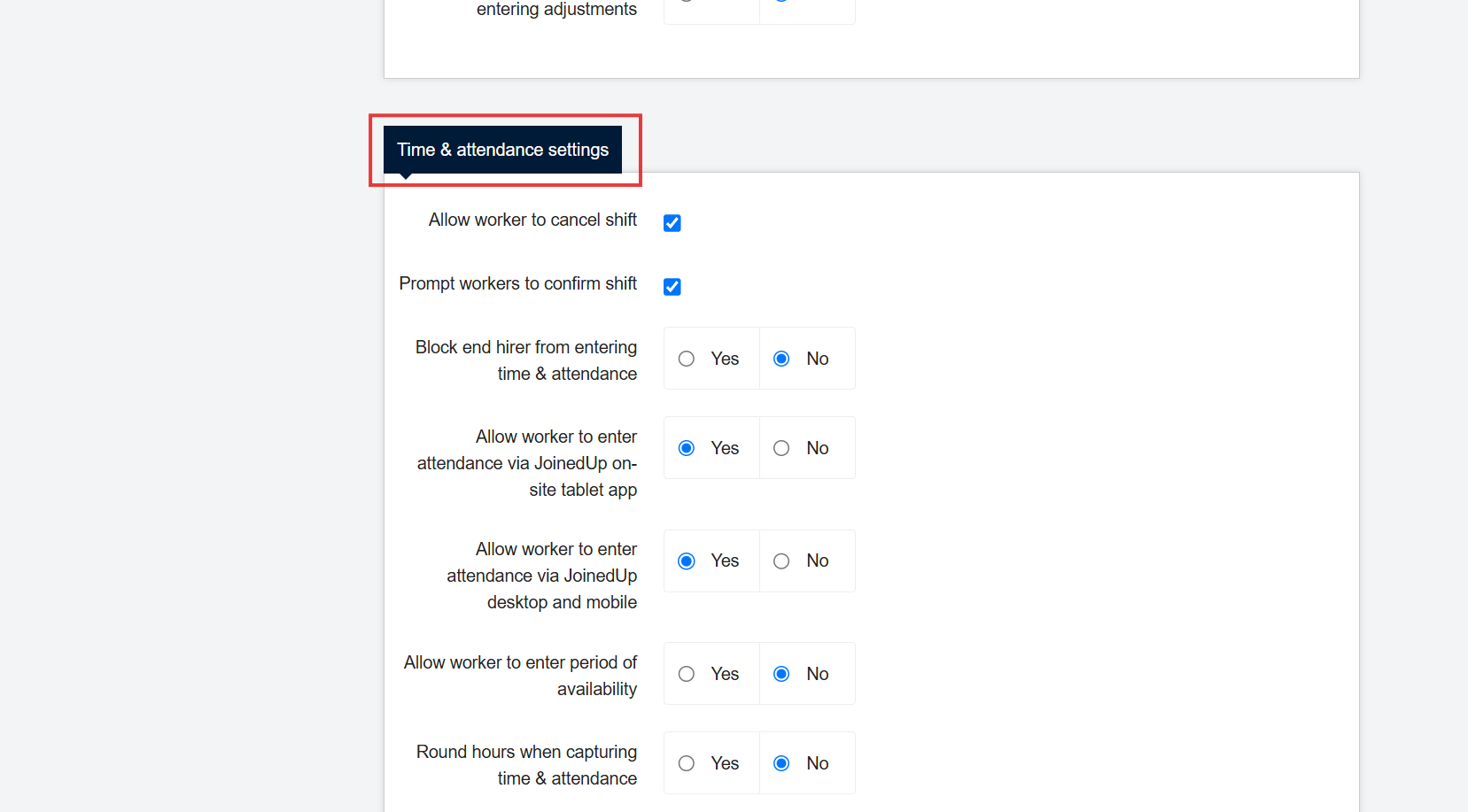
You will find the setting “Enable geofencing for clock in/clock out”. Then, select yes.
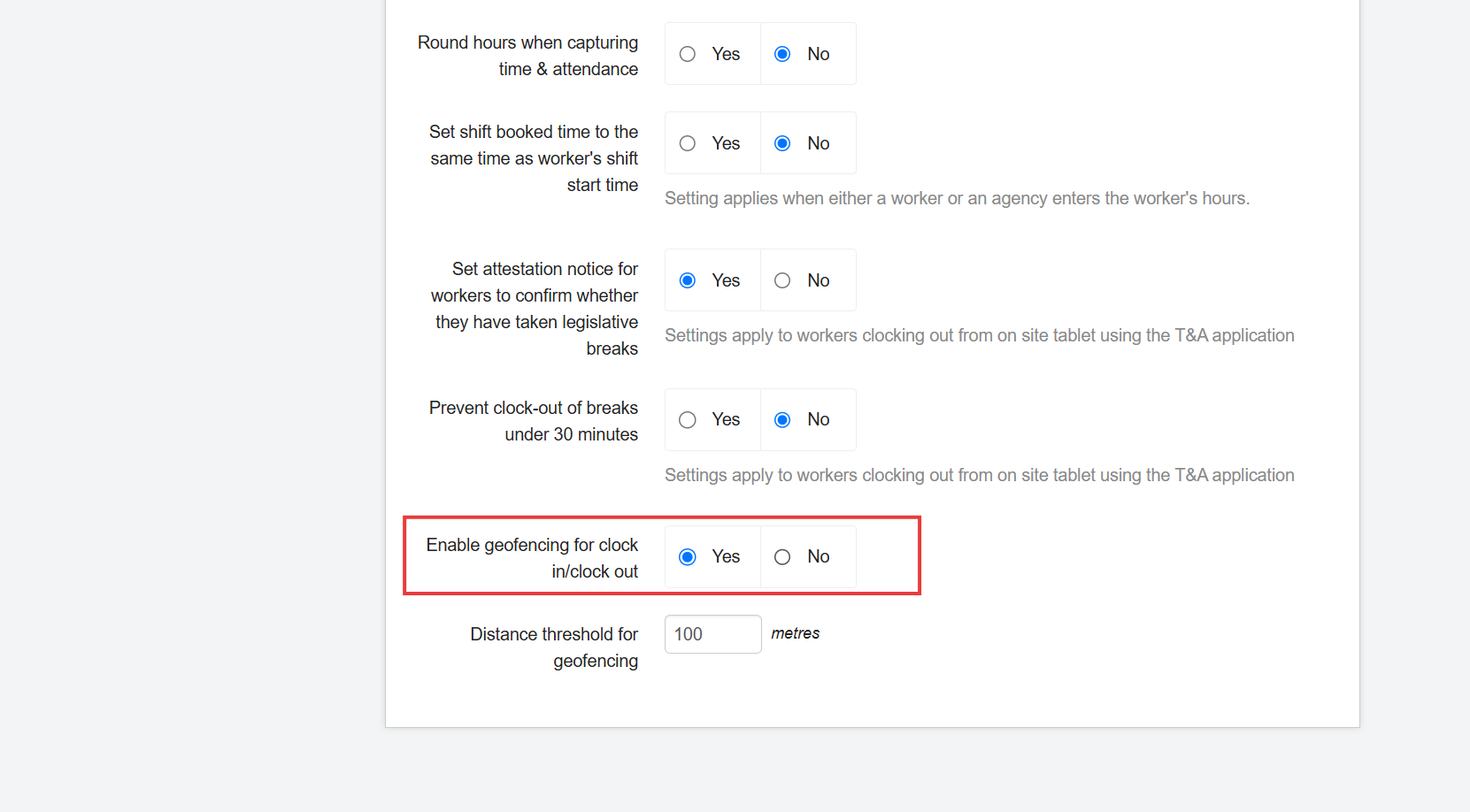
A new field appears, "Distance threshold for geofencing," which allows you to set the radius (in meters) within which workers can clock in or clock out. The radius is measured from the site location.
Validations
Enabling this setting provides workers with validation messages when they try to clock in beyond the specified distance threshold.
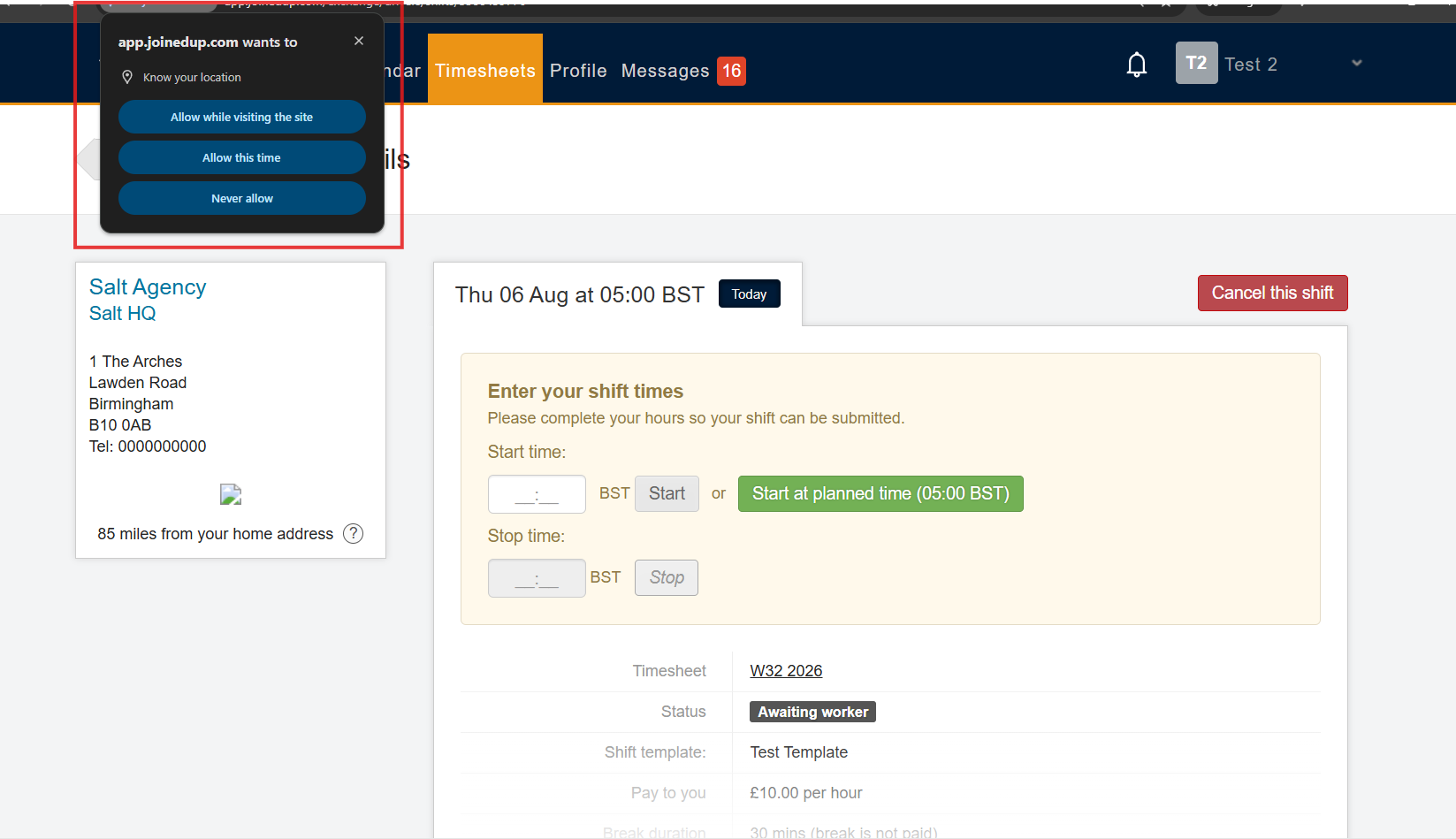
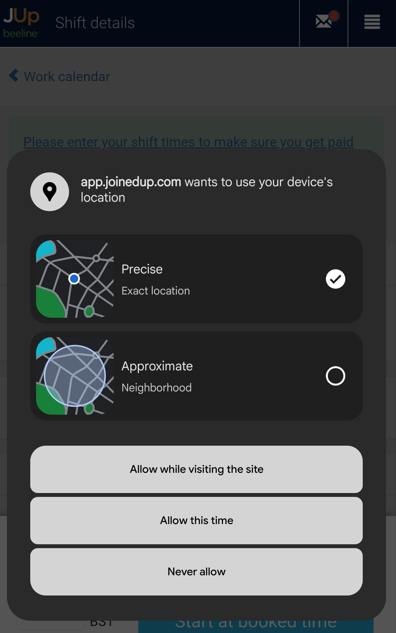
During clock-in, workers will see a location permission prompt (identical on desktop and mobile views). They must grant this permission to complete the clock-in process.
Desktop View:
Mobile View:
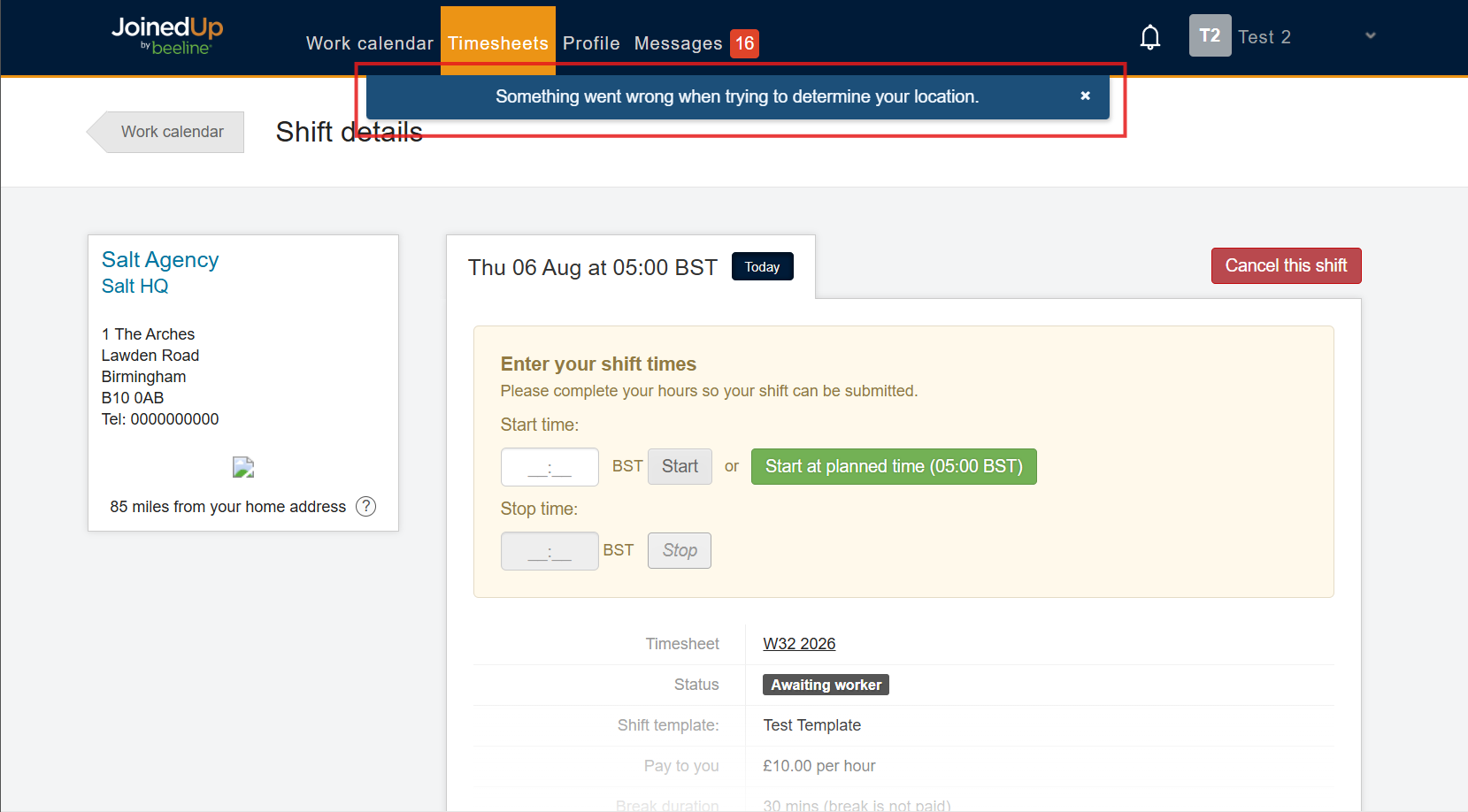
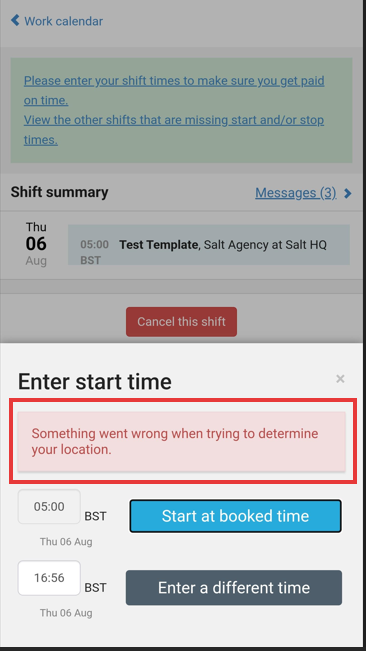
If permission is not granted, they will receive an error message like the one below and they won’t be able to start the time.
Desktop View:
Mobile View:
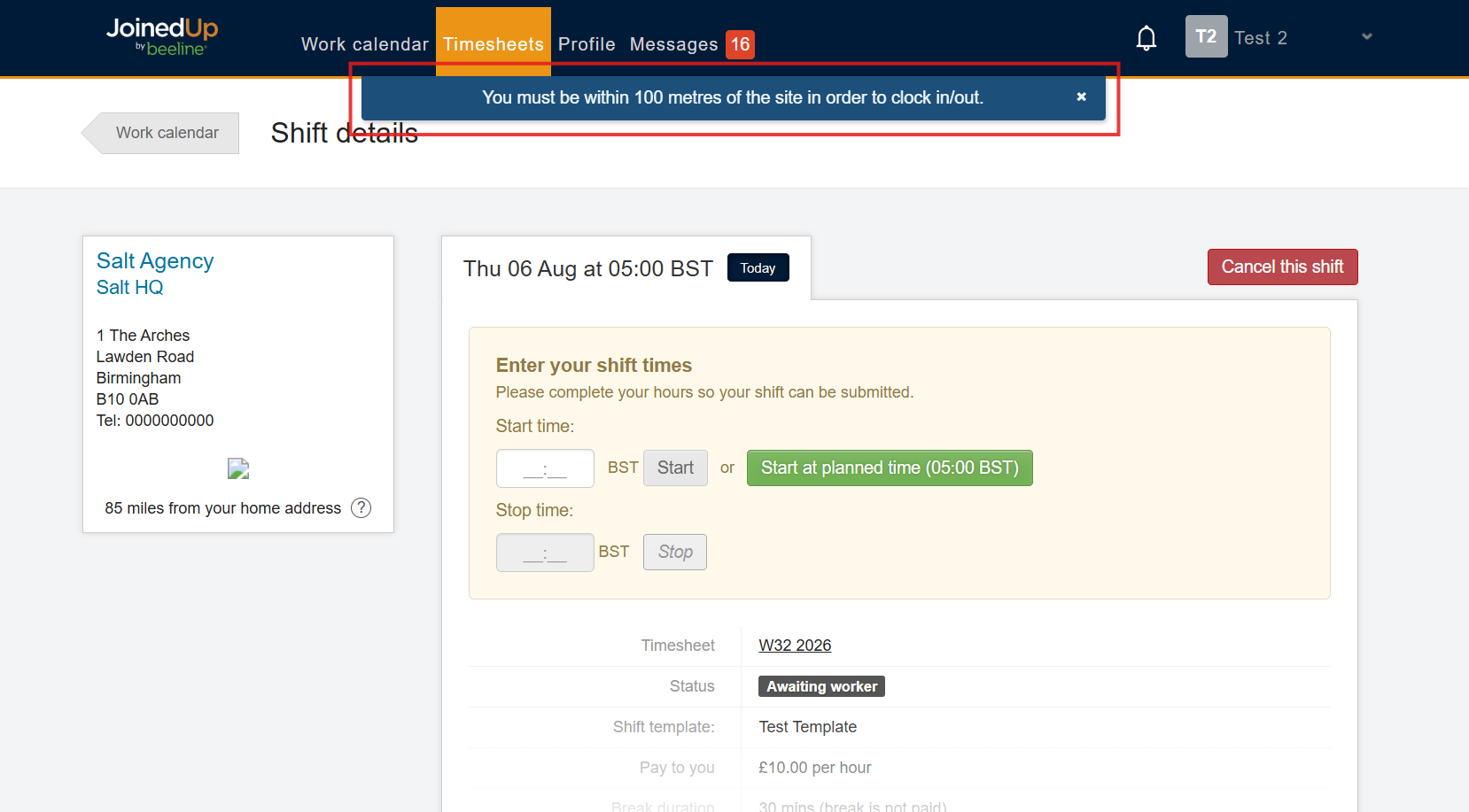
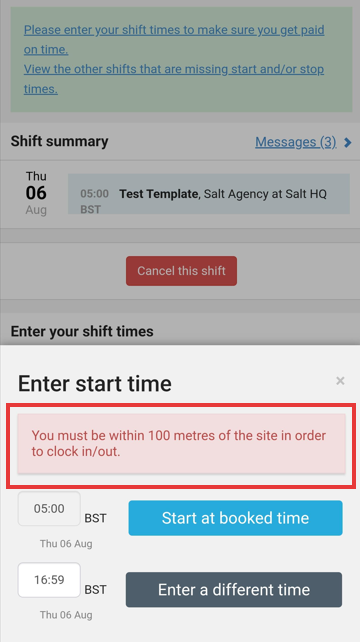
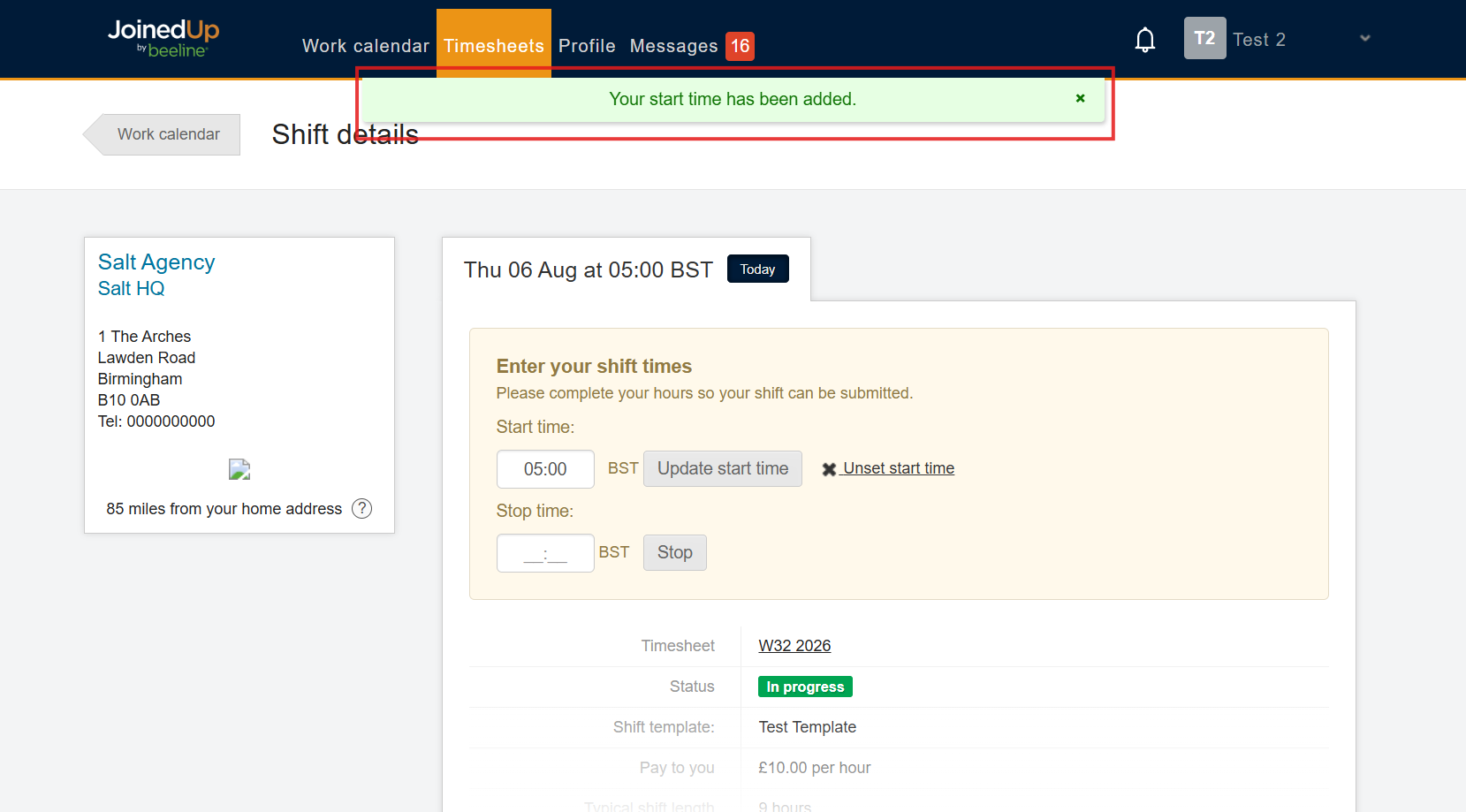
Once location permission is granted, workers proceed to start or stop their time. The system evaluates their location and allows the action only if they’re inside the set threshold.
-
Outside the set threshold:
Desktop View:
Mobile View:
-
Inside the set threshold:
Desktop View:
Mobile View: