Worker Groups: Colour Coding
Worker Groups help you organise your workforce into four colour-coded categories: Red, Green, Yellow, and Blue. You define what each colour represents based on your needs—such as skill level, shift preference, or team assignment. Once workers are assigned to a colour group, you can filter your worker list by group and allocate shifts to the entire group at once, eliminating the need to search for individual workers.
Step-by-Step Guide
-
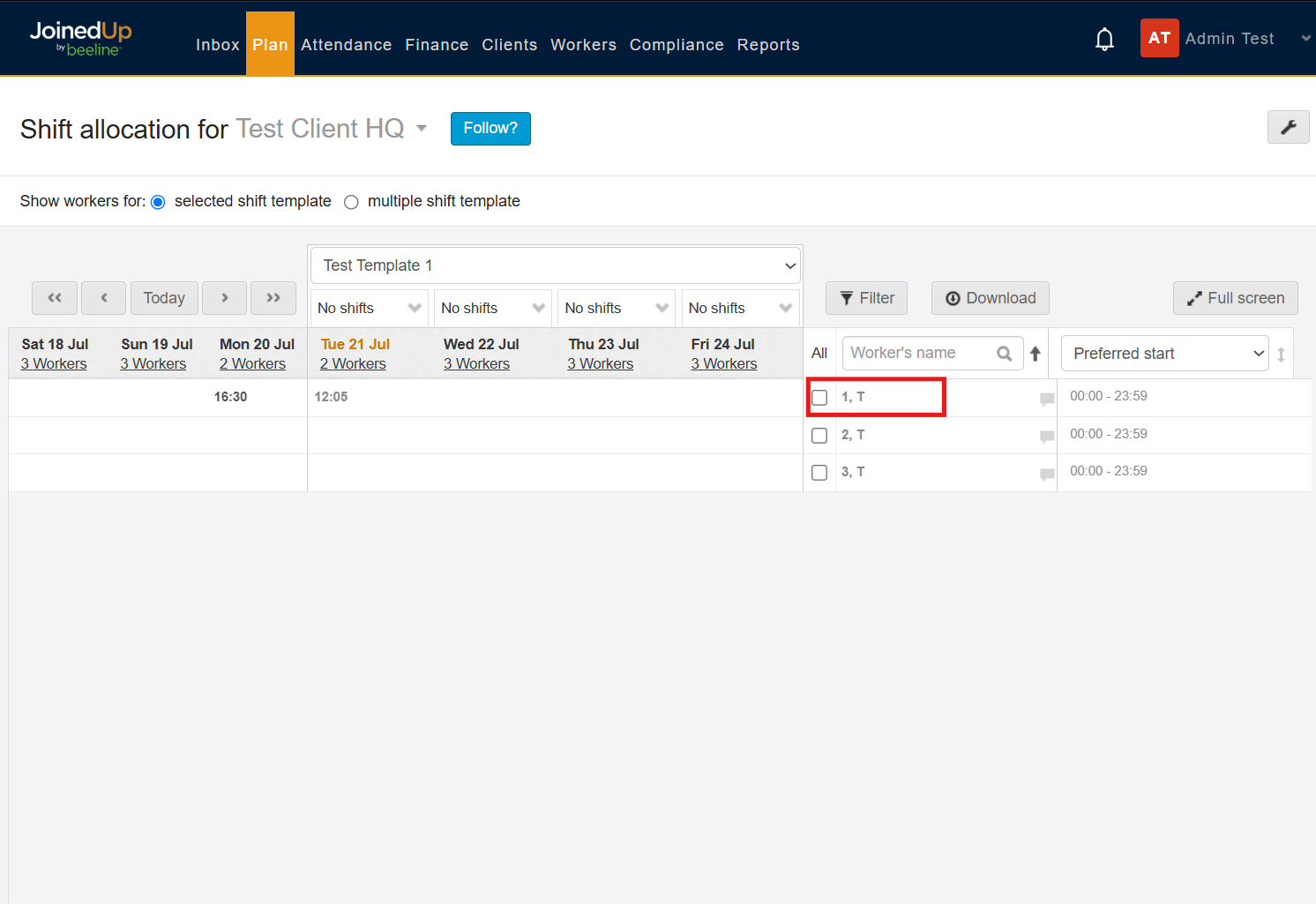
Go to Shift allocation for your site and select the relevant shift template (e.g. “Test Template 1”). Your list of workers appears on the right. Click a worker’s name to open their profile.
-
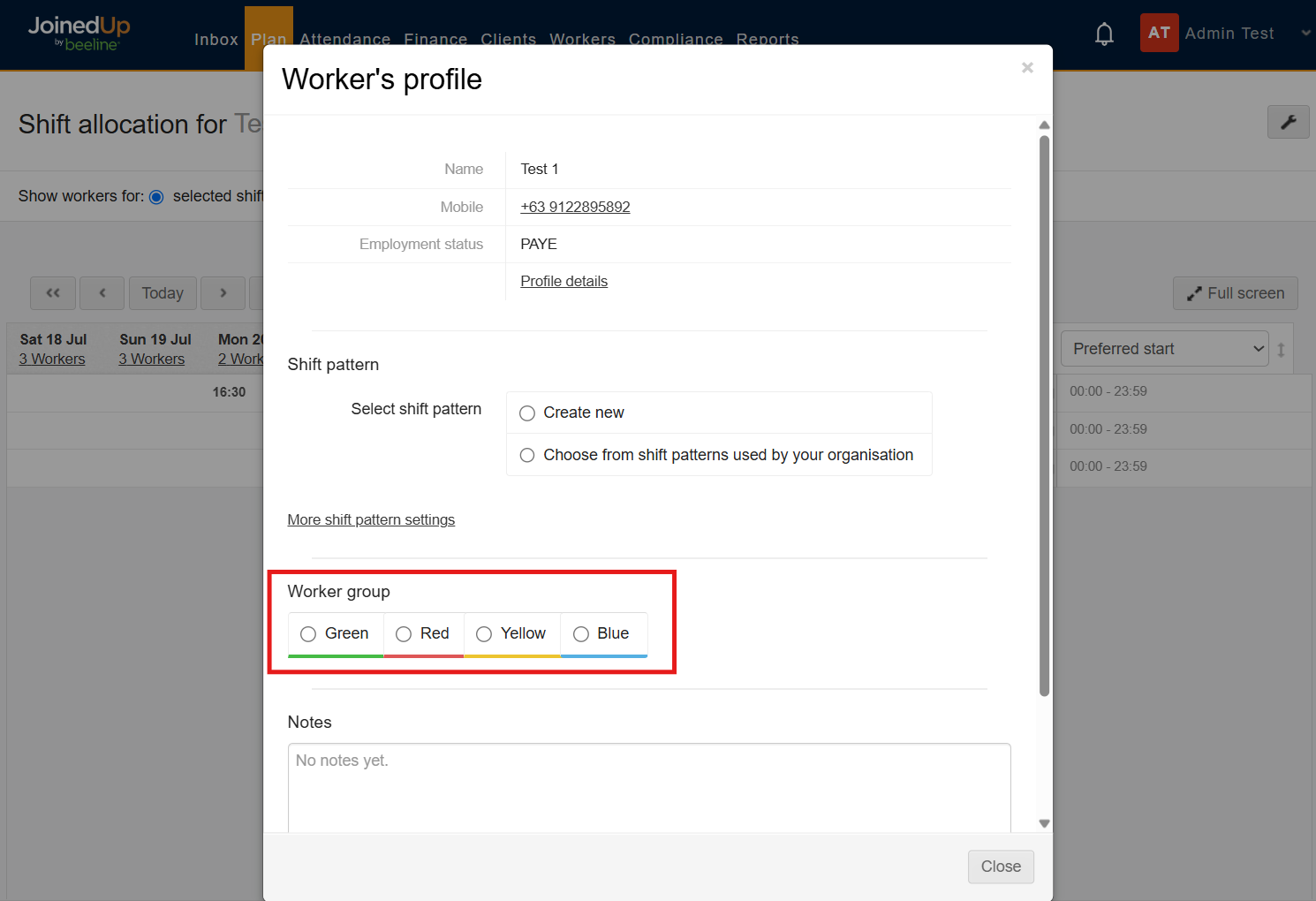
In the Worker’s profile window, scroll down to the Worker group section. You’ll see four options - Green, Red, Yellow and Blue - none selected by default.
-
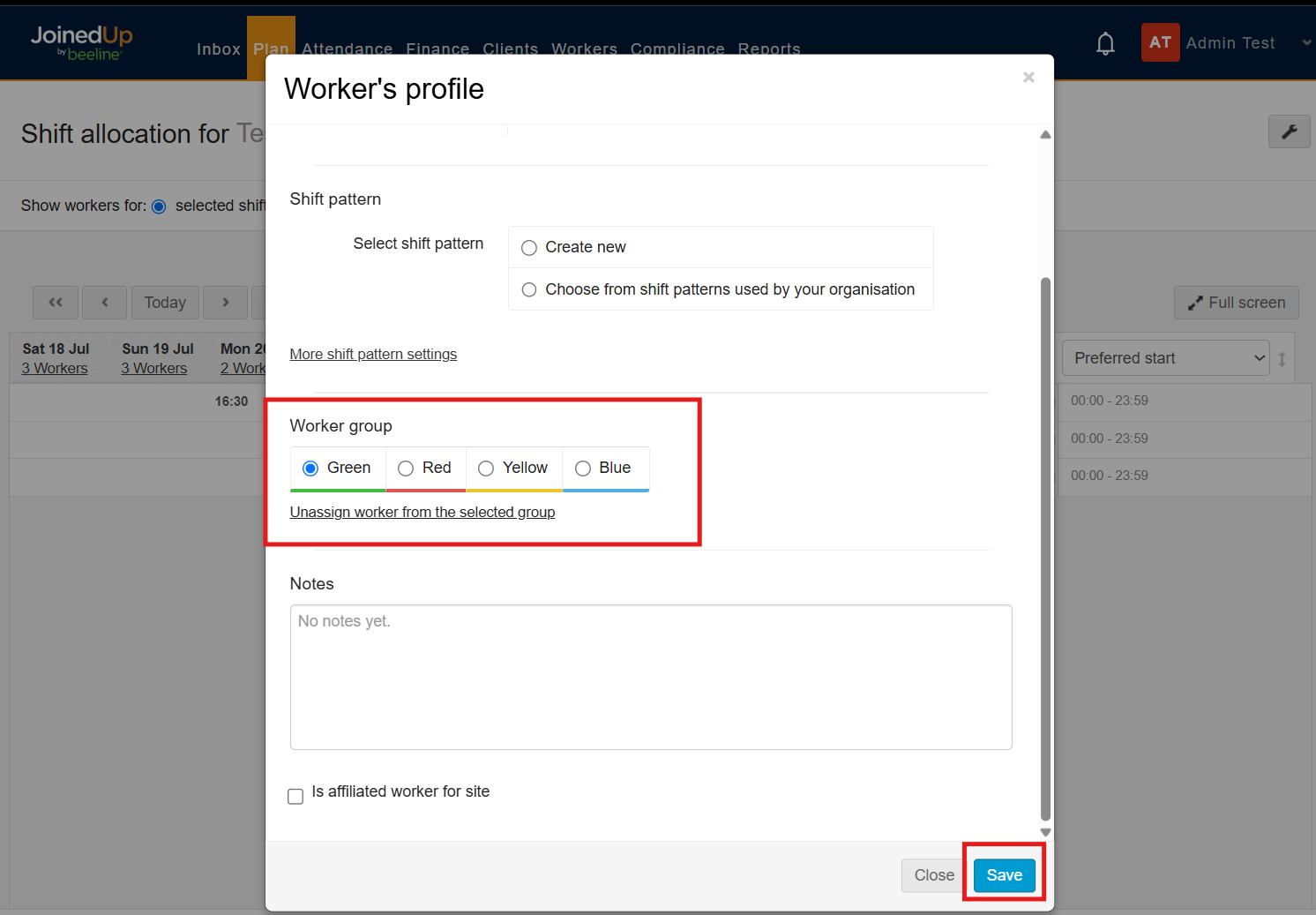
Click the colour you want to assign to this worker (in this example, Green), then click Save. If a worker no longer belongs in a group, use the “Unassign worker from the selected group” link instead.
-
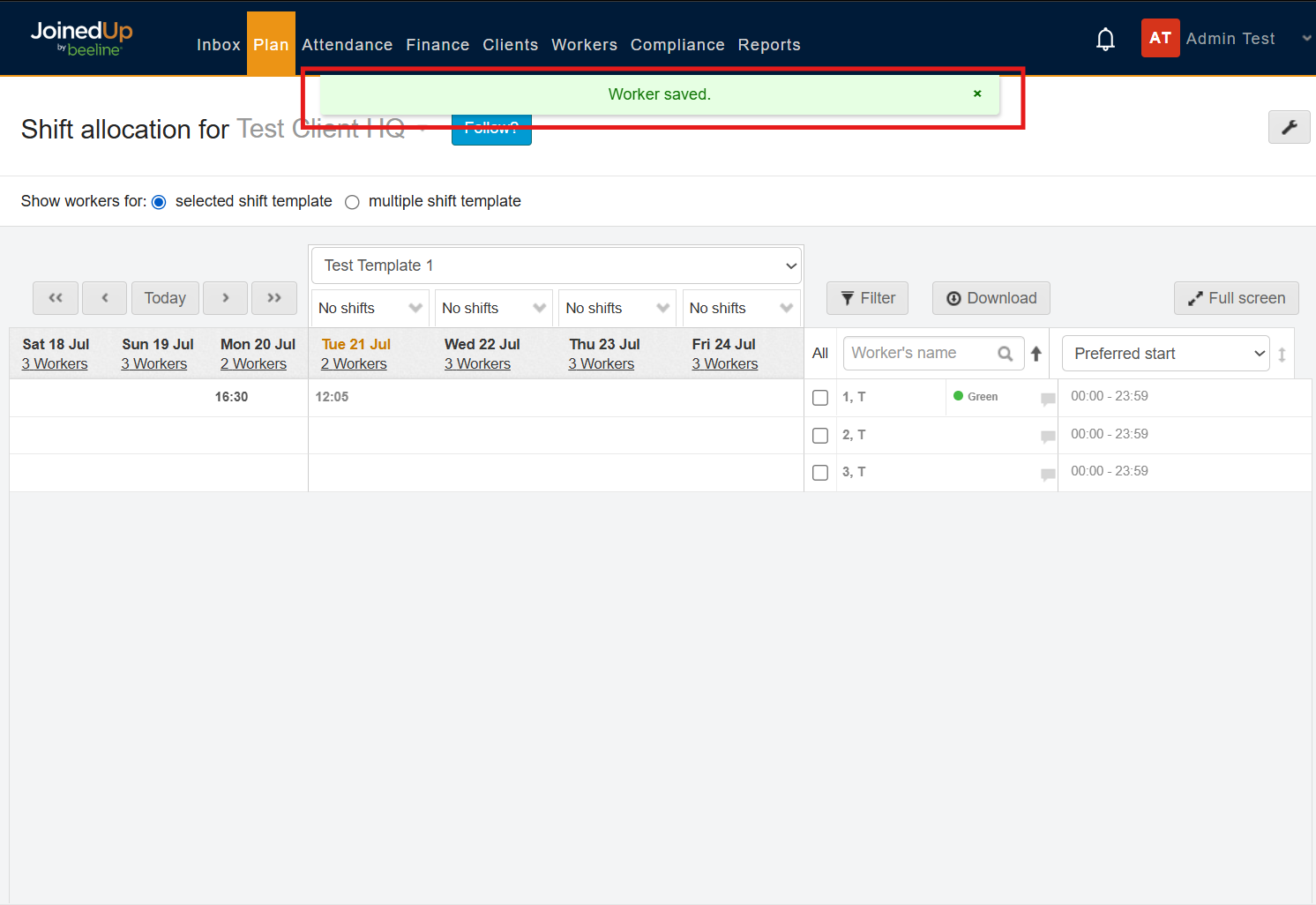
A “Worker saved” confirmation appears, and a coloured dot now shows next to the worker’s name in the list - here, 1,T is marked Green.
-
Repeat Steps 1–4 for each worker until everyone who needs a colour has been assigned to a group.
Managing the Workers
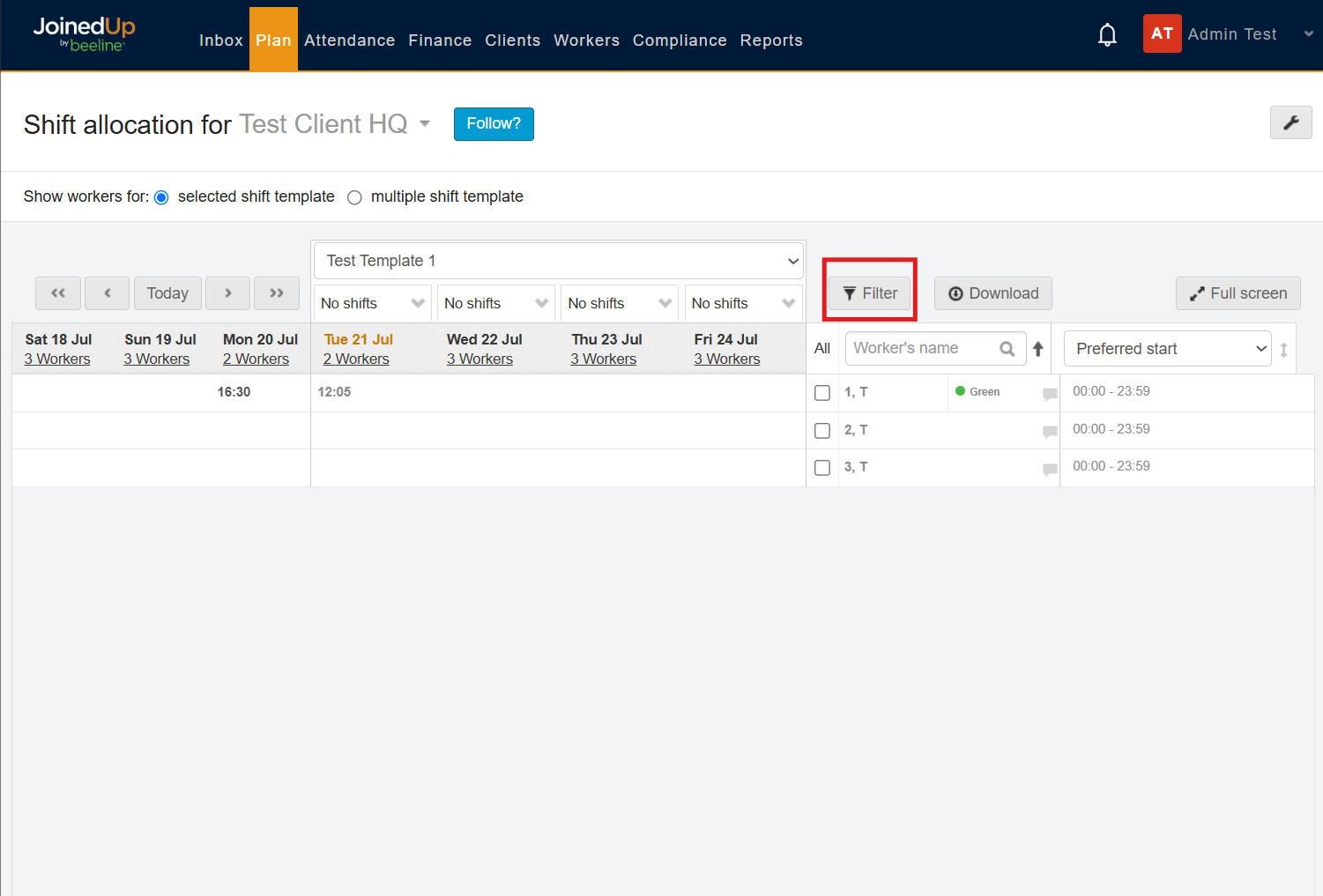
Once workers are assigned to colour groups, use the filter feature to organise them. Click Filter above the worker list to view and manage shifts by group.
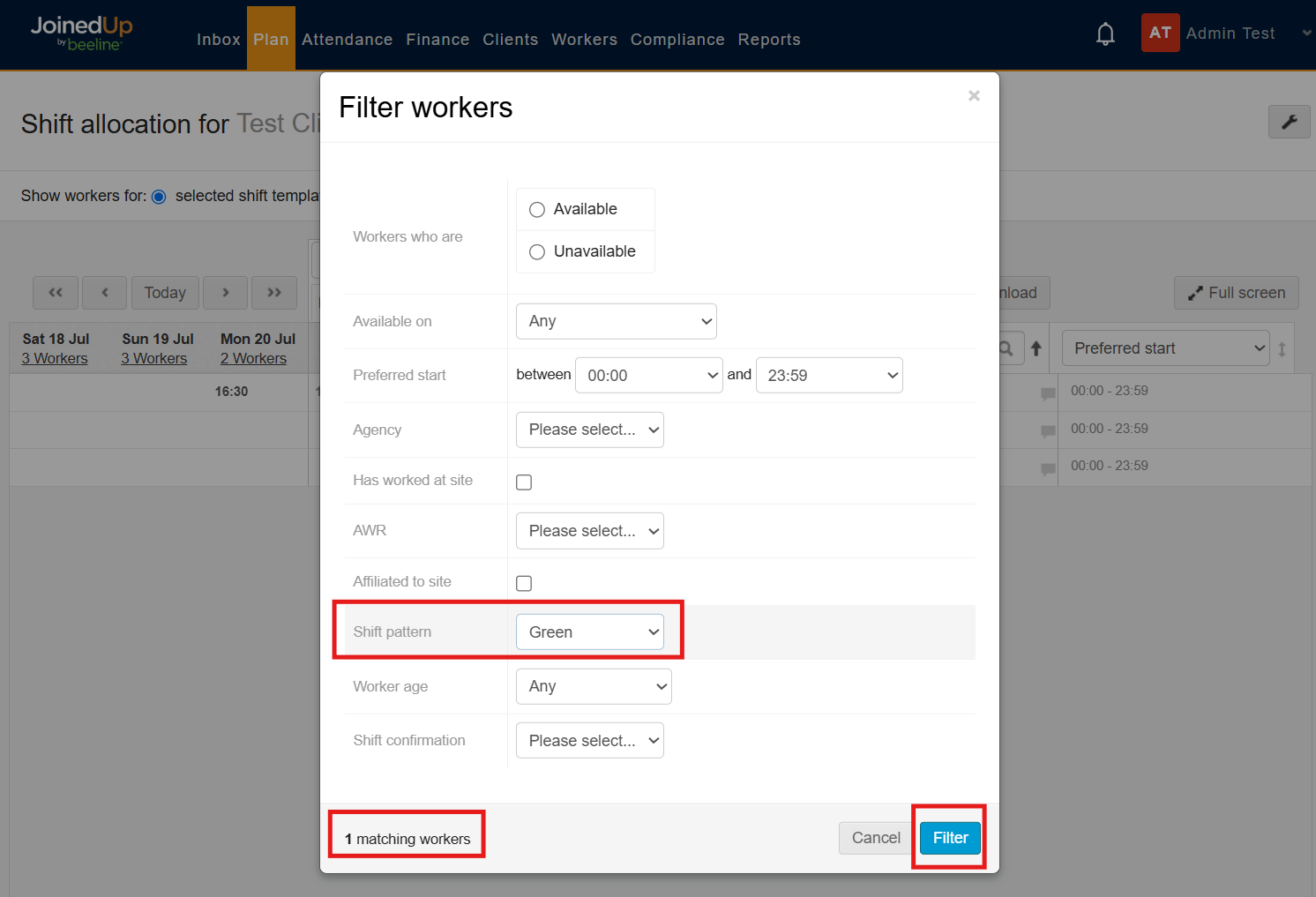
In the Filter workers window, use the colour dropdown to choose the group you want to view (e.g. Green), then click Filter. The count of the workers associated to a color group is shown on the lower-left part of the modal.
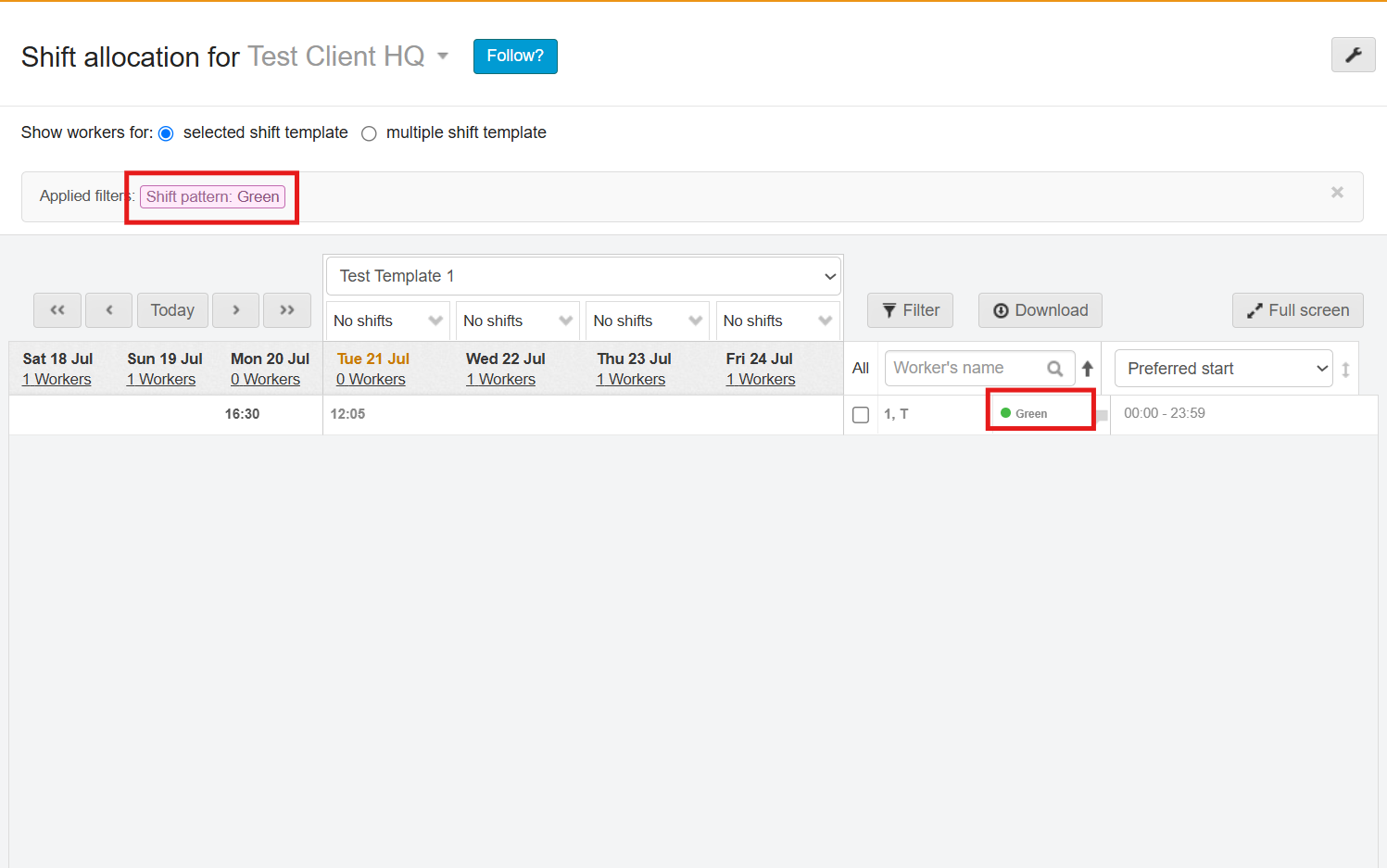
The worker list now shows only workers in that colour group, and an “Applied filters” tag confirms the filter is active. You can now select and allocate shifts to just this group.
Benefits of using Color Groups
-
Faster shift allocation - filter to one colour group and assign shifts to everyone in it at once, instead of searching for workers individually.
-
Visual clarity - coloured dots next to worker names make group membership easy to spot at a glance across the whole roster.
-
Flexible segmentation - the four colours carry no fixed meaning, so you can use them for whatever distinction matters to your organisation.
-
Easy to maintain - colours can be reassigned or removed at any time as workers move between groups.
-
Fewer errors - grouping reduces the risk of allocating shifts to the wrong workers, especially for large or high-turnover teams.