Multiple Proposals
Suppliers can submit more than one candidate for a single shift. Hirers review all proposed workers side-by-side, compare their qualifications, and accept exactly one. Once a worker is accepted, remaining proposals automatically close. Suppliers retain the ability to withdraw proposals at any time.
Enabling the Setting
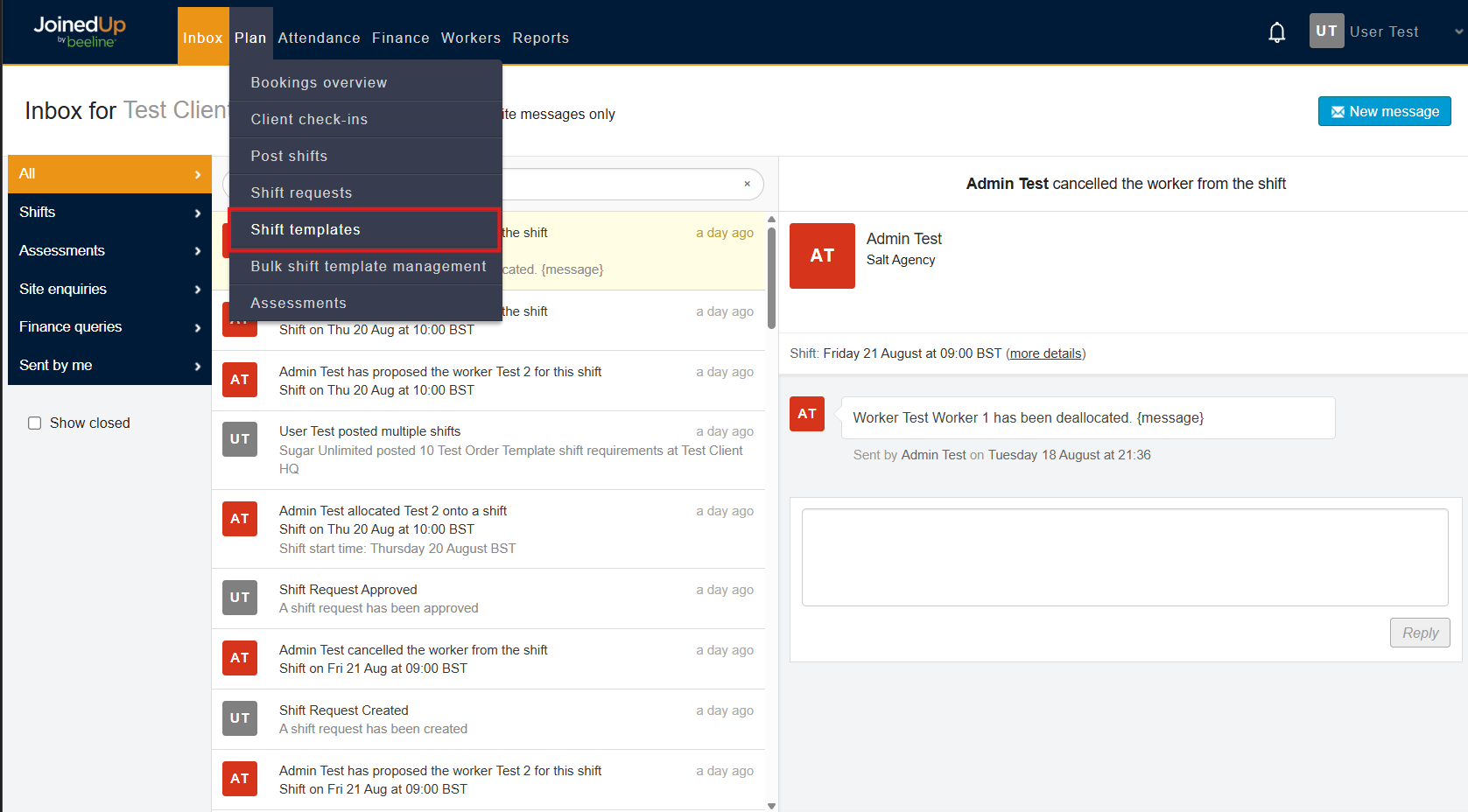
You can enable this on Order Templates. Go to Plan > Shift Templates.
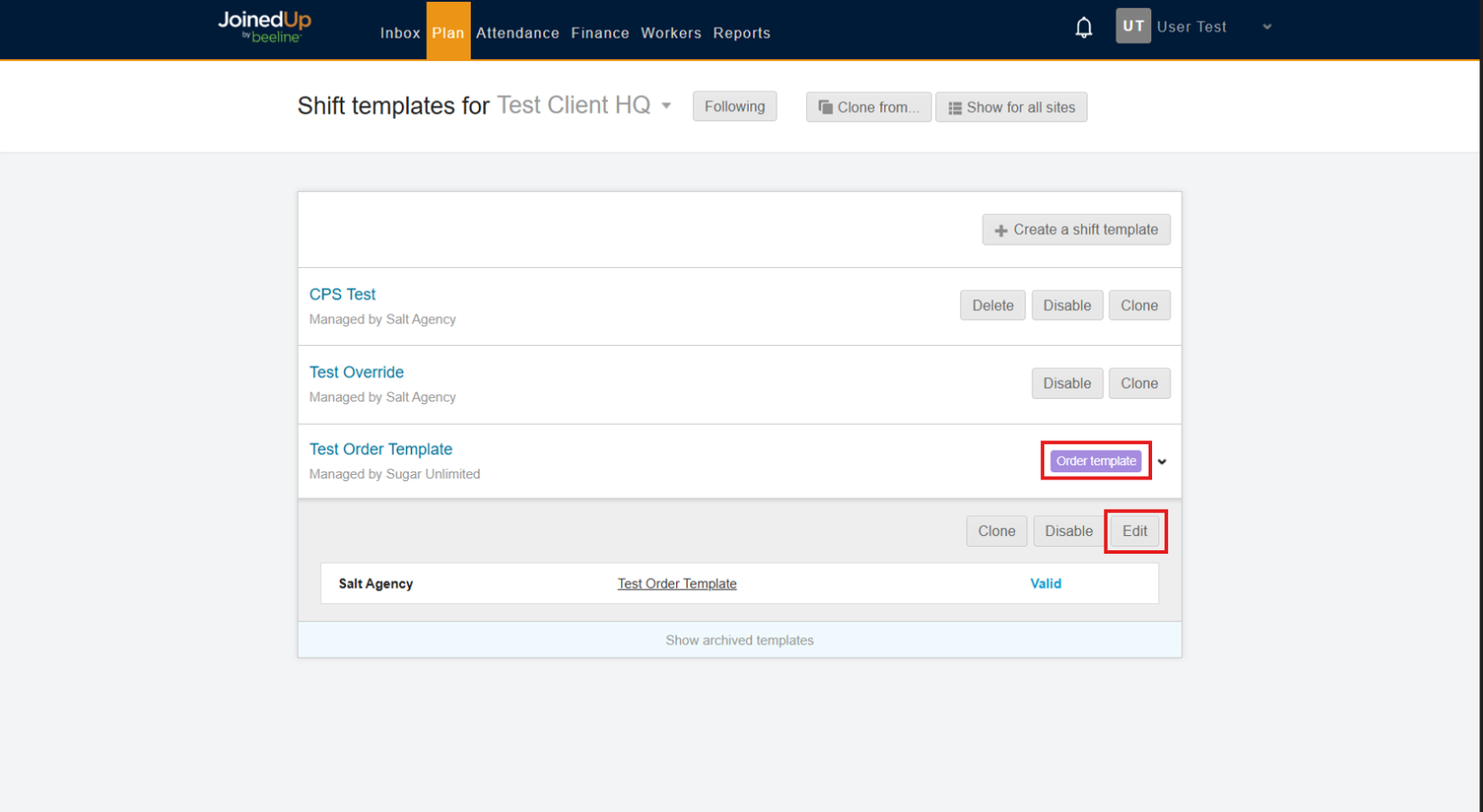
Select an Order Template. Then, click Edit to access the Order Template Settings.
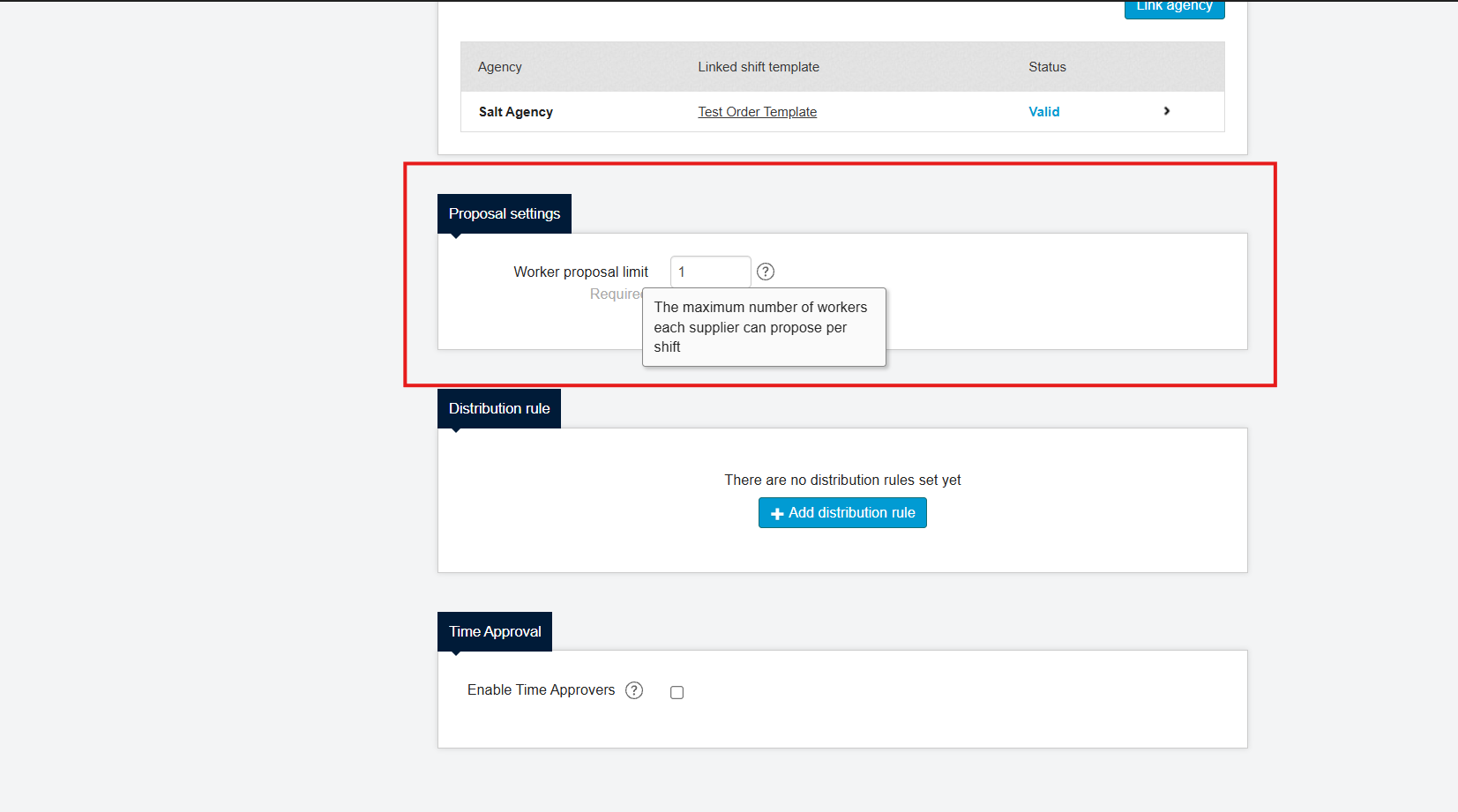
Scroll down to Proposal Settings. Here you can set the maximum number of proposals the suppliers can make for a shift.
The minimum is value is 1 while the maximum value is 10.
Worker Proposals
Once this has been set-up, you can now create shifts ands share them to the suppliers. Once they have proposed workers, you will be notified in your inbox.
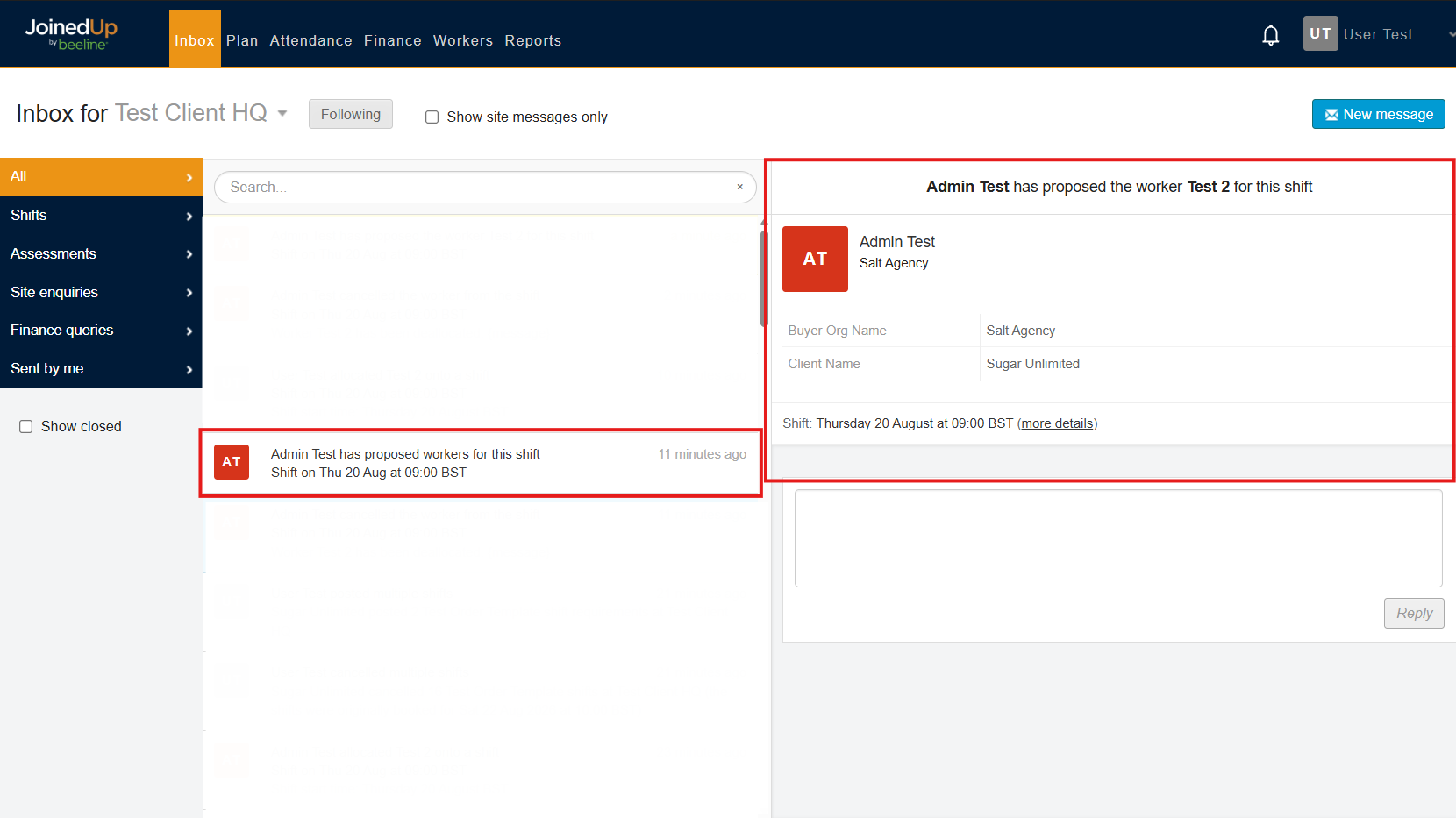
You can view them on the Post Shift Screen by selecting the corresponding shift or by selecting the “more details” on the corresponding notification in your inbox.
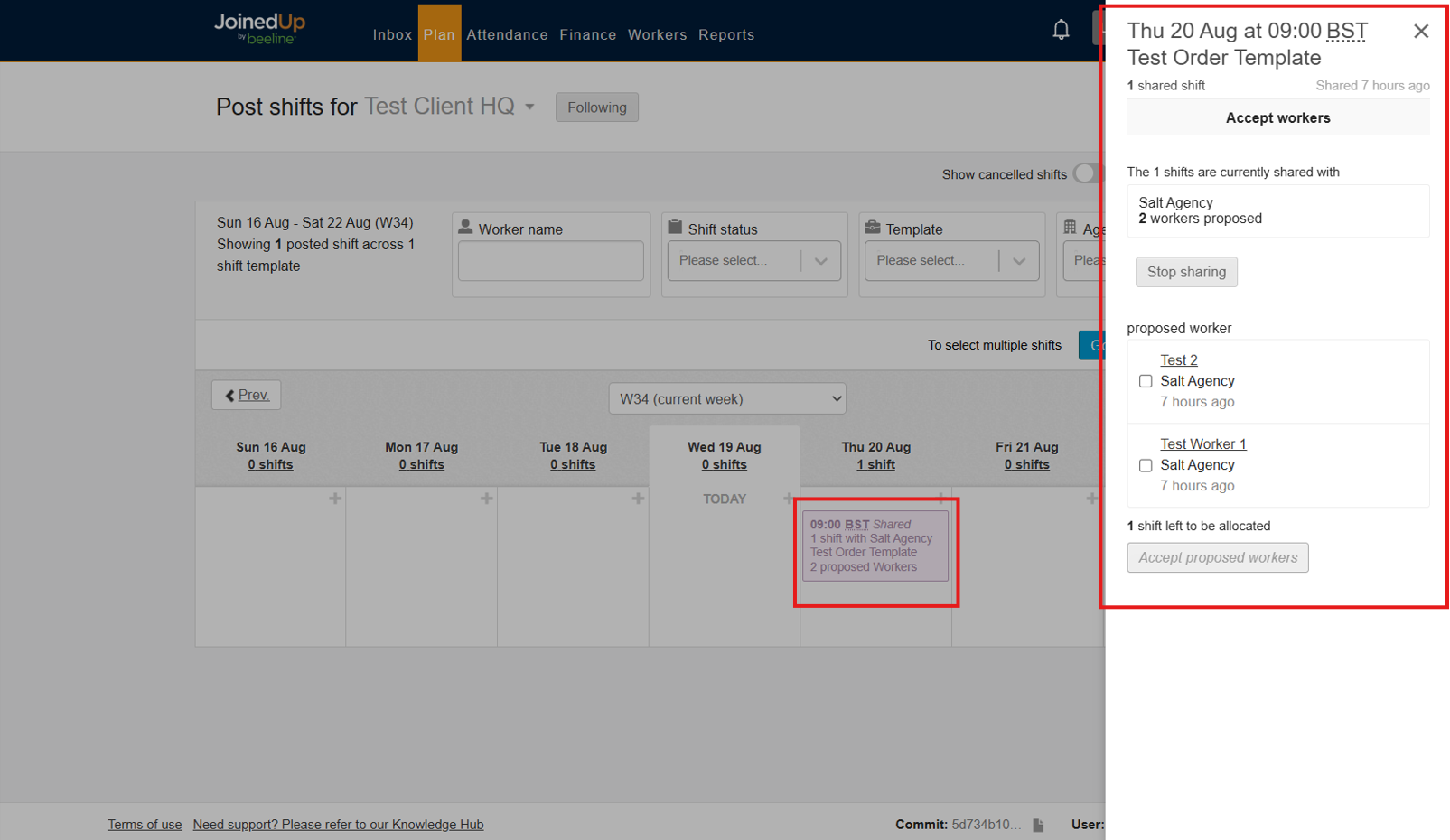
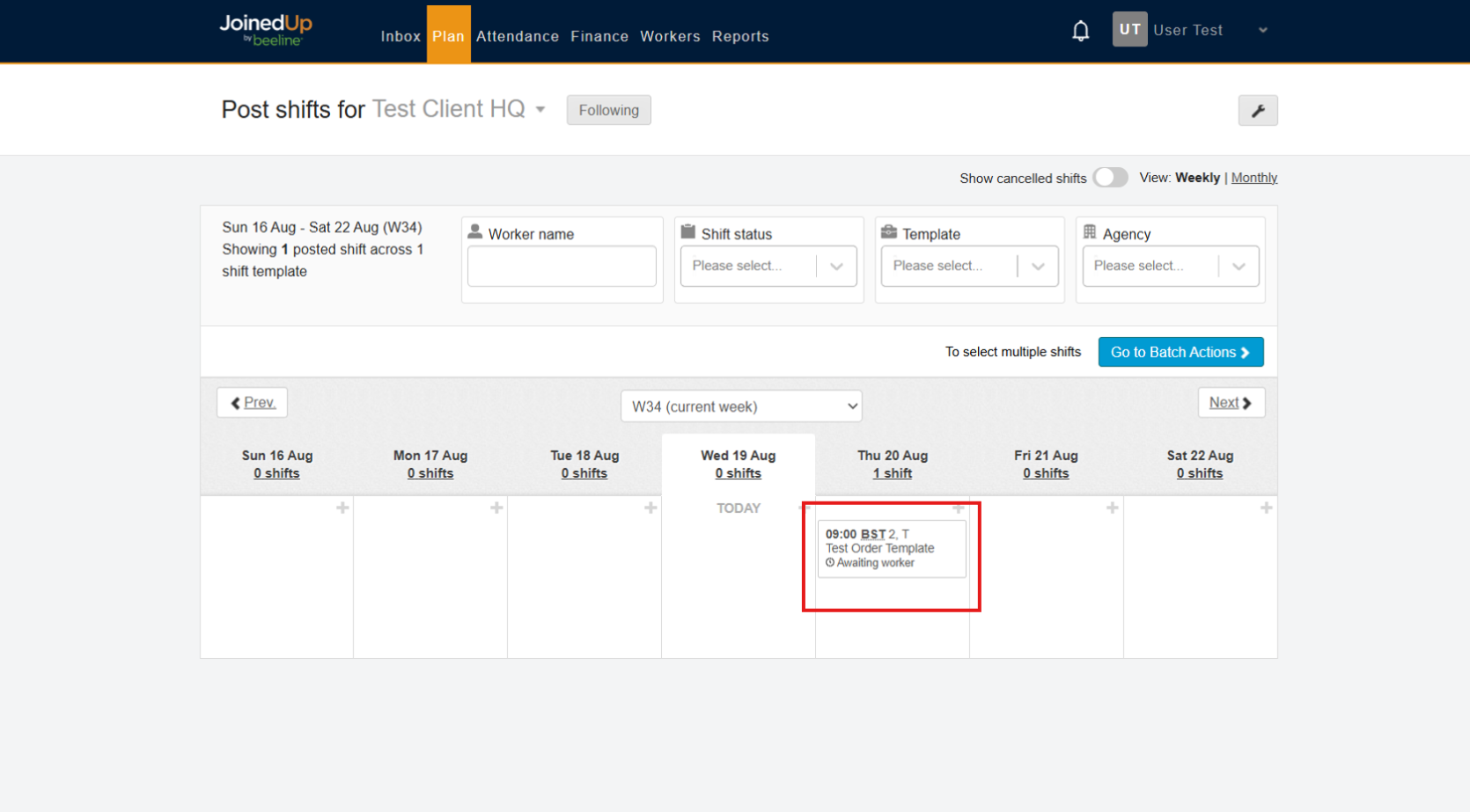
Once you select a worker, they will be allocated to the shift. Suppliers can no longer propose candidates for that shift if the required number of workers has been filled.
FAQs
What happens when Automatic Worker Acceptance is enabled on the Shift Template?
-
The system automatically accepts the first proposed worker if their profile has no issues.
What happens when the supplier deallocates a worker to the shift?
-
The shift will become available and they can propose workers again.
What happens to the other proposed workers when a worker is accepted?
-
They will be automatically declined by the system and the supplier will be notified of this action.
What happens when sharing is stopped on the shifts?
-
Suppliers will be notified. The shift will not be available in the supplier side and any proposals made will be removed.
How does this work with Shift Requests/Grouped Shifts?
-
Suppliers are still able to propose workers. The maximum number of workers they can propose is number of workers set per shift x proposal limit.